Adnan shahzad

What Is SEO Content Writing and How to Do It Right

What Is SEO Content Writing and How to Do It Right

You can write beautifully. Your grammar is perfect. Your articles are interesting.

And yet — Google ignores them completely.

Sound familiar?

The problem is not your writing ability. The problem is that writing well and writing for SEO are two different skills — and most people only learn one of them.

SEO content writing is the craft of creating content that satisfies both the reader and the search engine simultaneously. Get it right, and your articles show up on Google’s first page, bring consistent organic traffic, and generate leads or income month after month — without a single rupee spent on advertising.

Get it wrong, and even your best work sits invisible on page six.

This guide breaks down exactly what SEO content writing is, how it works in 2026, and the complete step-by-step process to write content that ranks, gets clicked, and converts.


What Is SEO Content Writing?

SEO content writing is the practice of creating web content that is optimized for both search engines and human readers. The goal is to produce articles, blog posts, and pages that rank highly in search results while genuinely helping the audience who finds them.

As one leading SEO guide puts it: SEO content writing is not just about stuffing keywords into paragraphs. It is about writing user-focused content while strategically optimizing for search engines — balancing creativity with technical precision.

The discipline has evolved dramatically. Early SEO was largely about keyword density and technical manipulation. In 2026, Google’s algorithm is sophisticated enough to evaluate actual content quality — how thoroughly a topic is covered, how well it matches what the searcher actually wanted, and how trustworthy the source appears.

This means SEO content writing today requires both technical knowledge and genuine writing skill. Neither alone is sufficient.

Why Your SEO Content Isn’t Converting (And How to Fix It Fast)


Why SEO Content Writing Matters More Than Ever in 2026

Before diving into the how, it is worth understanding the scale of the opportunity.

Over 60% of top-ranking content is now specifically optimized for search engines. Meanwhile, 85% of marketers say content quality is the most important SEO factor — above technical SEO, above backlinks, above everything else.

Consider what ranking on Google’s first page actually means:

  • The first organic result receives approximately 27.6% of all clicks
  • The second position gets around 15%
  • By position ten — still on page one — click share has dropped to under 3%
  • Page two receives less than 1% of total clicks

This means that for any given keyword, the difference between ranking first and ranking eleventh is the difference between dominating a market and being invisible in it. SEO content writing is the primary lever that determines where you land.


SEO Content Writing vs Regular Content Writing

Many people assume that good writing is good writing — that the same article that performs well in a magazine would perform equally well on Google. This is not how it works.

Here is the core difference:

Regular content writing prioritizes the reader’s enjoyment, the writer’s voice, and editorial quality. It might be excellent writing by every traditional measure — yet completely invisible on Google because it was never structured for search.

SEO content writing starts with a specific keyword or search query, structures the content around answering that query better than any competing page, and includes the technical elements — title tags, meta descriptions, heading structure, internal links — that help Google understand and rank the content.

The best SEO content writing does both. It satisfies the technical requirements that get it ranked, while being genuinely useful and engaging enough that people who find it actually read it, share it, and come back for more.

This is the balance that separates content that compounds in value over time from content that nobody ever finds.


The 8 Core Elements of High-Ranking SEO Content

Every piece of content that consistently ranks on Google’s first page shares these eight characteristics. Master all of them and your content will outperform the majority of what is published online.

1. Clear Search Intent Match

Search intent is the single most important concept in SEO content writing. It is the reason behind a search query — what the person actually wants to find when they type something into Google.

Google has become extremely good at identifying intent and matching it to content. If your article does not match the intent of the keyword it targets, it will not rank — regardless of how well-written it is.

There are four main types of search intent:

Informational — The searcher wants to learn something. Example: “what is domain authority” or “how does guest posting work.” These queries require educational content that explains concepts clearly and thoroughly.

Navigational — The searcher is looking for a specific website or page. Example: “LearnEarnInfo guest posting services.” These are brand or destination queries.

Commercial — The searcher is researching before making a purchase decision. Example: “best SEO content writing services” or “guest posting services comparison.” These require comparison content, reviews, and clear value propositions.

Transactional — The searcher is ready to take action. Example: “buy guest posts” or “hire SEO content writer.” These require service or product pages with strong calls to action.

Before writing any piece of content, search your target keyword on Google and study the top results. What format are they using? What questions are they answering? What type of content is Google showing? Your article must match that pattern — or give Google an even better option.

2. Thorough Keyword Research

Keywords are the bridge between what your audience searches for and the content you create. Without the right keywords, even exceptional content reaches nobody.

In 2026, long-tail keywords account for 70% of all search traffic. These are specific, multi-word phrases like “how to write SEO content for beginners” rather than the broad term “SEO content.” They have lower search volume individually but dramatically lower competition — and they attract readers who know exactly what they want, making them far more likely to engage and convert.

How to find the right keywords:

Start with your topic and use the Ahrefs Keyword Generator to discover related terms with real search volume. Enter your main topic and look for long-tail variations with 100 to 10,000 monthly searches and manageable competition.

Use Google’s People Also Ask boxes — the questions Google shows in search results for your topic are literally the questions your target audience is asking. Answering these comprehensively within your content is one of the fastest paths to first-page rankings.

Look at what keywords your competitors are ranking for using free tools like Ahrefs or Semrush. Find keywords they rank for in positions 4 to 15 — these are terms where you can realistically overtake them with better content.

3. A Compelling, Keyword-Rich Title

Your title tag — the headline that appears in Google search results — is one of the most important ranking signals and the first thing a searcher sees before deciding whether to click.

Rules for a high-performing title:

  • Include your focus keyword as close to the beginning as possible
  • Keep it under 60 characters to avoid being cut off in search results
  • Make a clear promise — tell the reader exactly what they will get
  • Include the current year for guides and tutorials to signal freshness
  • Use power words that create curiosity or urgency: “complete,” “proven,” “fast,” “exact,” “ultimate”

Weak title: “Content Writing Tips” Strong title: “What Is SEO Content Writing and How to Do It Right — 2026 Guide”

The difference in click-through rate between a weak and strong title can be 3 to 5 times. More clicks signal to Google that your content is what searchers want — which pushes rankings higher in a positive feedback loop.

4. A Strong Opening That Hooks the Reader

Google tracks how quickly people leave your page after clicking. If users click your result and immediately hit the back button — called a “pogo stick” in SEO — it signals to Google that your content did not deliver what the searcher expected. Rankings drop as a result.

Your opening paragraph must immediately confirm to the reader that they are in the right place. The most effective openings do one of three things:

Identify the problem: Open with the exact frustration your reader is experiencing. They immediately think “this person understands my situation” and continue reading.

Make a bold, specific claim: State the core promise of your article directly in the first two sentences. Tell them exactly what they will learn and why it matters to them.

Ask a question that creates curiosity: Open with a question that mirrors what the reader is thinking — one that your article promises to answer.

Avoid generic openings like “In today’s digital world, content is king.” Every reader has seen this sentence a thousand times. It communicates nothing and motivates no one to keep reading.

5. Comprehensive Topic Coverage

In 2026, Google rewards depth. A 600-word article that skims the surface of a topic will almost never outrank a 1,500 to 2,500-word article that covers the subject comprehensively — even if both are equally well-written.

Comprehensive does not mean long for the sake of length. It means answering every reasonable question a reader might have about your topic without padding or filler.

Use the “People Also Ask” section in Google for your target keyword to identify every related question your audience has. Answer each one within your article. Check the “Related Searches” at the bottom of Google’s results page for additional subtopics to cover.

Ask yourself: after a reader finishes this article, do they need to go anywhere else to get a complete understanding of this topic? If the answer is yes, your article is not comprehensive enough yet.

6. Strategic Keyword Placement

Your focus keyword and related terms need to appear in specific locations that Google pays particular attention to:

In the first 100 words of your article — not forced, but naturally included as you introduce the topic.

In at least two H2 headings — this helps Google understand that the entire article is relevant to that topic, not just the introduction.

Naturally throughout the body — use the keyword and related synonyms wherever they fit naturally. Aim for a keyword density of around 1 to 2% — if your article is 1,500 words, your focus keyword should appear roughly 15 to 30 times across the full text.

In the image alt text of your featured image — Google cannot see images, but it reads alt text to understand what they show.

In the URL slug — keep it short, descriptive, and keyword-inclusive.

What to avoid: keyword stuffing. Repeating your keyword in every sentence sounds unnatural to readers and triggers spam signals for Google. Write for humans. Use synonyms and related terms naturally. Google’s algorithm understands context.

7. Effective Internal and External Linking

Links serve two critical functions in SEO content writing — and both directly influence rankings.

Internal links — links to other pages on your own website — help Google understand your site’s structure and topic coverage. They distribute authority across your pages and keep readers on your site longer, which signals engagement.

Every article you publish should include three to five internal links to relevant content you have already published. For example, an article about SEO content writing should link to your guides on how to rank on Google’s first page, what is domain authority, and what is guest posting — because these are all related topics a reader might want to explore next.

External links — links to authoritative external sources — signal to Google that your content is well-researched and connected to the broader web of credible information. Link out to reputable sources that support the claims you make. Two to four external links per article is a reasonable target.

For a complete understanding of how linking fits into your broader strategy, read our guide on boost your SEO rankings.

8. Proper Formatting and Readability

Even perfectly researched and keyword-optimized content fails if it is difficult to read. People read web content differently from books — they scan first, then read in detail only if the scan tells them the content is worth their time.

Format every article for scanners:

Short paragraphs — two to four sentences maximum. Large blocks of text are visually intimidating and cause readers to leave.

Descriptive subheadings — every major section should have a clear H2 or H3 heading that tells the reader what they will find in that section. Someone who scans your headings should understand the article’s full structure in under 30 seconds.

Bold text for key points — use bold sparingly to highlight the single most important idea in each section. If everything is bold, nothing is.

Tables and comparison charts — for data-heavy or comparison content, tables dramatically improve readability and are frequently featured in Google’s rich results.

Lists — numbered lists for step-by-step processes, bullet lists for collections of related points. Lists are easy to scan and Google often pulls them directly into featured snippets.


The SEO Content Writing Process — Step by Step

Knowing the elements of great SEO content is one thing. Having a repeatable process that produces it consistently is what separates professional SEO writers from those who get inconsistent results.

Step 1 — Choose Your Target Keyword

Start with keyword research. Find a long-tail keyword with genuine search volume that you can realistically rank for given your current domain authority. Use Ahrefs or Google’s own search suggestions to find it.

Check the top 5 to 10 results for that keyword. Can you write something more thorough, more helpful, and better formatted than what currently ranks? If yes — proceed. If the first page is dominated by massive authority sites with far stronger backlinks, find a less competitive variation.

Step 2 — Study the Search Results Page

Before writing a single word, spend 15 minutes studying the top results for your keyword. Note:

  • What format is Google rewarding? (Guide, list, comparison, FAQ?)
  • How long are the ranking articles?
  • What subtopics do they all cover?
  • What questions do they answer in “People Also Ask”?
  • Are there obvious gaps — important questions they fail to address?

This research tells you the minimum standard your article must meet to compete — and shows you where you can exceed it.

Step 3 — Build Your Outline

Create a complete outline before writing. Your outline should include:

  • Your H1 title (including focus keyword)
  • Each H2 section heading
  • Key points to cover in each section
  • Where to place internal and external links
  • Questions from “People Also Ask” to answer

A strong outline is the difference between a focused, well-structured article and a rambling piece that loses readers halfway through.

Step 4 — Write the Full Draft

With your outline complete, write the full draft. Focus on covering every section thoroughly. Do not worry about perfection on the first pass — get all the ideas on the page, then refine.

Use Google Gemini for research to accelerate the research process, generate ideas for sections you might have missed, and create first drafts that you then rewrite in your own voice and with your own insights added.

The critical rule: never publish AI-generated content without substantial editing and the addition of original perspective, real examples, and personal experience. Google’s systems in 2026 are increasingly effective at identifying generic, experience-free content — and they rank it accordingly.

Step 5 — Optimize On-Page Elements

Once the draft is complete, optimize every technical element:

  • Title tag: Include focus keyword, under 60 characters, compelling promise
  • Meta description: 150 to 160 characters, include keyword, clear value proposition
  • URL slug: Short, keyword-inclusive, hyphens between words
  • H1: Your article title — only one per page
  • H2s and H3s: Include keyword variations naturally
  • Image alt text: Describe the image and include focus keyword where relevant
  • Internal links: Three to five links to relevant existing articles
  • External links: Two to four links to authoritative sources

Use our free SEO checklist to verify every on-page element before publishing.

Step 6 — Publish and Submit for Indexing

After publishing, submit your URL to Google Search Console for indexing. This tells Google a new page exists and prompts faster crawling. Without this step, new pages can take weeks to appear in search results.

Share the article on your social media channels. Engagement signals — clicks, shares, time on page — contribute to how Google evaluates new content.

Step 7 — Monitor, Update, and Improve

SEO content is not set-and-forget. Monitor your rankings in Google Search Console. If an article ranks on page two or three for its target keyword, it is close to breaking through — a content update adding more depth, fresher data, and additional internal links can push it to page one.

Revisit your best articles every six to twelve months. Update statistics, add new sections, improve formatting, and strengthen internal links. Updated content consistently outperforms stale content that has not been touched since publication.


Common SEO Content Writing Mistakes to Avoid

Writing for search engines instead of people The irony of SEO content writing is that the best way to rank is to write genuinely for your human reader. Google’s algorithm is now sophisticated enough that content optimized purely for technical signals — without genuine depth and value — consistently underperforms content that actually helps people.

Targeting keywords that are too competitive Choosing broad, high-competition keywords as a new or low-authority website produces no results regardless of content quality. Start with specific, long-tail keywords where you can realistically compete.

Neglecting the title and meta description Many writers spend hours on content and then write a lazy, generic title in 30 seconds. Your title and meta description determine whether people click your result. A weak title wastes all the effort invested in the content itself.

Ignoring content updates Content that was excellent 18 months ago is often outdated today. Old data, changed best practices, and evolving search intent mean that evergreen content requires regular refreshing to maintain and improve its rankings.

Publishing without internal links Every article published without internal links is a missed opportunity to strengthen your site’s authority structure and keep readers engaged with more of your content.


When to Use Professional SEO Content Writing Services

SEO content writing is a learnable skill. Everything in this guide can be implemented by someone with no prior experience — given time, practice, and consistent feedback from their search performance data.

However, time is the key constraint. Producing one high-quality, thoroughly researched SEO article that competes on Google’s first page takes four to eight hours of focused work — research, writing, optimization, and editing included.

For businesses and website owners whose primary focus is running and growing their operation rather than becoming content marketers, professional SEO content writing services offer a clear return on investment.

Our content writing services produce fully optimized, thoroughly researched articles built specifically to rank — with every on-page element handled, every internal linking opportunity taken, and every piece written to match both search intent and reader needs.

Combined with our guest posting services to build the backlink authority your content needs to compete, and our professional SEO services for complete strategy and execution — it becomes a comprehensive system for growing organic traffic without diverting your focus from your core business.

For a complete toolkit to evaluate and track your SEO content performance, read our guide on best SEO tools and use the how to start a blog guide if you are building your content platform from scratch.


Final Thoughts

SEO content writing in 2026 is not a technical trick. It is the discipline of understanding what your audience is searching for, creating the most thorough and helpful answer to that search, and presenting it in a format that both Google and human readers find easy to navigate.

The fundamentals have not changed — keyword research, search intent matching, comprehensive coverage, strong formatting, and consistent internal linking. What has changed is the standard. Google is better at evaluating quality than ever before, which means the bar for ranking is higher — and the reward for meeting it is more valuable.

Every article you publish that truly serves your reader is an asset that compounds in value over months and years. That is the power of SEO content writing done right.

Start with one article. Apply every principle in this guide. Publish it, monitor it, improve it. Then repeat.

That is how organic traffic is built — one excellent piece of content at a time.


What is your biggest challenge when writing content for SEO? Drop it in the comments — we answer every question.

What Is SEO Content Writing and How to Do It Right Read More »

What Is Domain Authority and How to Increase It Fast

What Is Domain Authority and How to Increase It Fast

Two websites. Same niche. Similar content quality. One ranks on page one of Google. The other ranks on page four.

What is the difference?

Nine times out of ten, it comes down to a single number — Domain Authority.

If you have heard this term thrown around in SEO conversations but never fully understood what it means, why it matters, or how to actually improve it — this guide gives you the complete picture. By the end, you will know exactly what domain authority is, how it works, what score to aim for, and seven proven strategies to increase it faster than most websites manage.


What Is Domain Authority?

Domain Authority — commonly abbreviated as DA — is a score from 0 to 100 that predicts how likely a website is to rank in search engine results pages.

The metric was developed by Moz, one of the leading SEO software companies, and it is calculated based primarily on your website’s backlink profile — the number and quality of other websites that link to yours.

A DA score of 1 means a brand new or very weak website with almost no backlinks. A DA of 100 is reserved for the internet’s most authoritative domains — think Google, Wikipedia, or the BBC.

Here is a practical breakdown of what different scores mean in the real world:

DA Score What It Means
1 – 20 New or very weak website — difficult to rank competitively
21 – 40 Developing authority — can rank for low-competition keywords
41 – 60 Moderate authority — competitive in most standard niches
61 – 80 Strong authority — competitive for high-volume keywords
81 – 100 Exceptional authority — major brands and media outlets
  1. The important thing to understand: you do not need a DA of 80 to rank on Google’s first page. You need a higher authority and better relevance than the websites currently occupying the top spots for your specific target keyword. In many niches, a DA of 30 to 40 is more than enough to rank on page one.

Is Domain Authority a Google Ranking Factor?

This is one of the most common questions in SEO — and the answer requires a nuanced explanation.

Domain Authority is a third-party metric created by Moz. Google does not officially use “Domain Authority” as a ranking signal. However, a major API documentation leak in mid-2024 confirmed the existence of a Google internal feature called siteAuthority — a site-wide authority signal that closely mirrors what DA measures.

In practical terms: the factors that increase your DA — high-quality backlinks, strong content, technical health — are precisely the same factors that improve your actual Google rankings. Improving your DA and improving your Google rankings are not two separate goals. They are the same goal measured by different tools.

Think of DA as a reliable thermometer for your website’s overall SEO health. When the temperature rises, your rankings tend to follow.

How to Get First 100 Visitors on Website (Step by Step Guide for Beginners)


Domain Authority vs Page Authority — What Is the Difference?

These two metrics are often confused, so it is worth clarifying:

Domain Authority (DA) measures the strength of your entire website as a whole. Every page on your site benefits from high domain authority — it raises the ceiling for what any individual page can rank for.

Page Authority (PA) measures the strength of a specific individual page based on the links pointing to that particular URL.

Both matter. A high-DA website with a well-optimized individual page is the ideal combination. In practice, building domain authority is the longer-term strategic goal, while page authority is more directly influenced by on-page optimization and links pointing specifically to individual URLs.


How to Check Your Domain Authority

Checking your DA is free and takes under 30 seconds.

Method 1 — Moz Link Explorer Go to Moz Link Explorer, enter your website URL, and your DA score appears immediately. Moz is the original creator of the DA metric, making it the most authoritative source for this specific score.

Method 2 — Ahrefs Domain Rating Checker Ahrefs has their own version of this metric called Domain Rating (DR). Use the Ahrefs Domain Rating checker to see your DR score — it functions similarly to DA and is calculated using Ahrefs’ own backlink database.

Method 3 — Browser Extensions MozBar, a free Chrome extension, shows DA scores directly in your browser as you browse any website. Useful for quickly evaluating potential guest posting targets or competitor analysis.

How often to check: Once per month is sufficient. DA does not change overnight — it reflects cumulative link building progress over time. Checking it daily creates unnecessary anxiety. Monthly monitoring gives you a meaningful trend to track.


What Is a Good Domain Authority Score?

The honest answer: it depends entirely on your niche and your competition.

A DA of 30 might be excellent in a small, specialized niche with low-authority competitors. That same DA of 30 might be completely inadequate in a highly competitive space dominated by major publications with DA scores in the 70s and 80s.

The right way to set your DA target is to check your top competitors:

  1. Search Google for your most important target keyword
  2. Open the top 5 results
  3. Check the DA of each website using Moz or Ahrefs
  4. Your target DA should match or exceed the average of these competitors

If the websites ranking on page one for your target keywords have DA scores of 35 to 50, getting your own site to DA 45 to 55 puts you in a very competitive position for that keyword. You do not need to beat the highest DA — you need to be competitive with the average.


Why Your DA Might Be Low — Common Causes

Before working on solutions, it helps to understand why many websites have low domain authority:

Too few backlinks: The most direct cause. If very few websites link to yours, your DA will remain low regardless of how good your content is.

Poor quality backlinks: Links from spammy, irrelevant, or low-quality websites can actually reduce your DA. Not all links help — some actively hurt.

New domain: Every website starts with a DA of 1. Young domains need time and consistent link building before authority accumulates.

No content worth linking to: Generic, thin, or duplicate content does not attract backlinks naturally. If your content does not add genuine value, other websites have no reason to reference it.

Technical problems: A slow, mobile-unfriendly, or poorly structured website signals low quality to search engines and indirectly suppresses authority growth.

Toxic backlinks: Links from adult sites, gambling sites, link farms, or penalized domains can drag your DA down. These need to be identified and removed.


7 Proven Strategies to Increase Domain Authority Fast in 2026

These are not theoretical suggestions. They are the exact methods that consistently produce DA improvements across thousands of websites — confirmed by 2026 SEO data and real case studies.

Strategy 1 — Build High-Quality Backlinks Through Guest Posting

This is the single most impactful action you can take to increase domain authority. Backlinks from relevant, high-DA websites are the primary driver of DA growth — and guest posting is the most reliable, scalable way to earn them.

When you publish a guest article on a website with DA 50 or higher, a portion of that site’s authority flows to yours through the backlink. Do this consistently — once or twice per month — and your DA will grow measurably within three to six months.

The key word is quality. One backlink from a DA 60 website in your niche is worth more than twenty backlinks from DA 15 websites with no audience or relevance.

Read our complete guide on what is guest posting for the full strategy, including how to find target websites, write pitches that get accepted, and build a long-term link building system.

If you prefer a done-for-you approach, our guest posting services connect your website with real, high-DA publishers across multiple niches — delivering editorial backlinks that produce measurable DA and ranking improvements without the risk of penalties.

Strategy 2 — Fix Your Technical SEO Foundation

Technical SEO problems actively suppress your domain authority growth. Even if you are building excellent backlinks, a slow, crawl-blocked, or poorly structured website weakens the impact of every link you earn.

The most important technical fixes for DA growth:

Site speed: Use Google Search Console and PageSpeed Insights to identify speed issues. Compress images, enable browser caching, use a fast hosting provider. Target a PageSpeed score above 80 on mobile and desktop.

Mobile optimization: Google uses mobile-first indexing — it ranks your mobile site, not your desktop version. Test every page on multiple devices and ensure smooth, fast mobile experiences.

HTTPS: Every page on your site must use HTTPS. Google has explicitly confirmed HTTPS as a ranking signal, and browsers now display security warnings on HTTP sites that destroy user trust.

Crawlability: Make sure Google can actually access and index your pages. Use Google Search Console to identify crawl errors and fix them systematically.

Broken links: Internal and external broken links waste crawl budget and create poor user experiences. Audit and fix them monthly.

Use our free SEO checklist to run a complete technical audit across all these factors — it covers every major technical SEO element in one place.

Strategy 3 — Create Content That Earns Links Naturally

The most sustainable long-term DA growth comes from creating content that other websites want to reference and link to — without any outreach required.

The content types that earn the most natural backlinks in 2026:

Original data and research: Publish surveys, studies, or data analyses that produce findings no one else has. When other writers cover your topic, they need to cite the data — and they cite you.

Definitive guides: Comprehensive, thoroughly researched guides on important topics in your niche naturally attract links from writers who find them and want to reference them for their readers.

Tools and calculators: Useful free tools embedded on your website earn backlinks consistently because people share what saves them time.

Opinion pieces backed by data: Strong, well-argued perspectives that challenge conventional wisdom or provide fresh analysis attract attention, social shares, and links from other publications.

For help scaling your content production while maintaining quality, explore our content writing services — all content is SEO-optimized, thoroughly researched, and built to earn both rankings and backlinks over time.

Strategy 4 — Build a Strong Internal Linking Structure

Internal linking is one of the most underutilized DA growth strategies. When you link between your own pages strategically, you distribute authority more effectively across your entire website — meaning every page benefits from the links your strongest pages have earned.

Every new article you publish should include three to five internal links to existing content. And every time you publish something new, go back and update relevant older articles to link forward to it as well.

Beyond distributing authority, strong internal linking helps Google understand your site’s structure and topical coverage — which contributes to the topical authority signals that influence DA. Read our detailed guide on how to rank on Google’s first page for a deeper explanation of how internal linking fits into your overall ranking strategy.

Strategy 5 — Diversify Your Backlink Profile

A common mistake in link building is getting multiple backlinks from the same website. While one strong link from a high-DA site is valuable, getting your fifth link from the same domain adds diminishing returns.

What Google and Moz’s DA algorithm reward is referring domain diversity — links coming from many different websites rather than many links from a small number of sources.

Aim to earn backlinks from as many unique, relevant domains as possible. A DA improvement of 10 points from 50 different referring domains is far more achievable — and more sustainable — than trying to get 50 links from the same five websites.

Vary your link sources: guest posts on different websites, mentions in industry roundups, links from resource pages, citations in news articles, and links from tools and directories in your niche.

Strategy 6 — Audit and Remove Toxic Backlinks

Not all backlinks help you. Links from spammy, low-quality, or completely irrelevant websites can actually signal to Google that your site is part of a link scheme — which suppresses your DA and can trigger ranking penalties.

Run a backlink audit every three to six months using Moz or Ahrefs. Look for links from:

  • Websites with DA under 10 and no real audience
  • Adult or gambling websites (unless that is your niche)
  • Websites in completely unrelated languages or industries
  • Known link farms or link-selling networks
  • Penalized or de-indexed domains

When you identify toxic links, reach out to the linking website and request removal. If they do not respond, use Google’s Disavow Tool to tell Google to ignore those specific links when evaluating your site. Cleaning up a toxic backlink profile can produce a meaningful DA increase within one to two monthly Moz updates.

Strategy 7 — Be Consistent and Patient

This is the strategy most people skip because it requires no technical skill — only discipline.

DA does not move dramatically in a week or even a month. Based on real data across thousands of websites, here is what a realistic timeline looks like:

Months 0 to 3: Minimal visible DA change. New backlinks take time to be crawled, indexed, and reflected in authority scores. Use this period to fix technical issues, publish your strongest content, and lay the link building foundation.

Months 3 to 6: Early growth becomes visible for websites consistently earning quality backlinks. The first meaningful DA increases appear for sites that have published original, comprehensive content during this period.

Months 6 to 12: Noticeable authority increase for websites that maintained consistency. Rankings improve measurably across multiple target keywords.

Year 2 and beyond: Compounding growth. Every new backlink builds on a stronger foundation than the one before. Websites that maintain a consistent link building strategy for two or more years become significantly harder for competitors to displace.

The websites that fail at DA growth are almost never those who lacked skill or knowledge. They are the ones who quit after two months of limited visible results — right before the growth was about to become visible.


The Fastest Way to Increase DA — A Realistic 90-Day Plan

Here is a concrete, actionable plan you can start today:

Week 1 to 2 — Audit and Fix

  • Check your current DA score using Moz Link Explorer
  • Run a full technical SEO audit using our free SEO checklist
  • Fix all critical technical issues: speed, mobile, HTTPS, broken links
  • Run a backlink audit and identify any toxic links to disavow

Week 3 to 4 — Content Foundation

  • Publish your first link-worthy, comprehensive guide (1,500+ words minimum)
  • Optimize your internal linking across all existing content
  • Research five to ten potential guest posting targets in your niche

Month 2 — Link Building Begins

  • Submit two guest post pitches per week
  • Aim for at least two to four published guest posts this month
  • Each post on a website with DA 30 or higher in your niche

Month 3 — Scale and Track

  • Increase to four to six guest post pitches per week
  • Check DA at end of month — expect early signs of movement
  • Double down on whichever link sources are proving most accessible
  • Begin outreach for resource page links and unlinked brand mentions

By the end of month three, most websites executing this plan consistently will see measurable DA improvement and corresponding ranking gains for target keywords.


Domain Authority and Your Services — The Direct Connection

Understanding DA is not just theoretical knowledge. It has direct, practical implications for how you invest in your website’s growth.

When you purchase guest posting services, the DA of the websites placing your backlinks directly determines how much authority flows to your domain. A placement on a DA 60 website delivers significantly more authority than one on a DA 25 website — which is why the source quality matters far more than the number of links.

When you invest in professional SEO services, DA growth is one of the clearest metrics for tracking return on investment. A well-executed SEO strategy should produce consistent, measurable DA improvement alongside the ranking and traffic gains it drives.

And when you invest in content writing services, high-quality content is the foundation that makes all link building more effective — because other websites only link to content that is genuinely worth referencing.

For a complete overview of how all these elements work together, read our guides on boost your SEO rankings and best SEO tools to build a fully equipped SEO toolkit.


Common Questions About Domain Authority

How long does it take to increase domain authority? Expect three to six months of consistent effort before seeing meaningful DA movement. The timeline depends on how aggressively you build backlinks, the quality of those links, and whether you fix technical issues early. Websites that combine regular guest posting with strong content and clean technical SEO typically see the fastest results.

Can I increase DA without building backlinks? Technically, some minor DA improvements come from technical fixes and improved content. But the honest answer is no — domain authority is fundamentally a backlink metric. Significant DA growth requires earning quality backlinks from relevant websites.

Does DA affect every page on my website? Yes. Domain Authority is a site-wide score. When your DA increases, every page on your website becomes more competitive — including pages you have not specifically built links to. This is what makes DA growth so valuable: it is a rising tide that lifts all your rankings simultaneously.

Should I focus on DA or just focus on rankings? Focus on rankings — DA is the measurement, not the goal. The strategies that increase DA (quality backlinks, great content, technical SEO) are the same strategies that improve rankings. Do the right things consistently and both numbers improve together.


Final Thoughts

Domain authority is one of the clearest indicators of where your website stands in the competitive landscape of your niche — and one of the most reliable predictors of how easy or difficult ranking will be for your target keywords.

Increasing it is not complicated. It requires quality backlinks from relevant websites, content worth linking to, a technically sound foundation, and the consistency to keep building over months rather than weeks.

Start with the free SEO checklist to audit where you stand today. Read the guide on digital marketing tactics to build the broader strategy around your DA growth. And if you want professional support accelerating your link building, our guest posting services and SEO services are built exactly for this purpose.

Your DA is a number that reflects everything you have built so far. Start building more — and watch it climb.

What is your current DA score and what is your target? Drop it in the comments — and let us know what your biggest challenge is in growing it.

What Is Domain Authority and How to Increase It Fast Read More »

What Is Guest Posting and Why Your Website Needs

What Is Guest Posting and Why Your Website Needs

You have built a great website. You publish content regularly. You have done everything right — and yet your traffic barely moves.

This is one of the most common frustrations in digital marketing. And more often than not, the missing piece is the same: authority. Google does not just rank websites based on content quality. It ranks websites based on how much other websites trust and reference them.

That is exactly what guest posting solves.

Despite years of debate, the data in 2026 is clear — 64.9% of link builders still use guest posting as their primary strategy, making it the most widely used link-building method today. If you are not using it, you are competing with one hand tied behind your back.

This guide explains exactly what guest posting is, why it remains one of the most powerful SEO strategies available, and how to do it correctly in 2026 — including how to avoid the mistakes that get websites penalized.


What Is Guest Posting?

Guest posting — also called guest blogging — is the practice of writing and publishing an article on someone else’s website in exchange for a backlink to your own site.

Here is how the basic exchange works:

  • You write a high-quality article on a topic relevant to the host website’s audience
  • The host website publishes your article and includes a link back to your website within the content
  • You receive a backlink, exposure to a new audience, and a boost in your site’s authority in Google’s eyes

It sounds simple because the concept is simple. The power, however, is in what those backlinks actually do for your rankings.

How to Get High-Quality Backlinks Using Guest Posting (Step-by-Step)


Why Backlinks Matter So Much for SEO

To understand why guest posting works, you need to understand how Google evaluates websites.

When Google decides which websites deserve to rank on the first page for a given search query, it looks at hundreds of signals. Among the most powerful is this: how many credible websites link to yours?

Think of it like a recommendation system. If ten strangers told you a restaurant was good, you might try it. If ten respected food critics with loyal followings told you the same thing, you would go immediately. Google works the same way. A link from a trusted, authoritative website is Google’s version of a respected recommendation — and it carries enormous ranking weight.

In 2026, search engines reward relevance, trust, and expertise more than ever. Guest blogging naturally supports all three. When you contribute valuable content to reputable websites in your niche, you gain contextual backlinks, reach a targeted audience, and position yourself as a credible voice.

This is why learning how to rank on Google’s first page always comes back to building quality backlinks — and guest posting is the most reliable, sustainable way to do it.


The Real Benefits of Guest Posting in 2026

Guest posting does far more than just build backlinks. When done correctly, it delivers multiple compounding benefits simultaneously.

1. Higher Google Rankings

This is the primary goal for most websites. Every high-quality backlink from a relevant, authoritative domain tells Google that your website is credible and worth ranking higher. According to SEO experts, a single backlink from a high-DA guest post site can improve rankings for multiple target keywords and increase organic traffic simultaneously.

The cumulative effect is significant. As you build more backlinks through consistent guest posting, your domain authority grows — and with it, your ability to rank for increasingly competitive keywords.

2. Direct Referral Traffic

A guest post on an active website with real readers does not just help your SEO — it sends actual visitors directly to your site. Sites with guest posts see 40% more traffic in two months.

These visitors are particularly valuable because they arrive pre-qualified — they already read your content on another site and found it interesting enough to click through to learn more.

3. Faster Domain Authority Growth

Domain Authority (DA) is a metric that reflects how authoritative Google considers your website. New websites typically start with a very low DA, which makes it difficult to rank for competitive keywords.

Guest posting on high-DA websites accelerates this growth dramatically. Websites that regularly publish guest content experience up to 97% more inbound links compared to those that rely solely on original content. More quality inbound links mean faster DA growth — which means rankings improve across your entire website, not just for the pages you optimize individually.

4. Brand Visibility and Credibility

Being published on well-known platforms gives you social proof you can display on your own website. “As seen in Forbes, HubSpot, and Search Engine Journal” is a powerful trust signal for new visitors.

When potential clients or customers see that your content has been featured on respected websites, their trust in your brand increases before they have even read a word of your own site. This is particularly valuable for businesses offering services — like SEO, content writing, or consulting.

5. Business Lead Generation

Guest posting is not just an SEO tactic. It is a lead generation channel. B2B companies using guest posting as part of their content strategy generate 67% more leads per month than those that do not.

When your article appears on a website your target audience already reads and trusts, the leads that arrive from it are warm, pre-qualified, and significantly more likely to convert than cold traffic from ads.

6. Long-Term Compounding Results

Unlike paid advertising, which stops delivering the moment you stop paying, guest posts continue working for years. An article published today on a high-traffic website can keep driving referral visits and passing SEO authority to your site for the next three to five years — long after the effort of writing it is forgotten.


How Guest Posting Works — Step by Step

Understanding the concept is one thing. Knowing exactly how the process unfolds is what allows you to actually execute it.

Step 1 — Identify Target Websites

Your first job is finding websites that are worth targeting. Not every website that accepts guest posts will benefit your SEO. The wrong backlinks can actually hurt your rankings.

Look for websites that meet these criteria:

  • Relevance — The website covers topics related to your niche. A backlink from a relevant website carries far more weight than one from an unrelated site.
  • Domain Authority — Use a tool like the Ahrefs backlink checker to check a site’s DA score. Aim for DA 30 and above, with DA 50+ being excellent.
  • Real Traffic — The website should have genuine, active readers — not just inflated metrics. Check their social media engagement and comment sections.
  • Editorial Standards — Websites that accept any submission without editorial review are low-quality. You want sites that only publish genuinely good content.

To find guest posting opportunities, search Google for terms like:

  • “your niche” + “write for us”
  • “your niche” + “guest post”
  • “your niche” + “submit an article”
  • “your niche” + “contribute”

Step 2 — Research the Website Before Pitching

Before reaching out, spend 20 to 30 minutes reading the website. Understand their tone, their audience, the topics they cover, and the style of content they typically publish. This research makes your pitch far more convincing.

Look for gaps — topics their audience would find valuable that they have not yet covered thoroughly. Your best pitches offer to fill those gaps rather than duplicate what already exists.

Step 3 — Write a Personalized Pitch

Most guest post pitches get ignored because they are generic copy-paste emails. A strong pitch is short, personal, and makes it immediately clear why your article would benefit their audience — not just your backlink profile.

A winning pitch includes:

  • A specific reference to their website (show you actually read it)
  • Two to three specific article ideas with working titles
  • A one-paragraph explanation of why each topic would serve their readers
  • Two to three links to your best existing content as writing samples
  • A clear, low-pressure call to action

Keep the entire email under 200 words. Editors are busy. Respect their time.

Step 4 — Write an Exceptional Article

Once a pitch is accepted, the article you deliver must be genuinely excellent — not a slightly edited version of something you have already published elsewhere.

Write for the host website’s audience first. Your backlink is included naturally within the content — never forced or promotional. The article should be thorough, well-researched, and more helpful than what already exists on that topic.

In 2026, Google’s algorithms emphasize Experience, Expertise, Authoritativeness, and Trustworthiness (E-E-A-T). Content lacking depth or insight will not rank. Your goal is to establish yourself as a credible expert first, and let link-building happen naturally.

A high-quality guest post does two things simultaneously: it earns you a backlink and it builds your reputation with the host website’s audience.

Step 5 — Follow Up and Build the Relationship

After your article is published, share it on your social media channels. Send a thank-you note to the editor. Engage with comments on the article if the platform allows it.

The goal is not just one backlink — it is a long-term relationship with a website that can feature your content again in the future. The best guest posting results come from ongoing collaborations, not one-off transactions.


Guest Posting Mistakes That Will Hurt Your SEO

Not all guest posting helps your website. Done incorrectly, it can trigger Google penalties that take months to recover from. Here are the mistakes to avoid completely.

Posting on Irrelevant Websites

A backlink from a cooking blog to an SEO website adds no value — and multiple irrelevant backlinks can confuse Google about what your website is actually about. Always prioritize relevance over quantity.

Using the Same Anchor Text Repeatedly

If every guest post links back to your site with the exact same keyword-rich anchor text — like “best SEO services” — Google recognizes this as unnatural link building. Vary your anchor text naturally. Use your brand name, generic phrases like “this guide,” and occasionally your target keyword.

Submitting to Link Farms

Some websites exist purely to sell backlinks — they publish any content from anyone, have no real readership, and exist only as link repositories. Google has become far better at identifying link schemes and low-quality placements. Today, a handful of strong, relevant backlinks will outperform dozens of weak ones. One link from a genuine, high-authority website beats 100 links from link farms.

Treating It as a One-Time Activity

Treating guest posting as a one-off activity produces far worse results than consistent, long-term efforts. Guest posting works as a compounding strategy — the more consistently you build quality backlinks over time, the faster your authority grows and the stronger your rankings become.

Writing Poor Quality Content

Some people write their best content for their own website and submit mediocre content for guest posts. This is backwards. Your guest posts are your public resume — they are what editors and readers across the internet will use to judge your expertise. Write as well or better than you do on your own site.


How to Evaluate a Guest Posting Opportunity

Before accepting or pursuing any guest posting opportunity, run through this quick checklist:

Factor What to Check
Domain Authority DA 30+ (DA 50+ is ideal)
Niche Relevance Does the site cover your topic area?
Real Traffic Does it have active readers and social engagement?
Editorial Standards Does it review submissions before publishing?
Outbound Link Quality Does it link to other credible, relevant websites?
Index Status Is the site properly indexed in Google?
Content Freshness Has it published new content recently?

Check your own site’s current backlink profile using Google Search Console — it shows which websites are already linking to you and which pages are earning the most authority. Use our free SEO checklist to audit your overall link building strategy alongside your on-page and technical SEO.


Guest Posting vs Other Link Building Methods

Guest posting is one of several ways to build backlinks. How does it compare to the alternatives?

Guest Posting vs Buying Links Buying backlinks from link sellers violates Google’s guidelines and risks manual penalties that can destroy years of SEO progress. Guest posting, when done correctly, produces editorial links — the kind Google rewards rather than penalizes.

Guest Posting vs Directory Submissions Directory submissions (submitting your site to online business directories) were effective a decade ago. Today they produce minimal SEO value. Guest posts on real websites carry far more authority.

Guest Posting vs HARO (Help a Reporter Out) HARO can earn high-authority links from major publications, but opportunities are competitive and unpredictable. Guest posting gives you more control over the process and allows for consistent, scalable link building.

Guest Posting vs Social Media Links Links from social media platforms are “nofollow” — they do not directly pass SEO authority. Social media is valuable for traffic and brand awareness but not for building the kind of backlinks that move rankings.

Guest posting remains the best combination of scalability, quality, and long-term sustainability among all link building methods available in 2026.


Should You Do It Yourself or Use a Guest Posting Service?

This is the practical question most website owners face eventually.

Doing it yourself makes sense if you enjoy writing, have time for outreach, and want to build relationships directly with other publishers. The process takes time to master — expect 3 to 6 months before you have a reliable system that consistently produces placements.

Using a professional service makes sense if your time is better spent running your business, you need results faster than DIY allows, or you want access to an established network of high-DA websites without the months of relationship building.

Our guest posting services are built for exactly this situation. We connect your website with real, high-authority publishers in your niche — from DA 40 all the way to DA 70+ — delivering editorial backlinks that move rankings without risking penalties.

Combined with our professional SEO services and content writing services, guest posting becomes part of a complete, integrated strategy — not just a standalone tactic.


Building a Long-Term Guest Posting Strategy

The websites that dominate Google in competitive niches are almost never those that published the most content. They are the ones that built the most authority — consistently, over time.

A realistic long-term guest posting strategy looks like this:

Month 1 to 3 — Foundation Focus on lower-DA websites (DA 30 to 40) where it is easier to get placements. Build your portfolio of published guest posts. Refine your pitch process.

Month 4 to 6 — Growth With several published pieces, you have social proof that makes it easier to pitch higher-authority sites (DA 40 to 55). Your first rankings improvements become visible.

Month 7 to 12 — Acceleration Target DA 55+ websites. Your domain authority is growing, which improves your ability to rank for competitive keywords across your entire website.

Year 2 and Beyond — Dominance Consistent, high-quality guest posting compounds. Each new backlink builds on the foundation of all previous ones. Websites that maintain this strategy consistently for two or more years become extremely difficult for competitors to displace.

For a complete picture of your SEO strategy alongside guest posting, read our guides on how to boost your SEO rankings and digital marketing tactics that work alongside link building.


Final Thoughts

Guest posting in 2026 is not a shortcut or a trick. It is one of the most legitimate, effective, and sustainable SEO strategies available — and the data consistently supports it.

Guest posting still works for SEO in 2026 because search engines value relevance, trust, and helpful content. The method itself is not outdated — only low-quality practices are. By choosing the right websites, creating useful content, and placing links naturally, guest posting can continue to support rankings and visibility for years.

If your website is not growing as fast as you want — if the traffic is stagnant, the rankings are stuck, and competitors keep outranking you — the answer is almost certainly authority. And the most reliable way to build authority is through consistent, high-quality guest posting on real websites your audience already reads and trusts.

Start with one pitch this week. One article. One backlink from a website better than yours.

Then do it again next week.

That is how first-page rankings are built.


Are you already using guest posting to grow your website? Share your experience in the comments — or drop your biggest question and we will answer it.

What Is Guest Posting and Why Your Website Needs Read More »

how to get website on first page of Google

How to Get Your Website on the First Page of Google

If your website is not on the first page of Google, it might as well not exist.

That is not an exaggeration. Studies consistently show that over 90% of all clicks go to results on page one. Page two gets less than 1%. If your potential customers cannot find you on Google, they are finding your competitors instead.

The good news? Getting to page one is not reserved for big brands with massive budgets. In 2026, smaller websites with the right strategy are regularly outranking large, established domains. Google has changed — and it now rewards genuinely helpful, well-structured content over expensive tricks and shortcuts.

This guide gives you the complete, step-by-step system to rank your website on Google’s first page in 2026 — from keyword research to technical SEO to link building. Whether you are starting from scratch or trying to improve existing rankings, everything you need is right here.


Why Ranking on Google’s First Page Matters More Than Ever

90% of online experiences start with a search engine. Google alone handles over 8.5 billion searches every single day. Each one of those searches is a potential customer, reader, or client looking for exactly what you offer.

Here is what first page ranking actually means for your business:

  • Free, consistent traffic that arrives every day without paying for ads
  • Higher credibility — users trust Google’s top results more than paid advertisements
  • Compounding growth — a page that ranks today keeps bringing traffic for months and years
  • Qualified leads — people who find you through search are already looking for what you sell

SEO is the only marketing channel that pays you back indefinitely. Every hour you invest in it today continues generating results long after the work is done.

website rank


How Google Decides Who Ranks First in 2026

Before you can rank, you need to understand what Google is actually looking for. Google’s algorithm evaluates hundreds of signals, but they all come down to three core pillars:

Relevance — Does your content genuinely answer what the user searched for?

Authority — Do other trusted websites link to you, signaling that you are a credible source?

Experience — Is your website fast, mobile-friendly, secure, and easy to navigate?

In 2026, Google has added a fourth critical dimension — E-E-A-T, which stands for Experience, Expertise, Authoritativeness, and Trustworthiness. Google now gives preference to content written by people with real, demonstrated experience in a topic. Generic, surface-level content that anyone could write is being pushed down. Original insights, personal experience, and genuine expertise are being pushed up.

The practical implication: you cannot fake your way to page one anymore. You have to actually know your subject, show your credentials, and write content that genuinely helps people.


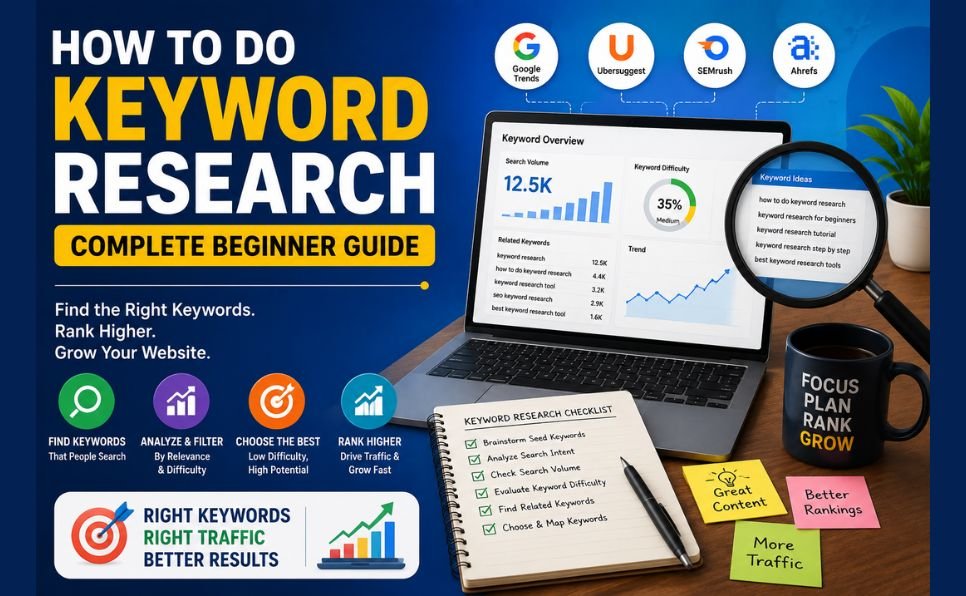
Step 1 — Keyword Research: Find What Your Audience Is Actually Searching For

Everything in SEO starts with keyword research. If you target the wrong keywords, no amount of optimization will bring meaningful traffic. If you target the right keywords, even moderate optimization can produce strong results.

Understanding Keyword Types

Short-tail keywords are broad, high-volume terms like “SEO” or “make money online.” They get millions of searches but are dominated by major brands. Beginners should avoid competing for these directly.

Long-tail keywords are specific phrases like “how to do SEO for a small business website” or “how to rank a blog on Google in 2026.” They have lower individual search volume but are far easier to rank for — and they attract users with very specific intent who are much more likely to convert.

In 2026, long-tail keywords are your biggest opportunity. Target them first, build authority, and the broader terms will follow naturally over time.

How to Find the Right Keywords

Method 1 — Google’s Own Suggestions Type your topic into Google’s search bar and look at the autocomplete suggestions. These are real searches people are making. Also scroll to the bottom of the results page for the “Related Searches” section — pure keyword gold.

Method 2 — Use Free Tools The Ahrefs free keyword tools let you enter a topic and see hundreds of related keyword ideas with search volume data. Google Keyword Planner (free inside Google Ads) does the same.

Method 3 — Study Your Competitors Find websites that are already ranking for your topics. Look at what keywords they target in their titles, headings, and content. You do not need to copy them — you need to understand the landscape and find gaps they have missed.

Method 4 — Use AI for Keyword Research Tools like Google Gemini for SEO research can generate comprehensive keyword ideas, identify related topics, and help you understand what questions your audience is asking. This dramatically speeds up the research process.

Keyword Selection Criteria

Before committing to a keyword, ask three questions:

  1. Is there genuine search volume? A keyword nobody searches for will bring no traffic regardless of ranking.
  2. Can I realistically rank for this? Check who is currently on page one. If it is all major brands with thousands of backlinks, choose a less competitive variation.
  3. Does it match buying intent? Keywords with words like “best,” “how to,” “review,” “guide,” and “services” indicate users who are closer to taking action.

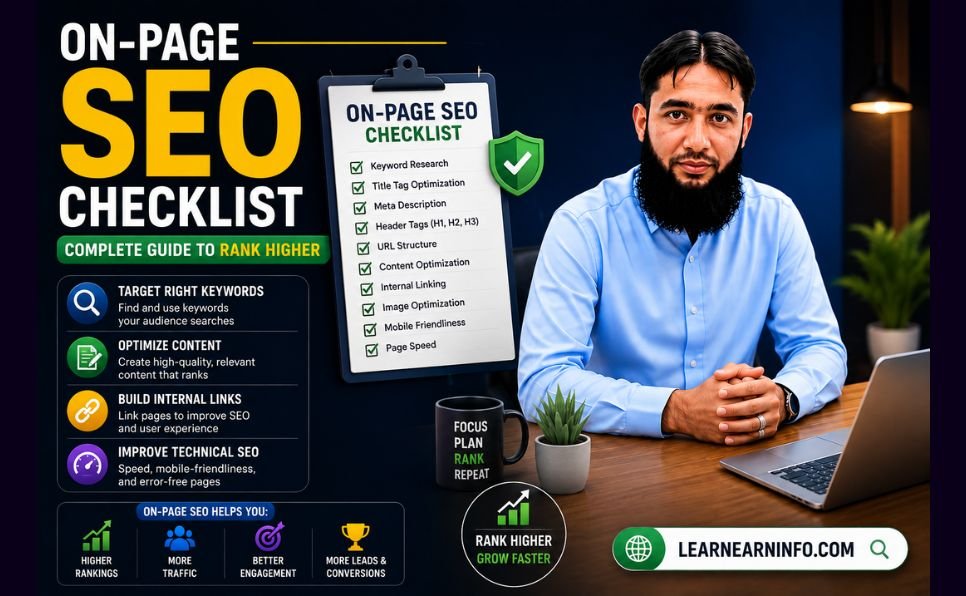
Step 2 — On-Page SEO: Optimize Every Page You Publish

On-page SEO refers to everything you control directly on your website — your content, titles, headings, images, and structure. This is where most of the ranking work happens.

Title Tag Optimization

Your title tag is the blue clickable headline that appears in Google search results. It is one of the most important ranking signals you have.

Rules for a perfect title tag:

  • Include your focus keyword, ideally near the beginning
  • Keep it under 60 characters so it does not get cut off in search results
  • Make it compelling — it needs to earn the click, not just rank
  • Include the year (2026) for guides and tutorials — it signals freshness

Example: “How to Get Your Website on the First Page of Google — Complete SEO Guide 2026”

Meta Description

The meta description appears below your title in search results. It does not directly influence rankings, but it heavily influences click-through rate — which does affect rankings indirectly.

Write 150 to 160 characters that clearly explain what the reader will get from your page and include a reason to click. Think of it as a mini advertisement for your content.

URL Structure

A clean, keyword-rich URL communicates your page’s topic to both Google and searchers. Keep URLs short, use hyphens between words, and always include your focus keyword.

Good: /how-to-get-website-on-first-page-of-google/ Bad: /post-1234/?p=7&category=blog

Heading Structure (H1, H2, H3)

Use one H1 heading per page — this should be your article title containing your focus keyword. Use H2 headings for main sections and H3 for subsections. This structure helps Google understand your content’s organization and helps readers scan quickly.

Keyword Placement

Include your focus keyword in:

  • The first paragraph of your content (ideally the first 100 words)
  • At least two to three H2 headings
  • Naturally throughout the body text
  • The image alt text of your featured image

What to avoid: keyword stuffing. Using your keyword 50 times in a 1,000-word article is a red flag for Google and makes your content unpleasant to read. Write for humans first. Google is smart enough to understand context and related terms.

Content Depth and Quality

In 2026, content depth beats content length. A 1,500-word article that thoroughly answers every question a reader has will outrank a 3,000-word article padded with repetition and filler.

Ask yourself: after reading this page, does the reader have everything they need? If there are obvious follow-up questions you have not addressed, answer them. If you can cover a topic better than everyone currently ranking — you will eventually rank above them.

For help producing consistent, high-quality content, explore our content writing services — we create SEO-optimized articles built to rank.


Step 3 — Technical SEO: Fix the Foundation

Even the best content cannot rank if Google struggles to crawl and understand your website. Technical SEO ensures your site’s foundation is solid.

Website Speed

Page speed is a confirmed Google ranking factor. Slow websites rank lower and have higher bounce rates — users leave before the page loads, which signals to Google that your site is not a good experience.

Check your current speed with Google PageSpeed Insights — it is free and gives specific recommendations. Target a score above 80 on both mobile and desktop.

Key speed improvements:

  • Compress all images before uploading (use WebP format where possible)
  • Enable browser caching
  • Use a fast, reliable hosting provider
  • Install a caching plugin if you use WordPress

Mobile-First Optimization

Google uses mobile-first indexing — it crawls and ranks the mobile version of your site, not the desktop version. If your website does not work well on a phone, your rankings will suffer regardless of how good it looks on a desktop.

Test your site on multiple mobile devices. Make sure buttons are large enough to tap, text is readable without zooming, and navigation is simple.

SSL Certificate (HTTPS)

If your website URL starts with HTTP instead of HTTPS, get an SSL certificate immediately. HTTPS is a ranking signal and a trust signal — browsers actively warn users that HTTP sites are “not secure,” which destroys credibility and traffic.

Most hosting providers offer free SSL through Let’s Encrypt. Install it today if you have not already.

XML Sitemap and Robots.txt

Submit an XML sitemap to Google Search Console so Google knows every page on your site and can crawl them efficiently. Make sure your robots.txt file is not accidentally blocking important pages from being indexed.

Fix Broken Links and Crawl Errors

Broken links (404 errors) frustrate users and waste Google’s crawl budget. Use Google Search Console to identify and fix crawl errors regularly. Redirect any deleted pages to relevant existing content.


Step 4 — Content Strategy: Publish What Google Wants to Rank

Having great individual articles is not enough. In 2026, Google rewards websites that demonstrate topical authority — deep, comprehensive coverage of a subject area rather than scattered, unrelated posts.

Build Topic Clusters

A topic cluster is a group of related articles that together cover a subject comprehensively. You have one main “pillar” article that broadly covers a topic, and multiple “cluster” articles that go deep on specific subtopics — all linked together.

For example, if your main topic is SEO:

  • Pillar article: “Complete SEO Guide 2026” (this article)
  • Cluster articles: “How to do keyword research,” “On-page SEO checklist,” “How to build backlinks,” “Technical SEO for beginners,” “How to use Google Search Console”

Each cluster article links back to the pillar, and the pillar links to each cluster. This internal linking structure tells Google that your website is a comprehensive resource on the subject — not just a collection of random posts.

Publish Consistently

Google favors websites that publish fresh content regularly. You do not need to post daily — but a consistent schedule of two to four articles per week signals to Google that your site is active and growing.

Use tools like Google Gemini to speed up your research and drafting process, then focus your time on adding original insights and editing for quality.

For a deeper dive into content creation strategy, read our guide on content writing for your blog and explore our content writing services if you need professional help scaling production.

Update Old Content

Refreshing existing articles with updated information, new data, and improved structure can significantly boost their rankings. Google rewards freshness — and a well-updated old article often outperforms a brand new one because it already has some authority.


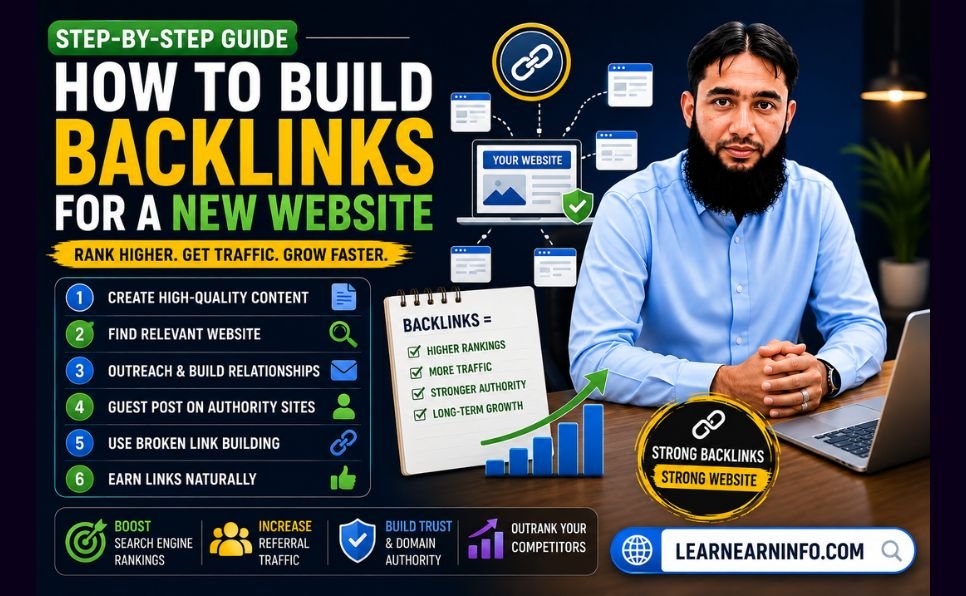
Step 5 — Link Building: Build the Authority That Rankings Require

Backlinks — other websites linking to yours — remain one of Google’s most powerful ranking signals. A link from a trusted, authoritative website is essentially a vote of confidence that tells Google your content is worth recommending.

Why Backlinks Still Matter in 2026

Some claim backlinks are becoming less important. The data says otherwise — pages with strong backlink profiles consistently dominate competitive search results. What has changed is quality over quantity. Ten high-quality backlinks from relevant, authoritative sites are worth more than a thousand links from low-quality or unrelated sources.

The Most Effective Link Building Strategies in 2026

Guest Posting Writing high-quality articles for other websites in your niche — with a link back to your site — is one of the most reliable and sustainable link building methods. It builds authority, drives referral traffic, and creates real relationships with other publishers.

Our guest posting services connect you with high-DA websites that can send powerful link equity directly to your domain. If you want to accelerate your rankings without spending months building relationships from scratch, this is the fastest legitimate path.

Create Link-Worthy Content Original research, comprehensive guides, useful tools, and data-driven articles naturally attract backlinks. When you publish something that is genuinely the best resource on a topic, other writers and websites will link to it when covering that subject.

Broken Link Building Find websites in your niche that have broken outbound links — links pointing to pages that no longer exist. Reach out and suggest your relevant content as a replacement. You are doing them a favor while earning a backlink.

HARO (Help a Reporter Out) Journalists and bloggers constantly need expert quotes and data. Platforms like HARO connect you with these opportunities. A mention in a major publication can earn you high-authority backlinks that would otherwise take years to build.

Internal Linking Do not overlook internal links — links between your own articles. Strong internal linking helps Google understand your site structure, passes authority between pages, and keeps readers on your site longer. Every new article you publish should link to at least three to five existing articles, and existing articles should be updated to link to new ones.

For a complete approach to building your site’s authority through strategic linking, learn more about our professional SEO services.


Step 6 — Track, Measure, and Improve

SEO without tracking is guesswork. You need to know what is working, what is not, and where to focus your efforts next.

Set Up Google Search Console (Free and Essential)

Google Search Console is the single most important free tool for any website owner. It shows you:

  • Which keywords are bringing traffic to your site
  • Which pages rank and at what position
  • How many impressions and clicks each page receives
  • Technical errors Google has found on your site
  • Which websites are linking to you

Check it at least once a week. Look for pages with high impressions but low clicks — these are ranking but not getting clicked, which usually means the title tag or meta description needs improvement.

Key Metrics to Track

Organic traffic — How many visitors arrive from Google searches. This is your primary SEO success metric.

Keyword rankings — What position do your target keywords occupy in search results. Track your most important keywords monthly.

Bounce rate — What percentage of visitors leave without clicking anything. High bounce rates signal that your content is not matching what searchers expected.

Backlink growth — How many new links are pointing to your site each month. Consistent backlink growth is a sign of a healthy SEO strategy.

Page speed — Monitor regularly, especially after adding new plugins or images.

Use our free SEO checklist to audit your website against every major ranking factor — it is free and takes less than 30 minutes to complete.


The 7 Biggest SEO Mistakes That Are Killing Your Rankings

Mistake 1 — Targeting Keywords That Are Too Competitive Trying to rank for “SEO” or “make money online” as a new website is like trying to beat Ronaldo at football on your first training session. Start with long-tail keywords you can actually win, build authority, then go after bigger terms.

Mistake 2 — Publishing Thin, Generic Content A 400-word article that barely scratches the surface of a topic will not rank in 2026. Google has billions of pages to choose from. Give it a reason to choose yours by going deeper and more thoroughly than anyone else.

Mistake 3 — Ignoring Mobile Optimization Over 60% of Google searches happen on mobile devices. If your site is clunky on a phone, you are losing rankings and visitors simultaneously.

Mistake 4 — Buying Cheap Backlinks Hundreds of services will sell you 500 backlinks for $10. Almost all of them will hurt your rankings, not help them. Google’s algorithm is sophisticated enough to identify and penalize unnatural link patterns. Avoid this completely.

Mistake 5 — No Internal Linking Strategy Every article you publish is an island if it does not link to and receive links from other content on your site. Internal links distribute authority and help Google understand your site’s structure. Make it a habit with every single post. For more on this, read our guide on how to boost your SEO rankings.

Mistake 6 — Ignoring Page Speed A one-second delay in page load time can reduce conversions by 7% and significantly impact your Google rankings. Speed is not optional in 2026 — it is a requirement.

Mistake 7 — Giving Up Too Early SEO takes time. Most websites see meaningful results within 3 to 6 months for low-competition keywords, and 6 to 12 months for competitive ones. The biggest mistake beginners make is doing everything right for 6 weeks, seeing limited results, and stopping. Consistency and patience are the true secrets to SEO success.


Your 90-Day SEO Action Plan

Here is a practical timeline to take your website from wherever it is today to measurable first-page rankings:

Days 1 to 30 — Foundation

  • Set up Google Search Console and verify your website
  • Run a full technical SEO audit — fix speed, mobile, HTTPS, broken links
  • Research 20 to 30 target keywords using free tools
  • Download and complete our free SEO checklist
  • Optimize your top 5 existing pages — titles, meta descriptions, headings, internal links

Days 31 to 60 — Content

  • Publish 2 to 3 new, thoroughly researched articles per week
  • Each article should target one specific long-tail keyword
  • Build internal links between all new and existing content
  • Update your top 3 old articles with fresh information and better optimization

Days 61 to 90 — Authority

  • Begin outreach for guest posting opportunities
  • Reach out to websites in your niche about link building collaboration
  • Use digital marketing tactics to promote your best content on social media
  • Review Search Console data — double down on what is working

By day 90, you should see measurable improvements in rankings, impressions, and organic traffic. This is where most people give up — and where the real results are just beginning.


When to Get Professional SEO Help

SEO is learnable. Everything in this guide can be implemented by someone with no technical background, given enough time and consistency.

But time is a finite resource. If you are running a business, managing a team, and trying to grow — spending 20 hours a week on SEO may not be realistic.

This is where professional SEO services make a measurable difference. The right team can compress months of work into weeks, identify opportunities you would miss, and build the authority your site needs faster than you could do it alone.

If you are serious about getting to page one and want expert help doing it, explore our professional SEO services — built specifically for businesses and content publishers who want real, sustainable results.


Final Thoughts

Getting your website on the first page of Google in 2026 is not about gaming the algorithm. It is about building something genuinely worth ranking — a fast, well-structured website full of content that thoroughly helps real people, backed by credible links from trusted sources.

The framework is clear:

  1. Find the right keywords
  2. Create better content than what currently ranks
  3. Fix your technical foundation
  4. Build legitimate backlinks
  5. Track your progress and keep improving

None of these steps is complicated. All of them require consistency.

Start today. SEO rewards those who begin early and stay consistent. Every day you wait is a day your competitors are building the authority that will keep them ahead of you.

Use our best SEO tools guide to equip yourself with the right resources, grab the free SEO checklist to audit your site right now, and reach out if you want professional support through our SEO services.

Your first-page ranking is waiting. Go build it.


Which part of SEO are you struggling with most right now? Drop your question in the comments — we answer every one.

How to Get Your Website on the First Page of Google Read More »

How to Start Freelancing — Complete Beginner Guide

How to Start Freelancing — Complete Beginner Guide

You don’t need a degree. You don’t need an office. You don’t need money to invest.

What you need is a skill, a laptop, and the right information — and that is exactly what this guide gives you.

Freelancing is no longer a backup plan. It is a full career path that millions of people around the world have chosen over traditional employment. In 2026, the global freelance market is valued at $9.91 billion — growing at 18.6% every year. There are 1.57 billion freelancers worldwide right now, and that number is climbing fast.

If you have been thinking about starting but don’t know where to begin, this guide walks you through every single step — from choosing your skill to landing your first paying client.


What Is Freelancing and Why Is It Growing So Fast?

Freelancing means offering your skills and services to clients on a project or contract basis — without being a permanent employee of any company. You choose your clients, set your own rates, work your own hours, and build your own career.

Companies love hiring freelancers because it saves them money on full-time salaries, benefits, and office space. Individuals love freelancing because it offers freedom, flexibility, and — for many — significantly higher income than traditional jobs.

Here is how significant the shift has become:

  • The US freelance workforce reached 72.9 million in 2025 — nearly half the working population
  • 60% of freelancers earn more than they did in their previous traditional jobs
  • Freelancers in the US earn an average of $99,230 per year
  • 53% of Gen Z workers have already chosen freelancing as their primary income path
  • The gig economy is projected to hit $674.1 billion by 2026

This is not a trend. It is a permanent shift in how work gets done. And anyone with a marketable skill can participate — regardless of where they live.

freelancing


Step 1 — Identify Your Freelancing Skill

This is the most important step. Everything else flows from it.

You do not need a rare or exotic skill. You need a skill that businesses or individuals are willing to pay for — and there are more of those than most people realize.

Skills in High Demand Right Now (2026)

Writing and Content

  • Blog writing and SEO content
  • Copywriting (sales pages, ads, emails)
  • Technical writing
  • Social media content creation

Design and Creative

  • Graphic design (logos, branding, social media graphics)
  • Video editing
  • UI/UX design
  • Thumbnail and banner design

Digital Marketing

  • Social media management
  • Facebook and Google Ads management
  • Email marketing
  • SEO services

Tech and Development

  • Web development (WordPress, Shopify, custom coding)
  • App development
  • Automation and no-code tools (Zapier, Make)
  • AI prompt engineering

Business and Admin

  • Virtual assistance
  • Customer support
  • Data entry and research
  • Bookkeeping

Education and Coaching

  • Online tutoring
  • Course creation
  • Resume and CV writing

How to Choose Your Skill

Ask yourself three questions:

  1. What am I already good at? Start with what you know — your existing skills from school, work, or hobbies are often already marketable.
  2. What can I learn in 30 days? Many freelancing skills can be learned quickly. YouTube, free courses on Coursera, and platforms like Google Skills are enough to get started.
  3. Is there demand for it? Go to Fiverr or Upwork and search for your skill. If there are hundreds of active gigs and job posts, there is demand.

One critical rule: Pick one skill and go deep on it. Do not try to offer ten services at once. Specialists earn more and get hired faster than generalists.


Step 2 — Build a Portfolio Before You Have Clients

Here is the chicken-and-egg problem every beginner faces: clients want to see your work before they hire you. But you have no work to show because no one has hired you yet.

The solution is simple — create your own samples.

How to Build a Portfolio From Scratch

If you are a writer: Write 3 to 5 blog posts or articles on topics you want to specialize in. Publish them on Medium, LinkedIn, or your own blog. These are your writing samples.

If you are a graphic designer: Create mock logos, social media graphics, or brand kits for fictional companies. Show your process and creativity — not just the end result.

If you are a web developer: Build 2 to 3 websites. They can be for local businesses, nonprofits, or even personal projects. Host them live and link to them in your profile.

If you are a social media manager: Pick one brand you love, create a sample content calendar and 5 sample posts for them. Show what their feed could look like with your management.

If you are a video editor: Edit 2 to 3 short videos — tutorials, mini vlogs, or promotional clips — and upload them to YouTube as unlisted links.

You do not need 20 portfolio pieces. Three strong, high-quality samples are enough to get started. Quality always beats quantity.


Step 3 — Choose the Right Platform

There are dozens of freelancing platforms. For beginners, narrowing it down to the right 1 or 2 platforms saves time and frustration.

The Best Freelancing Platforms in 2026

Fiverr — Best for Beginners Fiverr works on a gig-based model — you create a service listing and clients come to you. It is the most beginner-friendly platform because you set your own packages, prices, and deliverables upfront.

  • Great for: writing, design, video editing, voice-overs, translation, social media
  • Commission: Fiverr takes 20% of each order
  • Tip: Start with competitive pricing to get your first reviews, then raise rates

Upwork — Best for Higher-Paying Clients Upwork is the world’s largest freelance marketplace. Clients post jobs and freelancers send proposals. The competition is higher, but so is the pay.

  • Great for: development, marketing, writing, consulting, data analysis
  • Commission: 10% on earnings (down to 5% for long-term clients after $10,000)
  • Tip: Proposals must be highly personalized — generic proposals never win

PeoplePerHour — Underrated for Beginners Less saturated than Upwork and Fiverr, making it easier to land first clients. Especially strong for UK and European clients.

  • Great for: writing, design, web development, marketing
  • Commission: 20% on first £250, then lower
  • Tip: Create detailed “Hourlies” (fixed-price service packages) to attract buyers

LinkedIn — Often Overlooked LinkedIn is not a traditional freelance platform, but it is one of the most powerful places to find direct clients. A strong profile and consistent posting attracts inbound inquiries that bypass platform fees entirely.

Toptal — For Experienced Freelancers Toptal only accepts the top 3% of applicants after a rigorous vetting process. Not for beginners — but an excellent long-term goal. Rates here are significantly higher than any other platform.

Which Platform Should You Start With?

  • Total beginner: Start on Fiverr. Create 1 to 2 well-written gigs and focus on getting your first 5 reviews.
  • Have some experience: Start on Upwork and send 5 to 10 strong proposals per week.
  • Both platforms: Many successful freelancers run profiles on Fiverr AND Upwork simultaneously.

Step 4 — Create a Profile That Gets You Hired

Your profile is your storefront. A weak profile means no clients, even if your skills are excellent.

Elements of a High-Converting Freelance Profile

Professional Photo Use a clear, well-lit headshot. Smile. Look approachable. Profiles with professional photos get significantly more views and trust. Avoid selfies or blurry images.

Headline That Solves a Problem Do not write: “I am a writer” Write: “I help SaaS companies turn complex topics into engaging blog content that ranks on Google”

Your headline should tell clients exactly what problem you solve — not just what you do.

A Compelling Bio Your bio should answer three questions within the first two sentences:

  1. What do you do?
  2. Who do you do it for?
  3. What result do you deliver?

Example: “I’m a content writer specializing in SEO blog posts for digital marketing agencies and software companies. I have written 300+ articles that consistently rank on the first page of Google. I deliver clean, research-backed content on time, every time.”

Portfolio Samples Upload your best 3 to 5 work samples. If you are on Fiverr, add images to every gig. If you are on Upwork, attach files directly to your profile portfolio section.

Skills and Keywords Fill every skill slot on your profile. Use the same words clients use when searching for services — not industry jargon.


Step 5 — Write Proposals That Win

On platforms like Upwork, your proposal is what gets you the interview. Most freelancers send generic, copy-paste proposals — and wonder why they never hear back.

Here is the structure of a winning proposal:

Opening Line — Make It Personal Reference something specific from the job post. Never start with “I am a skilled writer with 5 years of experience.” Clients have read that a hundred times.

Example: “I noticed you need blog content about personal finance tools for millennials — this is exactly the niche I’ve been writing in for the last two years.”

Show You Understand the Problem In 1 to 2 sentences, demonstrate that you understand what the client actually needs — not just what they wrote.

Present Your Solution Briefly explain how you would approach this specific project. Show a relevant sample if possible.

Social Proof If you have it — mention a result. “My last article for a fintech client ranked on page 1 of Google within 3 months.”

Clear Call to Action End with a simple next step: “I’d love to jump on a quick 15-minute call to discuss this. Are you available this week?”

Keep It Short A great proposal is 150 to 250 words. Long proposals rarely get read.


Step 6 — Set Your Prices Right

Pricing is where most beginners go wrong — in both directions.

Some undercharge dramatically, thinking low prices will get more clients. Others refuse to start at lower rates and wait forever for clients that never come.

Here is the truth: when you are brand new with no reviews, your price must reflect your lack of track record — not your skill level.

Beginner Pricing Guide by Category

Service Starter Rate After 10 Reviews
Blog writing (1,000 words) $15 – $25 $50 – $150
Graphic design (logo) $20 – $40 $100 – $300
Social media management $100/month $300 – $800/month
WordPress website $100 – $200 $500 – $2,000
Virtual assistance $5 – $8/hour $15 – $25/hour
Video editing (3 min) $20 – $40 $100 – $250

The strategy: Price competitively for your first 5 to 10 orders to build reviews. Once you have a proven track record, raise your rates by 20 to 30%. Repeat every few months.

Do not stay at starter rates forever. Your rates should grow as your portfolio and reviews grow.


Step 7 — Get Your First Client

This is the step most beginners get stuck on — and the one that matters most.

Method 1 — Send Personalized Proposals Daily

On Upwork, send 5 to 10 well-crafted proposals every day. Treat each one like a job application. Read the job post carefully. Address the client’s specific needs. This is a numbers game at the start — but quality proposals win over quantity.

Method 2 — Optimize Your Fiverr Gig for Search

Fiverr works like a search engine. Use the exact keywords clients search for in your gig title, description, and tags. Research what top sellers in your category are writing — then write better.

Method 3 — Offer Your Services in Your Network

Tell everyone you know that you offer freelance services. Post on LinkedIn and Facebook. Reach out to local businesses directly. Many first clients come from people who already know you.

Method 4 — Do One Free or Discounted Project Strategically

Find one reputable client or business, offer to do one project at a heavy discount or free — in exchange for a detailed testimonial and the right to use the work in your portfolio. This breaks the “no experience” deadlock.

Method 5 — Use AI Tools to Work Faster and Win More

Tools like Google Gemini to speed up your work allow you to deliver faster, research better, and produce higher quality output. Freelancers using AI tools are producing 3 to 4 times more work per day — which means more orders, faster delivery, and better reviews.


The 6 Biggest Mistakes Freelancing Beginners Make

Mistake 1 — Waiting Until They Feel “Ready” There is no perfect moment. You will always feel like you need one more course, one more skill, one more thing. Start now with what you have.

Mistake 2 — Picking Too Many Niches “I do writing, design, SEO, video editing, and social media!” — This confuses clients. Pick one service, become great at it, then expand later.

Mistake 3 — Generic Proposals Copy-paste proposals never win. Every proposal should feel like it was written specifically for that client’s job post.

Mistake 4 — Underpricing Permanently Starting low to get reviews is smart. Staying low forever is a trap. Raise your rates as your reviews grow.

Mistake 5 — Not Following Up If a client doesn’t respond to your proposal in 3 to 5 days, send one polite follow-up. Many deals are won on the follow-up.

Mistake 6 — Ignoring SEO on Your Profile Your Fiverr and Upwork profiles need to be optimized for search — just like a website. Use relevant keywords throughout your profile and gig descriptions. For a deeper understanding, read our guide on SEO tips to grow your profile.


How Much Can You Realistically Earn Freelancing?

Let’s be honest — not the hype version, the real version.

Month 1 to 3: This is the hardest period. You are building your profile, getting your first reviews, and learning how to navigate platforms. Expect $100 to $500/month while you build momentum.

Month 4 to 6: With 10 to 20 reviews and an optimized profile, consistent income of $500 to $1,500/month becomes realistic for most skill categories.

Month 7 to 12: Freelancers who stay consistent and keep improving typically reach $1,500 to $4,000/month within their first year.

Year 2 and Beyond: Specialized freelancers with strong portfolios and repeat clients commonly earn $3,000 to $10,000/month or more.

The key variable is how much effort you put in — especially in the first 90 days. Those who treat it like a real business from day one always outperform those who treat it as a side experiment.

For more proven strategies on building online income, read our guide on how to make money online.


The Skills That Will Be Most Valuable in 2026 and Beyond

The freelancing landscape is shifting. Some skills are becoming more valuable while others are being automated.

Growing fast: AI editing, prompt engineering, video content creation, automation setup, data analysis, UX writing, and anything that helps businesses use AI effectively.

Declining: Basic data entry, simple translation, generic article spinning, and low-level tasks that AI can now do.

The smartest move is to combine your existing skill with AI knowledge. A writer who knows how to use AI tools for your business produces more and earns more than a writer who ignores them. A designer who uses AI image tools is faster and more creative than one who doesn’t.

Stay updated on content writing trends and digital marketing tactics to keep your skills relevant.


Your 30-Day Freelancing Action Plan

Here is a simple, concrete plan to go from zero to first client in 30 days:

Week 1 — Foundation

  • Day 1–2: Decide your skill and niche
  • Day 3–4: Research your competition on Fiverr and Upwork
  • Day 5–7: Build 2 to 3 portfolio samples

Week 2 — Setup

  • Day 8–9: Create your Fiverr account and set up 1 to 2 gigs
  • Day 10–11: Create your Upwork profile and complete it 100%
  • Day 12–14: Optimize all profiles with keywords and strong descriptions

Week 3 — Outreach

  • Day 15–21: Send 5 personalized Upwork proposals per day
  • Refresh Fiverr gig tags and description based on search data
  • Reach out to your personal network about your services

Week 4 — Close

  • Day 22–28: Follow up on all proposals
  • Offer one strategic discounted project to get your first review
  • Deliver exceptional work — your first review is your most important asset

Day 30: You have your first client, your first review, and a real freelancing career has begun.


Final Thoughts

Freelancing in 2026 is not just possible — it is one of the most accessible paths to financial independence available to anyone with a skill and internet access.

The market is growing. Clients are actively looking for freelancers. The tools available today — from AI assistants like Google Gemini to powerful platforms like Upwork and Fiverr — make it easier than ever to start and scale.

What separates those who succeed from those who don’t is simple: starting, staying consistent, and improving every week.

You have the guide. Now take the first step.


Have you already started freelancing or are you planning to? Share your biggest question or challenge in the comments — we read every one.

How to Start Freelancing — Complete Beginner Guide Read More »

How to Use Google Gemini Complete Guide

How to Use Google Gemini Complete Guide

Millions of people in Pakistan are using an AI tool right now that cuts hours of work down to minutes — and most of them are using it completely free.

That tool is Google Gemini — and in 2025, it became Pakistan’s most searched technology topic on Google. Yet most Pakistani users still don’t know how to set it up properly, which features are actually free, and — most importantly — how to turn it into a real income source.

This guide covers everything. Whether you’re a student, a freelancer, a small business owner, or just getting started with AI, this step-by-step walkthrough will show you exactly how to use Google Gemini in Pakistan in 2026.


What Is Google Gemini? (And Why Should You Care)

Google Gemini is Google’s most powerful Artificial Intelligence assistant. Think of it as an intelligent co-worker who never sleeps, never gets tired, and can help you with almost any mental task in seconds.

Here is what Gemini can do for you right now:

  • Write content — emails, articles, social media captions, resumes, proposals
  • Do research — summarize topics, find key points, compare options
  • Understand images — upload a photo and ask questions about it
  • Read your documents — upload a PDF, Word file, or spreadsheet and get instant analysis
  • Help with code — write, explain, and fix programming code
  • Work inside Google apps — Gmail, Docs, Sheets, Slides, and Calendar are all connected

The biggest advantage Gemini has over other AI tools like ChatGPT is that it is deeply integrated into the Google ecosystem you already use every day. Your emails, your documents, your calendar — Gemini works with all of them.

At Google I/O 2026, Google confirmed that the Gemini app now has over 900 million monthly active users worldwide — making it one of the fastest-growing AI platforms in history.

google gemini


Is Google Gemini Available in Pakistan?

Yes — completely. Google Gemini works in Pakistan without any VPN or workarounds.

You can access the free version at gemini.google.com using any Gmail account. No special setup required.

Pakistan was also officially added to Google’s list of countries for the Google AI Plus plan — meaning Pakistani users now have full access to both free and paid tiers, just like users in the US or UK.


Google Gemini Plans — What Is Free and What Is Paid

Understanding the plans helps you get maximum value without spending a single rupee unnecessarily.

Gemini Free Plan

The free version is powerful enough for most users. It includes:

  • Unlimited text conversations with Gemini 1.5 Flash model
  • Image upload and analysis
  • Real-time Google Search integration
  • Basic integration with Google Docs and Gmail
  • Access on mobile and desktop

Google AI Plus Plan (Paid)

For power users, the paid plan offers:

  • Access to Gemini 2.5 Pro — the most capable model
  • Deep Research feature for long-form research tasks
  • NotebookLM — AI-powered personal research assistant
  • Higher usage limits on all features
  • 2TB of Google Drive storage

Special Offer: Free Gemini Pro for Pakistani Students

This is one of the most important things Pakistani students need to know right now.

Google announced a free one-year Gemini AI Pro subscription for university students in Pakistan — a plan that normally costs thousands of rupees per month. As Dawn.com reported, Pakistani students aged 18 and above are eligible for this offer.

How to claim it:

  1. Go to gemini.google/students/
  2. Click “Get Offer”
  3. Sign in with your university or institutional email
  4. Verify your student status through SheerID
  5. Enter your card details (a small verification charge of around Rs. 70 may apply — it is refunded)
  6. Cancel before one year if you don’t want to continue — no charge

What you unlock for free for one year:

  • Gemini 2.5 Pro model
  • Deep Research for assignments and projects
  • NotebookLM for study and note-taking
  • Veo 3 for AI video generation
  • Google Flow for creative projects
  • 2TB cloud storage across Drive, Gmail, and Photos

Step-by-Step: How to Set Up and Use Google Gemini in Pakistan

Step 1 — Access Gemini

Open your browser and go to gemini.google.com. Click “Sign in” and use your existing Gmail account. If you don’t have one, create a free Google account first — it takes two minutes.

You will land on the Gemini chat interface. It is clean and simple — a text input box is at the bottom of the screen.

Step 2 — Write Your First Prompt

A prompt is simply what you type to Gemini — your question or request. The quality of your prompt directly determines the quality of Gemini’s response.

Weak prompt: “Tell me about business”

Strong prompt: “I want to start a small online business in Pakistan with a budget of Rs. 30,000. Suggest 5 realistic business ideas with estimated startup costs, monthly income potential, and first steps to get started.”

The second prompt gets you a detailed, actionable answer. The first gets you a generic paragraph. Always be specific.

Step 3 — Use the Image Feature

Click the “+” icon next to the text input. Select an image from your phone or computer. Then ask Gemini about it.

Real use cases:

  • Upload a product photo and ask “Write a compelling description for this product for my online store”
  • Upload a handwritten assignment and ask “Type this out and check for any errors”
  • Upload a screenshot of a website and ask “What can be improved on this page?”

Step 4 — Upload Documents

Gemini can read PDF files, Word documents, and spreadsheets. Click the “+” icon, select “Files,” and upload your document.

Then ask:

  • “Summarize this document in 10 bullet points”
  • “What are the key deadlines mentioned in this contract?”
  • “Translate this document into simple English”

Step 5 — Use Gemini Inside Gmail and Google Docs

Open your Gmail inbox. On the right side panel, look for the Gemini icon (a small star-like symbol). Click it and you can ask Gemini to:

  • Summarize your unread emails
  • Draft a reply to any email
  • Find specific emails by describing what they are about

In Google Docs, the same Gemini sidebar appears. You can ask it to write sections, improve your writing, or restructure content.


Google Gemini 2026 — The Biggest New Features

Google I/O 2026 brought major updates to Gemini. Here are the ones that matter most for Pakistani users:

Gemini 3.5 Flash — The New Default Model

The latest model is now 4x faster than previous versions while being more accurate on complex tasks like coding, research, and multi-step reasoning. It rolled out to all users in May 2026.

Gemini Spark — Your 24/7 AI Agent

Gemini Spark is a personal AI agent that runs on Google’s cloud servers — meaning it keeps working even when your laptop is closed. It handles long research tasks, planning, and multi-step follow-through without you sitting in front of a screen.

Daily Brief — AI Morning Summary

Every morning, Gemini analyzes your Gmail, Google Calendar, and Tasks and creates a personal briefing — what is urgent, what meetings are coming up, and suggested next steps. Ideal for business owners and professionals.

Gmail Live — Conversational Inbox Search

Instead of typing keywords to search your email, you can now describe what you are looking for in plain English. For example: “Find the invoice from the client I worked with in March” — Gemini finds it instantly.

Docs Live — Voice to Document

Speak out loud and Gemini converts your speech into a structured document. Useful for brainstorming, meeting notes, and first drafts of articles or reports.


How to Make Money With Google Gemini in Pakistan — 5 Proven Methods

Learning Gemini is one thing. Turning it into income is the real goal. Here are five practical ways Pakistani users are already making money with it — and how you can too.

The impact of AI on our daily lives is growing every year, and those who learn to use these tools first will always have the edge.

Method 1 — Freelance Content Writing at Scale

Content writing is one of the most in-demand skills on Fiverr and Upwork. With Gemini, you can produce 3 to 4 times more content per day compared to writing manually.

The process: get the brief from your client → use Gemini to create a detailed draft → edit it in your voice → add local examples and original insights → deliver.

A 1,000-word article on Fiverr earns between $15 and $50. If you deliver 4 to 5 articles per day using Gemini assistance, the math becomes very attractive.

One critical rule: Never publish Gemini’s output directly. Always rewrite, add your own perspective, and check for accuracy. Google and clients both penalize pure AI content.

Method 2 — Social Media Management for Local Businesses

Thousands of small businesses in Pakistan — restaurants, salons, clothing brands, real estate agents — need consistent social media content but cannot afford agencies.

You can offer this service. Use Gemini to generate:

  • Weekly content calendars
  • Engaging captions for Instagram and Facebook
  • Hashtag strategies
  • Responses to customer comments

Charge Rs. 15,000 to Rs. 35,000 per client per month. Five clients gives you a solid monthly income.

Method 3 — CV and Cover Letter Writing Service

Job hunting in Pakistan is competitive. Millions of graduates need professional CVs every year. Use Gemini to create polished, ATS-optimized resumes and cover letters.

Promote this service in local Facebook groups, WhatsApp communities, and LinkedIn. Rs. 800 to Rs. 2,000 per CV is a fair market rate. This is easy to scale.

Method 4 — Grow Your Blog With AI-Assisted Content

If you run a blog or want to start one, Gemini can dramatically speed up your content production. Use it to research topics, build outlines, generate first drafts, and suggest internal links.

Check out our complete guide on how to start a blog and make money online for the full blogging strategy. Combine that with Gemini, and you have a powerful system for building organic traffic.

Method 5 — Offer AI Consulting to Small Businesses

Most Pakistani business owners have heard of AI but do not know how to use it. You — after reading this guide — already know more than most of them.

Offer simple AI setup and training sessions. Teach a restaurant owner how to use Gemini for menu descriptions, customer responses, and marketing copy. Charge Rs. 5,000 to Rs. 15,000 for a 2-hour session. This is a rapidly growing service category.

For more ways to earn online, read our detailed article on proven ways to make money online.


Google Gemini vs ChatGPT — Which Is Better for Pakistan?

This is the most common question Pakistani users ask. Here is an honest side-by-side comparison:

Feature Google Gemini ChatGPT
Free version quality Strong Good but limited
Google Docs integration Native, seamless Not available
Gmail integration Built-in Not available
Real-time internet access Yes (free) Yes (Plus only)
Image understanding Excellent Excellent
Pakistan student free plan Yes — 1 year free No
Best for Google users, productivity Creative writing, coding

The honest answer: Gemini is better if you already live in the Google ecosystem (Gmail, Docs, Drive). ChatGPT has a slight edge for pure creative writing and advanced coding. Most serious users use both.


5 Mistakes to Avoid When Using Gemini

Mistake 1 — Being too vague Vague prompts produce vague answers. Be specific about what you want, your context, your audience, and the format you need.

Mistake 2 — Stopping after one response Gemini gets better as the conversation develops. Ask follow-up questions. Say “expand on point 3” or “give me a real example of this.” Treat it like a real conversation.

Mistake 3 — Publishing AI output without editing Gemini produces drafts, not finished work. Always add your personal experience, local examples, and original insights before publishing or submitting anything.

Mistake 4 — Ignoring the image and document features Most users only use the text chat. The image and document analysis features are just as powerful and are completely free.

Mistake 5 — Not using it inside Google apps The Gemini integration inside Gmail and Google Docs is where real productivity gains happen. Open Docs right now and try the sidebar — it changes how you work.


Quick-Start Action Plan — Do This Today

Reading about Gemini is useful. Using it is what changes things. Here is a simple 15-minute plan to start right now:

  1. Go to gemini.google.com and sign in with your Gmail
  2. Type this prompt: “I want to use AI to grow my income in Pakistan. Based on skills like writing, social media, and content creation, give me a 30-day action plan with specific daily tasks.”
  3. Read the response carefully
  4. Ask one follow-up question based on what interests you most
  5. Pick one idea and commit to it for the next 7 days

That is it. The best AI tool in the world is now available to you for free. The only question is whether you will use it.


Final Thoughts

Google Gemini in 2026 is not just another AI chatbot. It is a complete productivity and income system — and for Pakistani users, it is more accessible than ever before.

Students have a free Pro plan waiting for them. Freelancers have a tool that multiplies their output. Business owners have an AI assistant that handles tasks that used to require a full-time employee.

The best AI tools for smart business are no longer only for people in Silicon Valley. They are here, available in Pakistan, and they are free to start.

The only thing left to do is open the app and begin.


Have you started using Google Gemini? Share your experience in the comments below — what has been your biggest win with AI so far?


How to Use Google Gemini Complete Guide Read More »

How to Rank Blog Posts Faster on Google (Proven SEO Tips)

How to Rank Blog Posts Faster on Google (Proven SEO Tips)

Ever wondered why your latest article is hard to find? But others are everywhere? Getting high google rankings is not a secret. It’s based on clear rules that search engines follow.

By learning these rules, you can make your content seen by more people in the United States. Using how to rank blog posts faster on google (proven seo tips) can help your site grow faster.

Rank Blog Posts

Knowing how to rank blog posts faster on google proven seo tips free helps you become an expert. These blogging tips are key to standing out online.

Key Takeaways

  • Understand the core mechanics behind search engine visibility.
  • Learn why specific optimization techniques drive long-term success.
  • Discover how to reduce the time required for indexing new content.
  • Master essential strategies to improve your overall site authority.
  • Implement actionable advice to reach your target audience effectively.

Understanding Search Engine Optimization Fundamentals

Having a strong online presence is more than just good content. It needs a solid SEO strategy. Learning how search engines work helps your site grow and be seen more.

What is SEO and how it works

What is SEO and how it works is simple. It’s about crawling, indexing, and ranking. Search engines find new pages, store them, and show the best ones when you search.

Good seo optimization makes your site easy for bots to find. Knowing how search engines see your pages helps them find your content better.

seo optimization

The role of search engine algorithms in ranking

Algorithms are rules that decide what pages show up first. They look at relevance and authority to give the best search results.

Understanding what is SEO in digital marketing means showing algorithms your content is the best answer. Good backlinks and user interaction show trust to these systems.

Defining search engine optimization examples for beginners

A simple search engine optimization example is using keywords your audience searches for. This makes your site easier to find for search engines.

If you’re learning how to do seo for website step by step, start with clear headings and useful content. Using blog seo like meta tags and fast page speed builds a strong online plan.

Conducting Comprehensive Keyword Research

Good keyword research is key for content ranking strategies. It helps you know what your audience searches for. This is vital for seo optimization and bringing more visitors to your site.

Identifying high-intent keywords for your niche

High-intent keywords show users are ready to buy or act. When you learn how to do seo for website step by step, focus on these. They bring visitors who really want what you offer.

Analyzing search volume and competition levels

Every keyword must be checked for search volume and competition. High volume is good, but too much competition is hard. Finding a balance is key to ranking well on Google.

Using long-tail keywords to capture specific traffic

Long-tail keywords are longer and have less competition. They help you rank on Google’s first page. Targeting these phrases brings in relevant traffic that’s more likely to engage.

Using these strategies helps you rank better on blogger platforms. Regular research keeps you up-to-date and competitive. The goal is to answer your readers’ questions best.

How to Rank Blog Posts Faster on Google (Proven SEO Tips)

You can climb the search results faster with these tips. To get top ranking blog posts, move from simple tactics to a more detailed approach. This focuses on what users really need.

Prioritizing user intent over keyword stuffing

Search engines now value content that answers questions well. Instead of stuffing keywords everywhere, aim to solve your readers’ problems fully.

Too much optimization can hurt your google rankings. Write naturally to build trust with your readers and show search engines your content is quality.

Updating existing content to improve blog post ranking

Don’t always make new pages to grow. Regularly update your old articles to improve blog post ranking. Add new data and fix old info.

This keeps your site current and shows search engines you care about your content. It’s a key blog post seo strategy for lasting success.

Implementing internal linking strategies for faster indexing

Internal links help search engines find your content quickly. Link your new articles to well-known pages to speed up indexing.

This also keeps readers on your site longer, which helps your google rankings. Make sure your anchor text is clear for both users and search bots.

Optimizing for Google Featured Snippets

Featured snippets can put you at the top of the page. Make your content easy to read with clear headings and quick answers to common questions.

Use lists or short paragraphs to rank blog posts in these top spots. This is a key part of how to rank blog posts faster on google (proven seo tips) that many miss.

By following these steps, you can master how to rank blog posts faster on google proven seo tips free. Focus on the user, keep your content fresh, and use smart linking to see results.

Optimizing On-Page Elements for Better Visibility

On-page optimization is key for search engines to see your site’s value. By making these small changes, you can make your blog more visible. This helps your site stand out in search results.

Writing compelling meta titles and descriptions

Your meta title and description are the first thing people see. Make sure your title has your main keyword and is short. Compelling meta descriptions should make people want to click by telling them what your post is about.

Structuring content with proper H1, H2, and H3 tags

Search engines use header tags to understand your content. Use only one H1 tag for your main title. H2 and H3 tags help organize your text, making it easier to read and understand.

Optimizing images for faster page load speeds

Big, unoptimized images slow down your site. Always compress your images and use formats like WebP. Adding alt text to images helps search engines find your media, which can boost your ranking.

Using descriptive URL slugs for better crawlability

A clear URL tells search engines what your page is about. Use short, keyword-rich slugs instead of long, random URLs. This makes your site easier to find and understand, helping your ranking.

Crafting High-Quality Content That Google Loves

To be good at content ranking strategies, you need to meet both human and technical needs. Google looks for value first when picking top pages. Good seo blog post optimization means knowing what your audience needs to solve their problems.

Writing for the reader first and search engines second

Search engines want content that’s valuable to people. When you write for readers, you use the right words and context. Focusing on user intent makes your message hit home with readers and match search queries.

Ensuring content depth and topical authority

To really optimize blog post content, cover your topic well. Search engines like sites that show they know a lot about a subject. By making detailed guides, you become a go-to site in your field.

Formatting for readability and mobile-first indexing

Today’s readers often check content on phones before diving in. Use short paragraphs, bullet points, and clear headings to make your text easy to read. Mobile-first indexing means Google checks your mobile site first, so clean formatting is key.

Adding multimedia to increase blog post engagement

Visuals like images, videos, and infographics are important for keeping readers. They help increase blog post engagement by making text easier to scan. Learning how to write a blog post rank article on google means mixing great text with engaging visuals.

Technical SEO Best Practices for Bloggers

To make your blog more visible, you need to learn technical SEO. This helps search engines find and show your content. It makes your site better for both search bots and people.

Improving site speed and core web vitals

Page speed is very important for blog seo. Fast sites are better for users. You can make your site faster by compressing images and using browser caching.

Core Web Vitals check how well your site works. Improve Largest Contentful Paint and Cumulative Layout Shift scores. This makes your site stable and fast for your visitors.

Ensuring your website is mobile-responsive

Most people use phones and tablets to surf the web. Make sure your site looks good on all screens. A mobile-friendly site is key for how to rank blogger website in google.

Check your site on different devices. If it looks bad, you’ll lose visitors. Google looks at your mobile site first to rank it.

Managing XML sitemaps and robots.txt files

XML sitemaps help search engines find your pages. They show how your pages are connected. Keeping your sitemaps up-to-date is important for seo for bloggers.

The robots.txt file controls what search bots can see. It’s important to keep this file clean and updated. This helps you how to rank blog on blogger.

Fixing broken links and crawl errors

Broken links make your site look bad. They also tell search engines your site is not well-kept. Fixing 404 errors is key for how to rank your blogger website on google.

Crawl errors stop your content from showing up in searches. Use tools to check your site’s health. Regular updates help you how to rank blogger website on google first page.

Building Authority Through Strategic Link Building

To master blog post SEO, you must know about backlinks. These links show search engines your content is good and worth sharing.

Understanding the importance of backlinks in SEO

Search engines see backlinks as a sign of trust. When big sites link to yours, it makes your site look better. This helps you get top ranking blog posts and grow in tough markets.

Creating shareable content to earn natural links

Make content that’s so good, others want to share it. Create reports, guides, or infographics that help people. When your content is valuable, others will link to it.

Outreach strategies for guest blogging and collaborations

Being active in outreach is key for seo for bloggers. Write guest posts for big sites to reach more people. Working with others on projects also helps you get more links.

Avoiding black-hat link building tactics

Don’t use bad tricks like buying links or joining link farms. These can hurt your site’s ranking badly. Stick to good ways to how to write a blog post rank article on google to keep your site safe and respected.

Leveraging Google SEO Tools for Performance Tracking

You can’t improve what you don’t measure, like search rankings. Making choices based on data helps your website grow. The right google seo tool gives you insights into how people see your content.

Setting up Google Search Console for site health

Google Search Console is key for any website owner. It connects your site to Google’s index. Monitoring your site health here helps spot problems before they hurt your rankings.

Using Google Analytics to monitor user behavior

After checking your site’s health, see how visitors act. Google Analytics tracks things like bounce rate and page views. This info helps improve blog visibility by showing what topics people like.

Utilizing Google Keyword Planner for ongoing research

SEO is ongoing, not just a one-time thing. Google Keyword Planner helps find new search terms. If you’re new, a google seo course free with certificate can help.

Interpreting data to refine your SEO strategy

Raw data is useful if you know how to use it. Look for patterns in your traffic reports. Then, enhance blog post performance by updating old articles with new keywords.

Promoting Your Content to Increase Engagement

When you hit publish, your work is just starting. Effective blog post promotion is key to reach more people. By sharing your articles, you help your brand grow and improve your search rankings.

Sharing blog posts on social media platforms

Social media is great for boosting blog post visibility fast. Sites like LinkedIn, X, and Facebook help you find people who might share your work. Be consistent and make sure your message fits each platform’s vibe.

Building an email list for recurring traffic

An email list lets you talk directly to your biggest fans. By sending newsletters with your latest posts, you keep your content fresh. This keeps your readers coming back for more.

Engaging with communities and forums in your niche

Joining forums like Reddit or industry groups can increase blog post engagement. Share real value, not just links. This builds trust and can lead to more people visiting your site.

Measuring the impact of promotion on search rankings

It’s important to track how your efforts are doing. You might ask how to get my business on top of google search for free. Look at your data to see what works best. This helps you make your posts even more effective over time.

Conclusion

To get to the top of Google, you need both tech skills and creative writing. It’s all about making your site fast and useful for visitors.

You have the tools to make your online presence strong. By using these tips, your site will become a trusted source in your field. Google likes sites that are easy to use and technically sound.

Start using these tips now to see your site’s search ranking improve. Even small changes can make a big difference over time. Your path to better rankings starts with the next update you make.

FAQ

How can I rank blog posts faster on Google using proven SEO tips?

To rank your blog posts faster, pick the right keywords. Make sure your content meets what users are looking for. Use Google Search Console to ask Google to index your posts quickly.
Update your content and link your pages better. This helps Google find your site faster.

What is SEO in digital marketing and how does it work?

SEO makes your website easier to find online. It makes your site better for search engines. This way, more people can find your content.
By understanding SEO, you can get more visitors to your blog.

How do I do SEO for a website step by step?

First, do keyword research with Google Keyword Planner. Then, make your pages better with meta titles and descriptions.
Do technical SEO to make your site fast and mobile-friendly. Get more links to your site to build trust.
Share your blog posts to get people talking about them.

Can you provide a search engine optimization example for a beginner blogger?

Let’s say you’re writing about “healthy meal prep.” Use that phrase in your H1 tag. Use H2 tags for subtopics.
Make your URL slug clear, like /healthy-meal-prep-guide/. Add Alt text to your images. This helps Google understand your post.

Is there a Google SEO course free with certificate available for creators?

Yes, Google Digital Garage has a free course called “Fundamentals of Digital Marketing.” HubSpot Academy and Coursera also offer courses on SEO.
These courses teach you how to rank your blog posts better.

How to get my business on top of Google search for free?

To rank for free, claim and optimize your Google Business Profile. Publish local content and ask for customer reviews.
Use long-tail keywords for your area. This attracts more local visitors.

How to rank a Blogger website on Google’s first page?

To rank on Blogger, go to “Settings” in your dashboard. Enable custom meta tags. Make sure your blog is mobile-friendly.
Submit your XML sitemap to Google Search Console. Create deep, valuable content to rank higher.

Which Google SEO tool is best for monitoring performance?

Google Analytics 4 (GA4) and Google Search Console are key. They help you track your blog’s performance. Use SEMrush or Ahrefs for more insights.
These tools help you see what’s working and what’s not.

How do I write a blog post rank article on Google that stays at the top?

To rank well, focus on being an expert in your topic. Provide a detailed resource that answers many questions.
Use bullet points and short paragraphs for easy reading. Add videos or infographics to keep readers interested. High-quality content keeps your posts ranking well.

What are the most effective blog post promotion strategies?

Share your content on LinkedIn, X, and Pinterest. Build an email list to get more visitors. Engage in niche communities like Reddit or Quora.
This boosts your visibility and gets you natural backlinks.

How to Rank Blog Posts Faster on Google (Proven SEO Tips) Read More »

On Page SEO Checklist for Beginners (Step by Step Guide)

Ever wondered why your great content is hard to find? Many creators face this issue. They forget the key things search engines look for.

This guide is for newbies wanting to boost their online visibility. We’ll cover the basic steps to make your site search-friendly.

On Page SEO Checklist

Follow this on page seo step by step guide. You’ll learn how to optimize blog post for seo well. This on page seo checklist for beginners makes hard tasks easy.

Using these tips will make your site meet the latest seo checklist 2026 standards. Learning these basics is key to more visitors and better online standing.

Key Takeaways

  • Understand the core elements that influence search engine rankings.
  • Learn a structured, step-by-step method for content improvement.
  • Discover how to simplify technical tasks for better site performance.
  • Align your current strategy with updated industry standards for 2026.
  • Gain actionable insights to increase your overall organic visibility.

Understanding the Fundamentals of On-Page SEO

Every successful website starts with knowing the basics. By focusing on what you can control on your site, you improve visibility. This on-page optimization guide helps you understand how to do it well.

on page seo techniques

Defining On-Page Optimization

On-page optimization makes your web pages rank higher and get more traffic. It involves making your content and HTML code better. By using on page seo techniques, search engines get to know your site better.

Good seo optimization is more than just keywords. It’s about organizing your site well. This includes using good headers, optimizing images, and making sure your meta tags are clear. These steps are key to a strong seo strategy that focuses on being clear and relevant.

Why On-Page SEO Matters for Search Rankings

Your search engine ranking depends on how well your site talks to crawlers. Search engines look at many seo ranking factors to see if your pages answer user questions well. By matching your content to these standards, you’re more likely to show up in top search results.

Following seo best practices keeps your site healthy and competitive. Regular work in this area boosts user engagement and site authority. Learning these seo ranking factors is key for any lasting seo strategy aimed at growing your search engine ranking.

By sticking to on page seo techniques, you lay a strong base for all marketing efforts. Keeping to seo best practices means your site stays clean and easy for users. Through careful seo optimization, your website becomes a valuable tool for your business.

Comprehensive On Page SEO Checklist for Beginners

Before you start, make sure your website is ready. Use an On Page SEO Checklist to meet today’s standards. This on page seo checklist for beginners guides you to organize your site for search engines.

Preparing Your Website for Optimization

The first step is to clean up your site. Make sure all pages are reachable and have no broken links. A clean site lets search engines index your content easily.

Make a detailed website seo checklist to track your work. Remove duplicate content and make sure each page has its own purpose. A well-kept site helps search engines rank you better.

Tools Required for a Successful SEO Audit

To do a good seo audit checklist, you need the right tools. Google Search Console is a free tool that shows how Google sees your site. It finds crawl errors and indexing issues.

For a detailed website audit, tools like Screaming Frog or Ahrefs are key. They give automated reports that help with your on page seo checklist. These tools find and fix technical problems with ease.

Mastering Keyword Research and Intent

Good keyword research is key for digital marketing success. It helps you know what your audience searches for. This way, you can make content that meets their needs.

When your content matches what people search for, you rank better. This is a big deal in today’s online world.

Identifying High-Value Keywords

Look for keywords that are valuable for your business. Relevant keywords might not have lots of competition. But they can bring in more people who are really interested.

Begin by thinking about topics in your field. Use tools like Google Keyword Planner or Ahrefs to find more. Long-tail keywords are good because they’re specific and easier to rank for.

Understanding Searcher Intent

Knowing why someone searches is as important as the keywords. Searcher intent helps you understand what they want. Matching your content to the user’s goal helps a lot.

Informational intent is when someone wants to learn, like “how to optimize a website.” Transactional intent is when they’re ready to buy. Navigational intent is when they’re looking for a specific site.

By making your pages match these intents, you show search engines you’re an expert. This is a big seo ranking factor for lasting success. Always think about what the user needs.

Optimizing Title Tags and Meta Descriptions

Your search results are like a digital storefront. They need to grab attention right away. When people scan results, they look for the most interesting one to click. Good meta tags optimization makes your site stand out.

Writing Click-Worthy Title Tags

Your title tag is key for both search engines and people. It should clearly say what your page is about. Keep it under 60 characters so it doesn’t get cut off.

Include your main keyword at the start. This helps search engines get what your page is about fast.

Avoid boring titles. Use strong words or numbers to get more clicks. A good title promises the exact info people are looking for.

Crafting Compelling Meta Descriptions

Meta descriptions don’t affect rankings but are key for getting visitors. They’re like your site’s main ad in search results. A great description should sum up your content and tell people what to do next.

Make sure your descriptions are 150 to 160 characters long. This way, they show up fully on all devices. Use persuasive language to make your link the best choice. Good meta tags show the value of your content to searchers.

Structuring Content with Header Tags

Using header tags right can make your site easier to read and more trusted. When you use clear headings, it helps both people and search engines find their way. This makes sure your readers stay interested and search engines can find your content easily.

The Hierarchy of H1, H2, and H3 Tags

A good hierarchy is key for any professional site. The H1 tag is the main title, showing what the page is about. H2 tags are big sub-sections that split the content into smaller parts. Use H3 tags for even more detailed points.

Keeping a consistent order is important for everyone to understand. This structure helps screen readers and search engines see how topics relate. Don’t skip levels, as it messes up the flow of your information.

Incorporating Keywords Naturally into Headings

Headings are a great chance to show what your page is about. Putting in the right keywords in your headers tells search engines what’s coming. But make sure these keywords feel natural and helpful to the reader.

Don’t try to stuff keywords into every heading. This can make your site hard to read and might get you in trouble. Write clear, descriptive headers that really tell what’s below. This way, you make your site both clear and friendly to search engines.

Enhancing Content Quality and Relevance

True content optimization is more than just adding keywords. Search algorithms look for pages that really help people. By focusing on what your audience needs, you build a strong base that lasts through changes.

Writing for Users First and Search Engines Second

When you write, aim to answer your readers’ questions. Give them clear, useful, and right information. This way, search engines will see you as an expert.

Make your text easy to read with short sentences and clear headings. When readers find what they need, they stay longer. This is good for search engines too.

Avoiding Keyword Stuffing and Thin Content

Don’t repeat keywords too much. This is called keyword stuffing and can hurt your site. Use keywords naturally in your text.

Thin content is not good. Make sure your articles are full and satisfying. Add examples, data, or new insights to make your content valuable. This keeps your site safe and attracts more visitors.

Implementing Effective Internal Linking Strategies

A strong internal linking strategy is key to your site’s navigation. It connects your pages, helping search engines find your content faster. It also spreads authority across your site.

This is a must for any good seo strategy. It makes sure your top pages get noticed by users and search bots.

Building a Logical Site Architecture

A well-organized website is easy to navigate. Group similar content together. This creates a clear path from broad topics to specific details.

Using internal linking connects related articles. This creates a web of info that keeps users interested. It also makes them want to see more of your site.

Using Descriptive Anchor Text

The text on your links is very important. Instead of “click here,” use descriptive anchor text. This tells search engines what the page is about.

This helps search engines understand your pages better. It also makes your site easier to use. By doing this, you make your seo strategy stronger and your site more authoritative.

Improving Technical Elements for Better Rankings

Getting high search rankings is not just about good content. You also need a strong technical base. Seo website optimization is key for site owners today.

Using on page seo techniques helps your site meet technical needs. These steps make your site easy to use. This leads to better rankings and fewer people leaving your site.

Ensuring Mobile Responsiveness

More people now use phones and tablets to surf the web. So, mobile responsiveness is a must for reaching more people.

Search engines like sites that work well on all devices. When your site works well on phones and tablets, visitors stay longer.

Optimizing Image Alt Text and File Sizes

Big, un-compressed images slow down your site. Make sure to compress your images for fast loading. This is important for seo website optimization.

Also, add good alt text to images. This helps search engines understand your images. It also makes your site better for people with screen readers.

By following these on page seo techniques, your site will do better. Always check your website seo checklist to keep up with search engine changes.

Monitoring Performance and SEO Best Practices

Digital worlds change fast. Keeping an eye on your website’s performance is key for success. See your site as a project that needs ongoing care to stay high in search engine ranking.

Watching how people use your site helps you make smart choices. This boosts your site’s visibility.

Tracking Rankings with Google Search Console

Google Search Console is your main tool for checking your site’s search results. It shows which pages get the most visits and which don’t. Check your reports every week to find out what’s working and what’s not.

If a page isn’t doing well, look at the search terms that bring visitors. Use this info to make your content better. Consistent monitoring helps you stay ahead of changes in algorithms.

Updating Content for 2026 SEO Standards

The digital world keeps changing, and so must your content. Using an seo checklist 2026 keeps your info up-to-date and useful. New content tells search engines your site is active and reliable.

Check your pages twice a year to make sure everything is current. Following seo best practices keeps you competitive all year. Keep your on page seo checklist ready to make sure you don’t miss any important steps when updating your content.

Conclusion

Improving your website is a never-ending task. It needs careful attention and regular upkeep. Your site is like a living thing that needs to be focused on the user to succeed online.

You have a good start to making your site more visible and trusted. Even small changes can make a big difference over time. Being consistent is key to growing your site.

Google and other search engines keep changing their rules to favor better user experiences. It’s important to keep checking and updating your strategies. This way, your content stays fresh and useful.

Start making these changes today to see better results. Working hard on these details will help you become more visible online. Begin optimizing your pages now to get ahead in search results.

FAQ

What are the first steps in an on page seo checklist for beginners?

First, do a website audit to find errors. Then, research keywords to know what people want. Start with the basics like meta tags and header structures.

How does the seo checklist 2026 differ from previous years?

The 2026 checklist focuses more on mobile and user experience. It’s about creating content that answers complex questions. This is different from just matching keywords.

Why is meta tags optimization so important for search engine ranking?

Meta tags are like ads on search engine pages. Good tags make people click, showing search engines your content is good.

How to optimize blog post for seo without compromising quality?

Use keywords naturally in your content. Make sure your headings and links are clear. This helps search engines and keeps your content good.

What role does an internal linking strategy play in seo website optimization?

Internal linking helps search engines find new pages. It also makes your site easier to use. This is key for seo.

What are the most critical seo ranking factors to focus on today?

Focus on content, speed, mobile, and security. These are important for good seo. They help your site rank better.

How can I use an seo audit checklist to improve my site?

An seo audit checklist helps find problems like broken links. Use tools like Ahrefs or Google Search Console. They help you fix your site.

Why is mobile responsiveness considered a non-negotiable on page seo technique?

Most people use mobiles to surf the web. Google looks at mobile versions first. If your site isn’t mobile-friendly, your ranking will drop.

On Page SEO Checklist for Beginners (Step by Step Guide) Read More »

How to Find Low Competition Keywords for SEO (Beginner Guide)

How to Find Low Competition Keywords for SEO

Introduction

Are you publishing articles but still not getting traffic?

The biggest reason most new websites fail is simple:

👉 They target the wrong keywords.

Most beginners go after keywords that are too competitive, such as:

  • SEO tips
  • Make money online
  • Best digital marketing strategies

These keywords are already dominated by big websites.

If your website is new, you need a smarter strategy:

👉 Target low competition keywords.

In this guide, you’ll learn exactly how to find low competition keywords for SEO, which tools to use, and how to rank faster even if your website is brand new.


❗ What Are Low Competition Keywords?

Low competition keywords are search terms that:

✔ Fewer websites are targeting
✔ Easier to rank for
✔ Usually have clear user intent

Example:

❌ SEO tips
SEO tips for new website in 2026

❌ Guest posting
Free guest posting sites list for beginners

👉 The second keywords are more specific and easier to rank.

If your site is new, low competition keywords are the fastest way to get traffic.


🔥 Why Low Competition Keywords Matter

Here’s why they are important:

  • Faster rankings
  • More targeted visitors
  • Higher chance of getting clicks
  • Better for new websites

For example:

If you target “SEO”, you may never rank.

But if you target:

👉 “SEO for new website step by step

You have a much better chance.

👉 Read this related guide:
SEO for New Website Step by Step


🔍 How to Find Low Competition Keywords

Follow these steps:

Step 1: Start with a Broad Topic

Choose a general topic related to your website.

Example topics:

Then turn that topic into a more specific keyword.

Example:

SEO → low competition keywords for SEO
Backlinks → free guest posting sites list


Step 2: Use Google Search Suggestions

Go to Google and type your keyword.

Google will automatically show suggestions.

Example:

  • low competition keywords for seo beginners
  • low competition keywords for blog
  • low competition keywords free tools

These suggestions are often easy-to-rank keywords.


Step 3: Check “People Also Ask”

After searching on Google, look at the “People Also Ask” section.

You’ll find more keyword ideas such as:

  • How do I find easy keywords?
  • What is the best keyword research tool?
  • How can a beginner rank on Google?

👉 Use these questions as article headings.


Step 4: Use Free Keyword Research Tools

You don’t need expensive tools in the beginning.

Best Free Tools:

  • Google Keyword Planner
  • Ubersuggest
  • Ahrefs Free Keyword Generator
  • Google Trends
  • Keyword Surfer extension

These tools help you find:
✔ Search volume
✔ Competition
✔ Keyword ideas

Low Competition Keywords for SEO (Easy Way to Rank Fast in 2026)


🛠 Best Low Competition Keyword Examples

Here are some keyword ideas you can use right now:

  • how to get first 100 visitors on website
  • free guest posting sites list
  • how to rank blog post faster
  • website not ranking on google fix
  • seo checklist for beginners

👉 Related guide:
How to Get First 100 Visitors on Website


⚡ How to Check If a Keyword Is Easy to Rank

Before writing an article, search the keyword on Google.

If you see:

  • Small websites
  • Forums
  • Quora or Reddit results

👉 Then the keyword is probably easy.

But if you see:

  • Ahrefs
  • Neil Patel
  • HubSpot

👉 Avoid that keyword for now.


🚫 Common Mistakes to Avoid

Most beginners make these mistakes:

❌ Choosing Only High Volume Keywords

Big search volume does not mean easy ranking.

❌ Ignoring User Intent

You must know what the user wants.

❌ Writing Generic Articles

Your content should solve a specific problem.


🔗 Internal Linking Strategy

Once you publish your keyword article, link it to related pages.

Example:

👉 Link to:

  • Free Guest Posting Sites List
  • How to Get First 100 Visitors on Website
  • Keyword Research for SEO

This improves SEO and keeps visitors on your site longer.


💼 Need Help Finding Keywords?

If you want faster results and don’t want to waste time choosing the wrong keywords, professional help can save you months.

👉 Check our services:

These services help you:
✔ Find easy-to-rank keywords
✔ Create SEO content
✔ Grow traffic faster


📋 Bonus: Free SEO Checklist

Before publishing your article, make sure you follow the right SEO steps.

👉 Download our checklist here:
Free SEO Checklist


❓ FAQ Section

What is the best low competition keyword tool?

Google Keyword Planner and Ubersuggest are great free options.

Are low competition keywords good for new websites?

Yes, they are the best option for new websites.

Should I target low search volume keywords?

Yes. Low search volume + low competition = faster rankings.


🎯 Conclusion

If your website is not ranking, don’t work harder — work smarter.

Instead of targeting impossible keywords, focus on low competition keywords that are easier to rank.

That is the fastest way to:

  • Get traffic
  • Build authority
  • Grow your website

👉 Want faster results? Read this next:
How to Rank Blog Posts Faster on Google

How to Find Low Competition Keywords for SEO Read More »

Free Guest Posting Sites List 2026 (High DA Backlinks Guide)

Free Guest Posting Sites List 2026 (High DA Backlinks Guide)

Introduction

Are you struggling to build backlinks for your website?

Guest posting is still one of the most powerful SEO strategies in 2026 — but the biggest problem is finding free guest posting sites.

In this guide, you’ll get a hand-picked list of free guest posting websites, along with a complete strategy to build high-quality backlinks and improve your rankings.


❗ Why Guest Posting is Important for SEO

Backlinks are one of Google’s top ranking factors.

Without backlinks:
👉 Your website will struggle to rank

Guest posting helps you:

  • Build authority
  • Get referral traffic
  • Improve Google rankings

👉 Learn complete backlink strategy:
How to Build High Quality Backlinks


📌 What is Guest Posting?

Guest posting means writing an article for another website in exchange for a backlink.

Example:
👉 You write a blog → publish on another site → get a backlink to your website


🔥 Free Guest Posting Sites List (2026 Updated)

Here are some popular websites that accept guest posts:

🌐 General Platforms

  • medium.com
  • blogger.com
  • wordpress.com
  • sites.google.com

📈 SEO & Marketing Websites

  • shoutmeloud.com
  • neilpatel.com (high authority)
  • searchenginejournal.com
  • business2community.com

📝 Blogging Platforms

  • hubpages.com
  • vocal.Media
  • telegra.ph

⚠️ Important Tips Before Guest Posting

Before submitting your article:

✔ Write high-quality content
✔ Follow website guidelines
✔ Avoid spammy links
✔ Use natural anchor text

👉 Follow this SEO checklist before publishing:
Free SEO Checklist


✍️ How to Find More Guest Posting Sites

Use Google search operators:

  • “write for us + SEO”
  • “guest post + digital marketing”
  • “submit guest post blog”

👉 This will help you find hundreds of websites.


🔗 Internal Linking Strategy (Important for SEO)

When writing guest posts, always link smartly.

👉 Example resources:

👉 This improves:
✔ SEO
✔ Traffic flow
✔ User engagement


🚀 Bonus Tips to Get Approved Faster

  • Write unique and valuable content
  • Use proper formatting (headings, bullets)
  • Don’t make it too promotional
  • Personalize your outreach email

💼 Need Professional Help? (Recommended)

If you want faster results without wasting time, expert help can make a huge difference.

👉 Check our professional services:

👉 These services can help you:
✔ Build high-quality backlinks
✔ Increase website traffic
✔ Rank faster on Google


📋 Bonus: Start with This Free SEO Checklist

Before building backlinks, make sure your website is fully optimized.

👉 Download here:
Free SEO Checklist

seo services


FAQ Section

Are free guest posting sites worth it?

Yes, especially for beginners who want to build backlinks without investment.


How many backlinks should I build?

Start with 10–20 high-quality backlinks.


Can I rank without guest posting?

Yes, but guest posting speeds up the ranking process significantly.


🎯 Conclusion

Guest posting is one of the easiest and most effective ways to:

  • Build backlinks
  • Increase traffic
  • Improve SEO rankings

If you use the sites and strategies shared in this guide, you’ll start seeing real results.


🔥 Want faster ranking?
👉 How to Rank Blog Posts Faster on Google

Free Guest Posting Sites List 2026 (High DA Backlinks Guide) Read More »

Scroll to Top