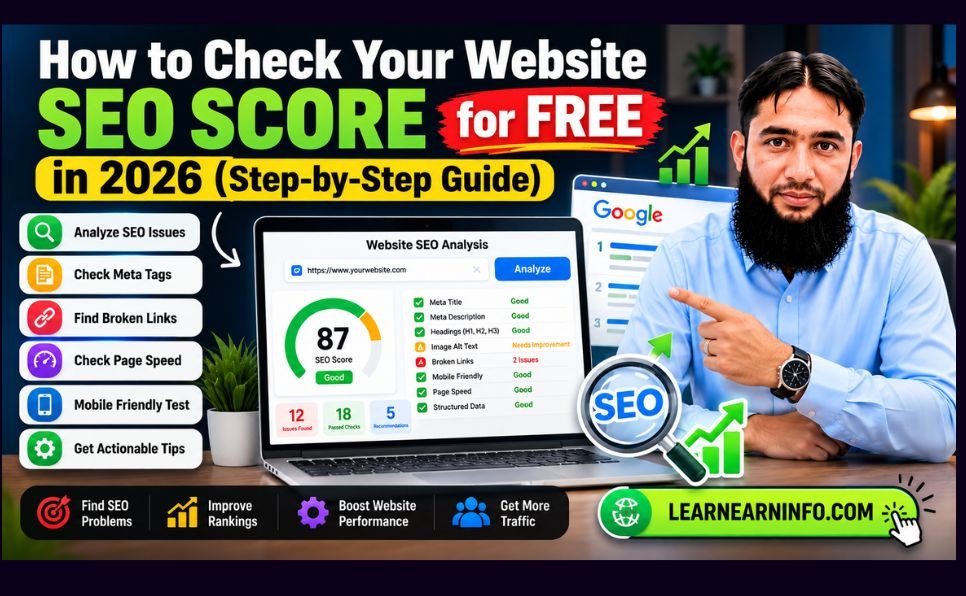
How to Check Your Website SEO Score for Free in 2026 (Step-by-Step Guide)
Is your website getting fewer visitors than expected? Are your blog posts struggling to appear in Google search results? Or are you wondering whether your website is ready for AI-powered search?
Before investing money in SEO services or expensive software, you should understand your website’s current SEO health.
A **free website SEO checker** can help you identify common technical problems, missing meta tags, weak heading structures, and content optimization opportunities.
In this guide, you’ll learn how to check your website SEO score for free, understand your audit results, fix common SEO issues, and improve your content for traditional search engines and AI-powered answer systems.
We’ll also introduce the **LearnEarnInfo Free SEO Analyzer & AEO Checker**, a practical tool designed to help website owners perform a quick on-page SEO audit without creating an account.

Want to check your website right now.?
👉 Try the Free SEO Analyzer & AEO Checker
What Is a Website SEO Score?
A website SEO score is an estimate of how well a webpage follows a particular SEO tool’s evaluation criteria.
Most SEO analyzers calculate scores by examining factors such as:
– Page titles and meta descriptions
– Heading structure (H1, H2, H3)
– Canonical tags
– Indexing directives
– Image alt attributes
– Structured data
– Content organization
– Technical SEO signals
Scores are commonly displayed on a scale from 0 to 100.
However, **an SEO score is not an official Google ranking score**. Different tools use different scoring methods, and a page with a high audit score is not guaranteed to rank above competitors.
What Is a Good SEO Score?
A score can help you prioritize improvements, but it should always be interpreted alongside the issues detected.
For example, a tool might flag a missing meta description as a minor issue while identifying a `noindex` directive as a critical problem.
Fixing the indexing problem is usually more important than increasing the numerical score by a few points.
The best approach is to focus on meaningful problems rather than chasing a perfect 100/100.
Why Should You Check Your Website SEO in 2026?
Search optimization continues to evolve.
Today, website owners need to consider traditional Google search results, technical accessibility, content quality, user experience, and AI-powered search experiences.
1. Discover Hidden Technical SEO Problems
A website may look perfect to visitors while containing technical issues that affect search engine accessibility.
Common examples include incorrect canonical URLs, unintended `noindex` tags, broken internal links, and inaccessible pages.
Regular audits help identify problems before they affect more pages.
2. Improve Your On-Page SEO
On-page SEO helps search engines and visitors understand your content.
Clear titles, descriptive headings, relevant internal links, and useful explanations make pages easier to navigate.
3. Prepare Your Content for AI Search
AI-powered search experiences have increased interest in Answer Engine Optimization (AEO) and Generative Engine Optimization (GEO).
These approaches emphasize clear answers, accessible information, reliable sources, and understandable content structure.
They complement traditional SEO rather than replacing it.
4. Find Opportunities to Improve Organic Traffic
An SEO audit can reveal issues worth fixing, but it cannot guarantee more traffic.
For meaningful growth, combine audit findings with keyword research, helpful content, internal linking, and performance monitoring.
How to Check Your Website SEO Score for Free
You don’t need advanced technical knowledge to perform an initial website SEO audit.
Follow these five steps.
Step 1: Open the Free SEO Analyzer
Visit:
[LearnEarnInfo Free SEO Analyzer](https://learnearninfo.com/free-seo-analyzer/)
The tool provides automated on-page SEO checks for publicly accessible webpages.
You don’t need to register an account to use the basic analyzer.
Step 2: Enter Your Website URL
Enter the complete URL of the page you want to analyze.
For example:
`https://example.com/`
You can test a homepage, blog post, product page, or another publicly accessible HTML page.
Remember that the tool checks one webpage at a time rather than crawling an entire website.
Step 3: Click Analyze Website
Select **Analyze Website** and wait for the audit results.
The tool attempts to retrieve the webpage and examine available HTML elements.
Some websites may block automated requests or require JavaScript rendering. In these cases, results may be incomplete.
Step 4: Review Your SEO and AEO Scores
The report provides two main diagnostic scores.
**SEO Health Score:** Evaluates selected on-page and technical SEO signals.
**AEO Readiness Score:** Estimates how well certain page structures support clear, accessible answers.
Both scores are based on automated rules. Neither represents an official Google or AI platform rating.
Step 5: Fix Issues and Run Another Audit
Review the recommendations and prioritize the most important problems.
After making changes, analyze the page again.
You can also download a text report or use your browser’s Print / Save as PDF feature.
What Does the LearnEarnInfo Free SEO Analyzer Check?
The tool examines several important elements of a webpage.
1. SEO Title Tag
The title tag helps describe a page’s topic and can influence the title link displayed in search results.
A good title should be unique, descriptive, relevant, and easy to understand.
For example:
**Weak title:** Home | My Website
**Improved title:** Affordable WordPress SEO Services for Small Businesses
Avoid adding unnecessary keywords or repeating the same phrase multiple times.
2. Meta Description
A meta description provides a concise summary of a webpage.
Google may use it when generating search snippets, although it can also select text directly from the page.
An effective description should accurately explain the content and give users a reason to visit.
**Example:**
“Discover practical WordPress SEO tips to improve website structure, fix technical issues, and create search-friendly content.”
Meta descriptions should be written for readers, not stuffed with keywords.
3. H1, H2, and H3 Heading Structure
Headings organize content into understandable sections.
A typical article structure looks like this:
– H1: Main article title
– H2: Major sections
– H3: Supporting topics within each section
For example:
**H1:** Complete WordPress SEO Guide
**H2:** Technical SEO Basics
**H3:** How to Check Canonical Tags
**H3:** How to Fix Noindex Problems
Descriptive headings improve readability and help communicate the structure of your content.
4. Canonical Tags
A canonical tag identifies the preferred URL when multiple URLs contain identical or substantially similar content.
For example, tracking parameters or duplicate product URLs can create multiple versions of a page.
A correct canonical implementation helps search engines understand which URL you prefer.
However, canonical tags are signals rather than absolute instructions.
5. Robots and Noindex Directives
A `noindex` directive tells compatible search engines not to include a page in their index.
Accidentally adding `noindex` to an important blog post or landing page can prevent it from appearing in Google search results.
An SEO audit should help you identify such directives.
6. Image Alt Text
Alternative text describes an image for accessibility and can help search engines understand image content.
Good alt text should describe what is relevant in the image.
For example:
**Poor alt text:** image123
**Better alt text:** Golden retriever sitting beside a stainless-steel food bowl
Avoid inserting unrelated keywords.
7. Structured Data
Structured data provides machine-readable information about webpage content.
Common schema types include:
– Article
– Organization
– BreadcrumbList
– Product
– SoftwareApplication
– FAQPage
The appropriate schema depends on the content.
The LearnEarnInfo analyzer checks for JSON-LD presence and basic JSON validity. It does not replace Google’s Rich Results Test or Schema Markup Validator.
8. Open Graph Information
Open Graph metadata helps control how webpages may appear when shared on supported social platforms.
A descriptive Open Graph title can make shared links clearer and more attractive.
What Is AEO (Answer Engine Optimization)?
**Answer Engine Optimization (AEO)** is the practice of organizing content so that answer-oriented search systems can understand and use relevant information.
Traditional SEO commonly focuses on discoverability and search visibility.
AEO places additional emphasis on clear explanations, question-based content, and information that can be understood independently.
SEO vs AEO: What’s the Difference?
| Feature | SEO | AEO |
| Main objective | Improve search visibility | Improve answer accessibility |
| Primary focus | Search relevance and usability | Clear, useful answers |
| Content strategy | Keywords, intent, quality | Direct answers, context, clarity |
| Technical foundation | Crawlability and indexing | Accessible, understandable content |
| Success measurement | Impressions, clicks, rankings | Answer visibility and citations where measurable |
SEO and AEO overlap significantly. A technically inaccessible page is unlikely to benefit from excellent answer formatting alone.
How to Improve AEO Readiness
Start with these practices:
1. Answer important questions clearly.
2. Use descriptive headings.
3. Explain technical terms in plain language.
4. Support important claims with reliable sources.
5. Include relevant examples.
6. Use structured data where appropriate.
7. Keep important information accurate and updated.
8. Make essential content accessible in the webpage HTML.
No AEO checklist can guarantee inclusion in ChatGPT responses, Google AI Overviews, or other AI-generated answers.
How to Fix Common SEO Problems Found During an Audit
Finding problems is only the beginning. The real value comes from resolving them.
Problem 1: Missing Meta Description
**Solution:** Write a unique description that summarizes the page and matches the searcher’s intent.
For WordPress websites, SEO plugins such as All in One SEO can help manage meta descriptions.
Problem 2: Missing or Unclear H1 Heading
**Solution:** Add a descriptive main heading that clearly explains the page topic.
Make sure supporting sections use a logical heading hierarchy.
Problem 3: Incorrect Noindex Directive
**Solution:** Check your SEO plugin’s indexing settings and confirm whether the page should be publicly indexed.
If you remove an accidental `noindex`, use Google Search Console to inspect the URL.
Problem 4: Missing Image Alt Attributes
**Solution:** Review meaningful content images and provide descriptive alternative text.
Decorative images may appropriately use empty alt text.
Problem 5: Invalid JSON-LD
**Solution:** Check the JSON syntax and validate the markup using appropriate testing tools.
Also confirm that structured data accurately represents visible page content.
Problem 6: Weak Content Structure
**Solution:** Break long sections into readable paragraphs, add descriptive headings, and answer the main user question early.
Prioritize useful information over unnecessary keyword repetition.
Free SEO Analyzer vs Google Search Console
Both tools can support website optimization, but they serve different purposes.
| Feature | LearnEarnInfo SEO Analyzer | Google Search Console |
| Basic on-page SEO checks | Yes | Limited |
| SEO readiness score | Yes, heuristic | No official score |
| AEO readiness estimate | Yes, heuristic | No |
| Actual Google indexing data | No | Yes |
| Google search impressions | No | Yes |
| Search queries and clicks | No | Yes |
| Account verification | Not required for basic audit | Required for property data |
For better results, use both tools.
The SEO Analyzer can identify common webpage issues, while Google Search Console helps monitor actual search performance.
Can a Free SEO Checker Improve Google Rankings?
An SEO checker does not directly improve rankings simply by analyzing a website.
It identifies possible problems.
Improvement depends on whether the website owner implements useful changes and whether those changes improve the site’s relevance, accessibility, and overall quality.
For example, removing an accidental `noindex` directive may allow an important page to become eligible for indexing.
However, rewriting a meta description does not guarantee a higher ranking.
SEO is an ongoing process that involves content quality, technical maintenance, search intent, competition, and user experience.
Website SEO Audit Checklist for 2026
Use this checklist before publishing or updating an important webpage.
Technical SEO Checklist
– [ ] Page is publicly accessible.
– [ ] Important pages are not accidentally set to `noindex`.
– [ ] Canonical URL is appropriate.
– [ ] HTTPS is enabled.
– [ ] Page works on mobile devices.
– [ ] Important internal links work.
– [ ] Structured data is valid where implemented.
On-Page SEO Checklist
– [ ] Title clearly describes the page.
– [ ] Meta description is useful and relevant.
– [ ] Main heading matches the content.
– [ ] H2 and H3 headings organize information.
– [ ] Images have appropriate alt text.
– [ ] Content answers the reader’s questions.
– [ ] Relevant internal links are included.
AI Search Readiness Checklist
– [ ] Main questions receive direct answers.
– [ ] Explanations are accurate and understandable.
– [ ] Important claims are supported.
– [ ] Content includes useful examples.
– [ ] Author and publisher information are clear.
– [ ] Important information is kept updated.
Frequently Asked Questions
How can I check my website SEO score for free?
You can use the [LearnEarnInfo Free SEO Analyzer](https://learnearninfo.com/free-seo-analyzer/) to enter a public webpage URL and receive an automated SEO and AEO readiness report.
Is the LearnEarnInfo SEO Analyzer completely free?
Yes. The basic webpage analysis is free and does not require signup.
What is the difference between an SEO audit and an SEO score?
An SEO audit identifies specific issues and opportunities. An SEO score summarizes selected findings using a scoring system defined by the tool.
Does a 100/100 SEO score guarantee first-page rankings?
No. Search rankings depend on many factors, and there is no official Google SEO score that guarantees a position.
Can I check my competitor’s website SEO?
You can analyze publicly accessible webpages. However, login requirements, bot protection, and JavaScript-heavy content may limit the findings.
What is an AEO checker?
An AEO checker evaluates selected content and technical signals related to answer-friendly formatting. It cannot guarantee AI citations.
How often should I audit my website?
A monthly review is a reasonable starting point for many small websites. Important pages should also be checked after major content, design, or technical changes.
Can this tool check whether my website is indexed on Google?
No. Use Google Search Console’s URL Inspection feature to check actual indexing information for a verified property.
Final Thoughts:
Start Improving Your Website SEO Today
You don’t need expensive software to begin understanding your website’s SEO health.
A free website SEO checker can help identify common technical issues, review page structure, and highlight opportunities to make your content easier to understand.
However, remember that SEO scores are diagnostic estimates—not guarantees of rankings or traffic.
The most effective strategy is to combine automated audits with helpful content, sound technical SEO, reliable performance data, and ongoing improvements.
**Ready to discover your website’s SEO issues?**
🚀 Analyze Your Website for Free — LearnEarnInfo SEO & AEO Checker
No signup required for basic analysis.
Need help fixing technical SEO, indexing, or on-page optimization problems?
Explore our Professional SEO Services
Sources and Further Reading
– Google Search Central — SEO Starter Guide
– Google — Creating Helpful, Reliable, People-First Content
– Google — Control Your Snippets in Search Results
– Google Search Console