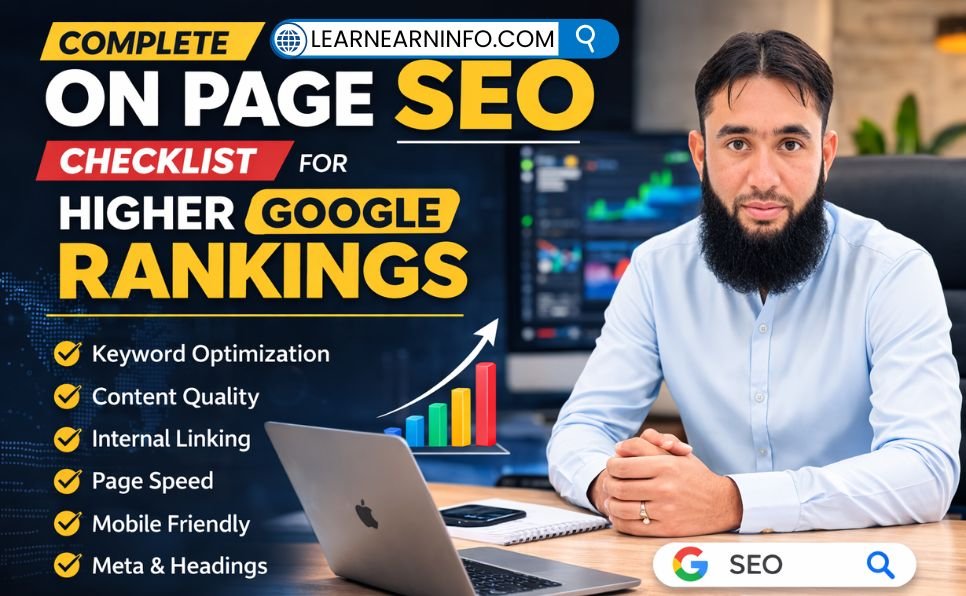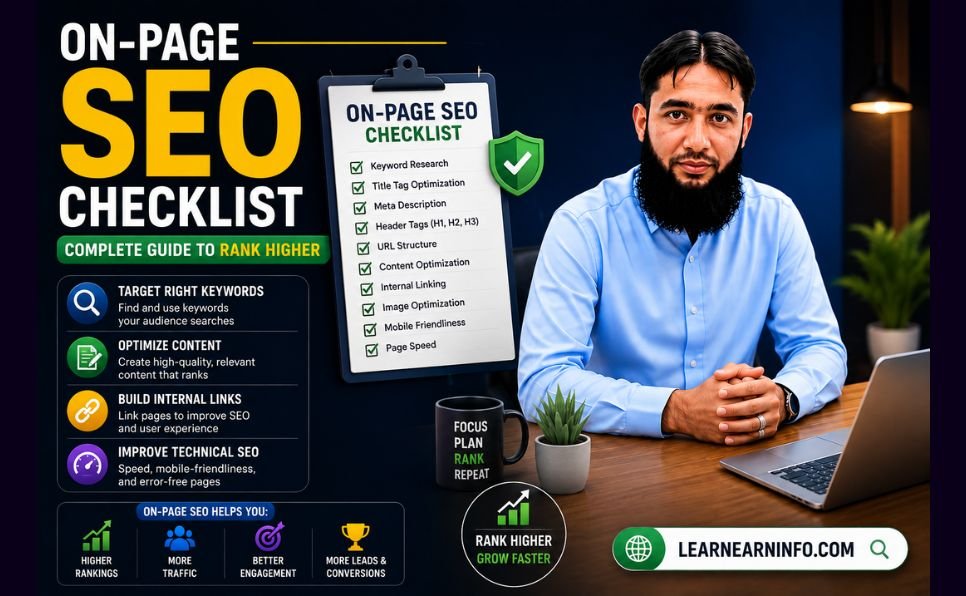
Most websites that struggle to rank are not struggling because of backlinks. They are struggling because of what is — or is not — happening on their own pages.
On-page SEO is the one category of SEO that is entirely within your control. You do not need to wait for other websites to link to you, and you do not need to wait for your domain authority to grow. Every optimization in this guide can be applied today, to any page on your website, with measurable results.
Pages with strong on-page SEO ranking factors receive up to 5x more organic traffic than poorly optimized equivalents targeting the same keywords. That gap is not caused by better writing or more content — it is caused by the specific, implementable elements covered in this checklist.
This guide walks through every major on-page SEO factor for 2026, organized into clear categories so you can audit and optimize any page systematically. Whether you are publishing a new article or improving existing content, this is the checklist to follow.
What Is On-Page SEO?
On-page SEO — also called on-site SEO — is the practice of optimizing the elements within a single web page to help search engines understand it, rank it correctly, and present it to users searching for relevant topics.
It covers everything you control directly on your page: the title tag, meta description, heading structure, content quality, keyword placement, internal links, image optimization, URL structure, page speed, and — new for 2026 — formatting for AI Overviews and answer engines.
Understanding on-page SEO is the foundation of everything else in SEO strategy. You cannot benefit fully from what is link building or what is domain authority if your on-page elements are weak — because backlinks pointing to poorly optimized pages produce far less ranking benefit than backlinks pointing to well-optimized ones.
In 2026, on-page SEO is more important than ever because Google’s AI systems and answer engines like ChatGPT and Perplexity rely on well-structured, clearly formatted page content to generate answers and citations. Getting your on-page elements right means ranking not just in traditional search results but increasingly in AI-generated responses as well.
Why On-Page SEO Matters More in 2026
Google’s algorithm in 2026 evaluates content more like a human expert than any previous version. It understands context, reads intent, and can distinguish between pages that genuinely answer a question and pages that are engineered around keywords without real substance.
This means that outdated on-page tactics — keyword stuffing, thin content, duplicate meta descriptions, over-optimized anchor text — are not just ineffective. They are actively harmful. On-page SEO has shifted from keyword density to user experience and intent satisfaction. Google prioritizes helpful, human-written content, real expertise, page performance, and engagement metrics over outdated tactics like keyword stuffing or generic content.
The practical result: websites that implement the complete on-page checklist — correctly and consistently — are pulling further ahead of those that do not. The gap between optimized and unoptimized pages continues to widen as Google’s ability to distinguish between them improves.
Section 1 — Keyword Research and Search Intent
Every on-page optimization starts before you write a single word. The keyword you choose, and your understanding of why people search for it, determines whether your page can rank at all — regardless of how well everything else is executed.
Choose One Primary Focus Keyword
Each page on your website should target one clearly defined primary keyword. Trying to rank a single page for multiple unrelated keywords dilutes your focus and confuses search engines about what the page is actually about.
Use the Ahrefs free keyword generator to find long-tail keyword variations with genuine search volume and manageable competition. In 2026, one primary keyword per page is recommended, supported by related terms and semantic variations. The focus should be on topic relevance rather than the number of keywords used.
Match Search Intent Precisely
Search intent — the underlying reason behind a search query — is the single most important factor determining whether your page will rank. If your page does not match what searchers actually want to find, no amount of technical optimization will overcome that mismatch.
Before writing, search your target keyword on Google. Study the top five results:
- What format are they using? (Guide, list, comparison, step-by-step?)
- What is the typical article length?
- What specific questions are they answering?
- What is Google showing in the People Also Ask section?
Your page needs to match the intent pattern Google is already rewarding — or offer something demonstrably better. This directly connects to the principles of SEO content writing and the EEAT in SEO framework that Google uses to evaluate content quality.
Identify Secondary Keywords and LSI Terms
Secondary keywords are related terms and phrases that support your primary keyword. Including them naturally throughout your content helps Google understand the full scope of your topic — which improves rankings not just for your primary keyword but for dozens of related searches as well.
Find secondary keywords by looking at:
- The “Related Searches” section at the bottom of Google results
- The People Also Ask boxes on the results page
- Autocomplete suggestions when typing your keyword into Google’s search bar
Section 2 — Title Tag Optimization
The title tag is the single most important on-page SEO element you have direct control over. It tells Google the primary topic of your page and is the first thing searchers see when your result appears in search.
The Formula for a High-Performing Title Tag
- Include your focus keyword as close to the beginning as possible
- Keep it under 60 characters — titles longer than this get truncated in search results
- Make a specific promise — tell the reader exactly what value your page delivers
- Add the year for guides and tutorials — “2026” signals freshness and relevance
- Use power words where natural — “complete,” “proven,” “step-by-step,” “exact”
Weak title: SEO Tips Strong title: On-Page SEO Checklist — Complete Guide to Rank Higher in 2026
The difference in click-through rate between a weak and strong title can be three to five times. More clicks signal to Google that your result satisfies searchers — which pushes your ranking higher over time.
What to Avoid in Title Tags
Never duplicate title tags across multiple pages — every page needs a unique title. Never write a title that promises something the page does not actually deliver. And never sacrifice clarity for cleverness — a title the reader understands immediately always outperforms one that tries to be creative at the cost of clarity.
Section 3 — Meta Description
The meta description is the two-line summary that appears below your title in Google search results. While meta descriptions are not a direct ranking factor, they strongly influence whether someone clicks on your page instead of a competing result.
Writing a Meta Description That Earns Clicks
- Length: 150 to 160 characters — long enough to communicate value, short enough not to be truncated
- Include your focus keyword — Google bolds the keyword in search results when it matches the query, which draws the eye
- State the specific benefit — what will the reader know or be able to do after reading your page?
- Include a soft call to action — “Learn how,” “Find out,” “Discover” — these signal that clicking leads to useful information
Weak meta: This article is about on-page SEO tips for 2026. Strong meta: The complete on-page SEO checklist for 2026 — covering title tags, content, Core Web Vitals, and every element Google uses to rank pages.
Write a unique meta description for every page. Pages without meta descriptions force Google to generate one automatically — and automatically generated descriptions are almost always less compelling than a well-written one.
Section 4 — URL Structure
Your URL is a ranking signal and a trust signal — for both Google and the reader who sees it in search results before clicking.
Rules for SEO-Friendly URLs
- Keep it short — aim for three to five words that clearly describe the page
- Include your focus keyword — the keyword in the URL reinforces relevance to Google
- Use hyphens between words — never underscores, which search engines read differently
- Use lowercase only — uppercase letters in URLs can create duplicate content issues
- Remove unnecessary words — articles like “a,” “the,” and “of” add length without adding meaning
Poor URL: /blog/post-1234/?p=7&category=seo-tips-2026 Good URL: /on-page-seo-checklist/
Once a URL is set and a page is indexed, avoid changing it. URL changes require 301 redirects to preserve the SEO value of any existing links pointing to the old address — and even with redirects, some link equity is typically lost.
Section 5 — Heading Structure (H1, H2, H3)
Headings are how both Google and readers navigate your content. A clear heading hierarchy communicates your page’s structure, signals which topics are most important, and makes your content easy to scan — which increases time on page, a behavioral signal that influences rankings.
H1 — Your Page Title
Every page should have exactly one H1 heading. This is your article title, and it must contain your primary focus keyword. Having more than one H1 confuses Google about the primary topic of the page.
H2 — Main Section Headings
H2 headings mark the major sections of your content. Each one should describe what the following section covers, using variations of your primary keyword where natural. A reader scanning only the H2 headings should understand the article’s full structure.
H3 — Subsection Headings
H3 headings break down sections within an H2 into more specific subtopics. Use them when a section has multiple distinct points that benefit from individual labels.
What to Avoid
Never skip heading levels — going directly from H1 to H3 without an H2 in between breaks the logical hierarchy. Never use headings purely for visual formatting — if text does not actually introduce a new section, it does not need a heading tag.
Section 6 — Content Quality and Depth
In 2026, content quality is the highest-weighted on-page ranking factor. Content quality is the most important ranking factor in 2026. Helpful content always wins over keyword stuffing.
Write for Humans First, Then Optimize for Google
The best-performing content in 2026 is written by people who genuinely understand their topic and write primarily to help their reader — not to satisfy an algorithm. Google’s systems have become sophisticated enough that optimizing for readers and optimizing for Google are increasingly the same thing.
This means your content must:
- Thoroughly answer the question the reader searched for — not partially, not vaguely
- Anticipate follow-up questions and address them within the same page
- Include specific, verifiable details — actual data, real examples, concrete steps
- Reflect genuine experience or expertise — the EEAT in SEO signals Google evaluates include whether the content demonstrates real knowledge
Minimum Content Length by Page Type
There is no universal ideal word count, but Google consistently ranks longer, more comprehensive content over shorter, thinner alternatives in competitive niches. Realistic minimums for 2026:
- Blog posts and guides: 1,500 to 2,500 words
- Service pages: 800 to 1,200 words
- Product pages: 500 to 800 words
Length only matters when it reflects genuine depth. Padding articles with repetition, filler phrases, and unnecessary summaries produces longer content that ranks worse — not better.
Keyword Placement Within Content
Ensure your primary keyword appears in the first 100 words, in at least one H2, and naturally throughout the text. Over-optimization will lead to penalties. Beyond placement, use natural language variations and related terms throughout — Google understands synonyms, context, and semantic relationships between words.
Formatting for Readability and Ranking
- Short paragraphs: Two to four sentences maximum — large blocks of text are visually intimidating and increase bounce rate
- Bullet points and numbered lists: Ideal for steps, features, and comparisons — Google frequently pulls these into featured snippets
- Bold text for key points: Use sparingly — one or two bold phrases per section, not entire paragraphs
- Tables: Excellent for comparisons and data — high snippet-capture rate
- Images and visual elements: Break up text and increase time on page — both ranking-relevant behaviors
Section 7 — Image Optimization
Images improve readability and engagement — but unoptimized images can significantly slow your page, which directly hurts rankings. Correct image optimization delivers the benefit without the cost.
Alt Text
Every image on your page needs descriptive alt text — a short phrase that accurately describes what the image shows. Alt text serves two purposes: it helps visually impaired users understand the image via screen readers, and it tells Google what the image depicts so it can appear in image search results.
Include your focus keyword in the alt text of your featured image where it fits naturally. For other images, use descriptive language that reflects the image content without forcing keywords.
File Format and Size
In 2026, the recommended image format is WebP — it produces files 25 to 35% smaller than equivalent JPEG files with no visible quality loss, which directly improves page load speed. Convert images to WebP before uploading whenever possible.
Compress all images before uploading. An uncompressed 4MB photograph on a blog post is one of the most common and damaging speed mistakes websites make. Tools like Squoosh (free, browser-based) can compress images to 90% smaller with minimal quality reduction.
Lazy Loading
Use lazy loading for images that appear below the fold — this technique defers loading images until the user scrolls to them, which dramatically improves initial page load time and Core Web Vitals scores.
Section 8 — Internal Linking
Internal links — links between your own pages — are one of the most consistently underused on-page SEO tools available. Used correctly, they improve rankings, help Google discover and index all your content, distribute authority across your pages, and keep readers engaged longer.
How to Build a Strong Internal Linking Structure
Every new article you publish should include three to five links to relevant existing content on your site. And every time you publish something new, update relevant older articles to link forward to it.
Use descriptive anchor text that tells both Google and the reader what the linked page covers. “Click here” and “learn more” are wasted anchor text opportunities. “How to rank on Google’s first page” or “complete guide to link building” are informative, keyword-relevant anchors that signal exactly what the linked page contains.
Strong internal linking helps Google understand the topical relationships between your pages — a key factor in building the topical authority that improves rankings across your entire site, not just individual pages. This is one of the reasons our guide on how to rank on Google’s first page emphasizes internal linking as a foundational element of any SEO strategy.
Link to Your Services Pages Where Relevant
Internal links to your service and product pages from blog content are how content marketing converts readers into clients. When a reader learns about on-page SEO from a blog post and finds a naturally placed link to your professional SEO services or content writing services, the transition from reader to potential client happens without friction.
Section 9 — Core Web Vitals and Page Speed
Core Web Vitals are a confirmed Google ranking factor and directly impact user experience. In 2026, the targets are Largest Contentful Paint under 2.5 seconds, Interaction to Next Paint under 200 milliseconds, and Cumulative Layout Shift under 0.1.These three metrics measure:
Largest Contentful Paint (LCP): How long it takes for the main content of your page to load and become visible. The largest image or text block on your page determines this score.
Interaction to Next Paint (INP): How quickly your page responds after a user clicks, taps, or types. Pages with heavy JavaScript that blocks user interaction score poorly on INP.
Cumulative Layout Shift (CLS): How much your page layout shifts unexpectedly while loading — images appearing without reserved space, fonts swapping, or buttons moving as elements load.
How to Check and Fix Core Web Vitals
Use Google PageSpeed Insights to check your current Core Web Vitals scores on both mobile and desktop. It provides a score from 0 to 100 and specific, actionable recommendations for improvement.
Key improvements that address most Core Web Vitals issues:
- Serve images in WebP format with explicit dimensions declared in HTML
- Remove unused JavaScript and CSS
- Use a content delivery network (CDN) to serve files from servers closer to users
- Enable browser caching for static files
- Move to a faster hosting provider if your server response time exceeds 200ms
Mobile traffic accounts for over 65% of global web traffic. Your on-page SEO checklist is incomplete without a rigorous mobile-first approach. Test every page on actual mobile devices, not just desktop browser resizing tools — the experience is measurably different.
Section 10 — Schema Markup and Structured Data
Schema markup is code you add to your page that helps search engines understand your content more precisely — and display it more richly in search results. In 2026, schema is increasingly important not just for traditional search but for AI-generated answers that pull structured information from pages.
Types of Schema Most Useful for Blogs and Service Sites
Article schema: Marks your blog posts as articles, including author, publish date, and headline — helps Google understand your content type and supports EEAT in SEO signals.
FAQ schema: Marks up frequently asked questions with their answers — pages with FAQ schema frequently appear as expanded rich results in Google, increasing visibility without requiring higher rankings.
HowTo schema: Marks step-by-step instructional content — eligible for rich results that display your steps directly in search.
BreadcrumbList schema: Shows your site’s navigation structure in search results — improves click-through rate by making your page easier to understand at a glance.
Use Schema.org structured data as the reference for correct markup implementation. WordPress users can implement schema through plugins like Yoast SEO or RankMath — both handle the most common schema types automatically.
Section 11 — EEAT Signals on the Page
Experience, Expertise, Authoritativeness, and Trustworthiness (EEAT) are the pillars of on-page SEO in 2026. With the surge of AI-generated content, search engines reward content that proves human experience.
On-page EEAT signals include:
Author information: Every article should have a visible author name and ideally a link to an author bio page that includes credentials, experience, and links to other published work.
First-person experience: Content that references the author’s actual experience — real examples, specific situations, lessons learned — scores higher on EEAT than generic, experience-free writing.
Citations and sources: Linking to credible external sources for significant claims demonstrates that your content is grounded in verified information rather than assumptions.
Publication and update dates: Visible dates signal freshness — particularly important for topics where accuracy depends on recency. Updated articles should display the most recent update date.
Contact and trust signals: A real About page, contact information, and privacy policy all contribute to the trustworthiness dimension of EEAT.
For a complete understanding of how to build EEAT into your content strategy, read our full guide on EEAT in SEO.
Section 12 — Mobile Optimization
Google uses mobile-first indexing — it crawls and ranks the mobile version of your site, not the desktop version. A page that works perfectly on desktop but renders poorly on mobile is ranked based on the mobile experience.
Mobile Optimization Checklist
- Responsive design: Your layout should adapt smoothly to any screen size without horizontal scrolling
- Tap targets: Buttons and links must be large enough to tap accurately — at least 48×48 pixels
- Font size: Body text should be at least 16px for comfortable reading without zooming
- No intrusive interstitials: Pop-ups that cover the full screen on mobile are a ranking penalty trigger
- Images scaled correctly: Images should not exceed the viewport width on mobile screens
- Fast load on mobile networks: Test your page speed on simulated 4G connection — many mobile users are not on high-speed WiFi
Section 13 — Content Updates and Page Maintenance
On-page SEO is not a one-time task. Search intent changes, competitors update their content, Google changes how it displays results, and your products or services may evolve. Updating old content can often be one of the fastest ways to improve organic performance because the page already has history, links, and existing search visibility.
When to Update Existing Content
- Statistics and data are more than 12 months old
- Your page has dropped in rankings over the past 30 to 60 days
- Competitors have published more comprehensive content on the same topic
- The People Also Ask section for your keyword has changed significantly
- New product features or service details need to be reflected
How to Update Without Losing Rankings
When refreshing existing content:
- Do not change the URL — redirecting an established URL loses link equity
- Add new sections rather than replacing existing ones where possible
- Update the publication date only if the update is substantial — not for minor edits
- Add new internal links to recently published articles
- Improve any weak sections identified through Google Search Console performance data
The Complete On-Page SEO Checklist — Quick Reference
Use this checklist on every page you publish or update:
Keyword and Intent
- One primary focus keyword selected with verified search volume
- Search intent studied and matched — format, length, and content type align with top-ranking pages
- Secondary keywords and LSI terms identified and included naturally
Title Tag
- Focus keyword included, preferably in the first three words
- Under 60 characters
- Compelling, specific promise — unique across all pages
Meta Description
- Focus keyword included
- 150 to 160 characters
- Clear benefit statement — unique across all pages
URL
- Short, descriptive, keyword-inclusive
- Hyphens between words, all lowercase
- No unnecessary words, numbers, or parameters
Heading Structure
- One H1 containing focus keyword
- H2 headings for all major sections
- H3 headings for subsections where needed
- No skipped heading levels
Content
- Focus keyword in first 100 words
- Focus keyword in at least two H2 headings
- Secondary keywords used naturally throughout
- Minimum length appropriate for topic and competition level
- Short paragraphs (two to four sentences maximum)
- Lists, tables, and bold text used to aid scannability
- Original insights, examples, or data included
Images
- All images have descriptive alt text
- Featured image alt text includes focus keyword
- Images in WebP format and compressed
- Lazy loading applied to below-fold images
- Dimensions declared in HTML
Internal Links
- Three to five internal links to relevant existing content
- Descriptive, keyword-relevant anchor text
- At least one internal link to a service or product page where relevant
- Older articles updated to link forward to this page
Technical
- Core Web Vitals score checked in PageSpeed Insights
- LCP under 2.5 seconds
- INP under 200 milliseconds
- CLS under 0.1
- Mobile experience tested on real device
- HTTPS confirmed
- No broken links on the page
Schema and EEAT
- Appropriate schema markup applied (Article, FAQ, HowTo)
- Author name and bio visible
- External sources cited for significant claims
- Publication or update date visible
Using This Checklist With Professional Support
This checklist is comprehensive — but implementation across an entire website, especially one with dozens or hundreds of existing pages, is a significant undertaking.
Our free SEO checklist gives you an instant snapshot of where your website currently stands against the major on-page factors — download it and complete a full audit of your site in under 30 minutes.
If you want professional help implementing every item in this checklist, our professional SEO services cover complete on-page optimization as part of a broader SEO strategy. Our content writing services produce fully optimized articles with every on-page element handled from the first draft — title, meta, structure, keywords, internal links, and schema included.
For the off-page SEO work that complements everything covered here — building the authority that makes on-page optimization fully effective — read our guides on boost your SEO rankings and our guest posting services.
Final Thoughts
On-page SEO in 2026 is not a checklist you complete once and forget. It is a standard of quality applied consistently to every page you publish — and revisited regularly as search intent evolves, competitors improve, and Google’s evaluation criteria continue to develop.
The websites pulling ahead in competitive niches are not doing anything exotic. They are getting the basics right, consistently, across every page — matching search intent precisely, structuring content clearly, optimizing technical elements thoroughly, and maintaining their pages as living assets rather than static publications.
Apply this checklist to your next three published pages. Then apply it to your top five existing pages that are ranking but not yet on page one. The results — measured in Google Search Console — will show you what on-page optimization actually delivers when it is applied systematically rather than sporadically.
Use the best SEO tools guide to equip yourself for the ongoing monitoring this work requires. And refer back to this checklist every time you publish — it does not expire.
Which on-page SEO element do you find most difficult to get right consistently? Drop it in the comments.
Related Articles: