SEO Tips

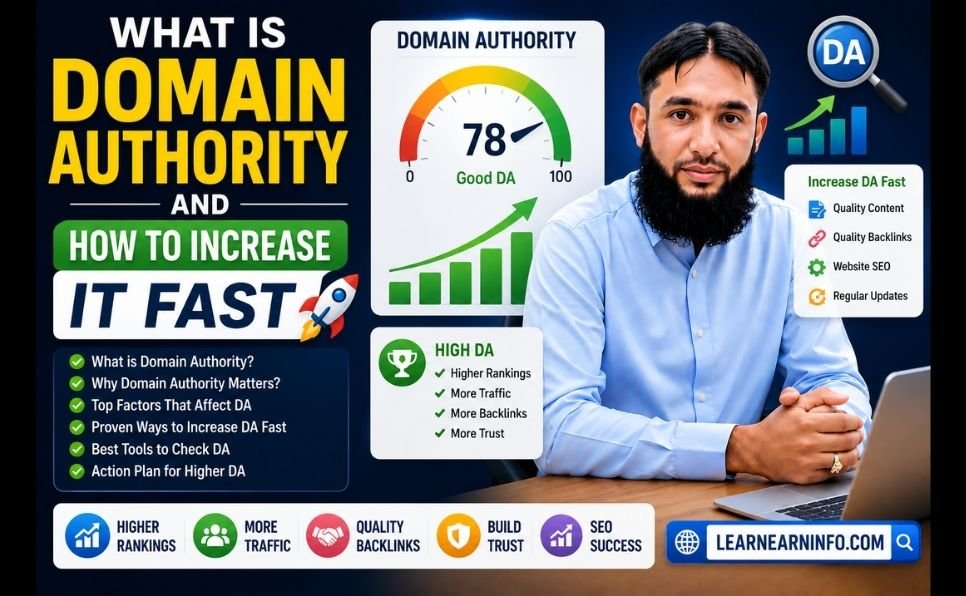
What Is Domain Authority and How to Increase It Fast

What Is Domain Authority and How to Increase It Fast

Two websites. Same niche. Similar content quality. One ranks on page one of Google. The other ranks on page four.

What is the difference?

Nine times out of ten, it comes down to a single number — Domain Authority.

If you have heard this term thrown around in SEO conversations but never fully understood what it means, why it matters, or how to actually improve it — this guide gives you the complete picture. By the end, you will know exactly what domain authority is, how it works, what score to aim for, and seven proven strategies to increase it faster than most websites manage.


What Is Domain Authority?

Domain Authority — commonly abbreviated as DA — is a score from 0 to 100 that predicts how likely a website is to rank in search engine results pages.

The metric was developed by Moz, one of the leading SEO software companies, and it is calculated based primarily on your website’s backlink profile — the number and quality of other websites that link to yours.

A DA score of 1 means a brand new or very weak website with almost no backlinks. A DA of 100 is reserved for the internet’s most authoritative domains — think Google, Wikipedia, or the BBC.

Here is a practical breakdown of what different scores mean in the real world:

DA Score What It Means
1 – 20 New or very weak website — difficult to rank competitively
21 – 40 Developing authority — can rank for low-competition keywords
41 – 60 Moderate authority — competitive in most standard niches
61 – 80 Strong authority — competitive for high-volume keywords
81 – 100 Exceptional authority — major brands and media outlets
  1. The important thing to understand: you do not need a DA of 80 to rank on Google’s first page. You need a higher authority and better relevance than the websites currently occupying the top spots for your specific target keyword. In many niches, a DA of 30 to 40 is more than enough to rank on page one.

Is Domain Authority a Google Ranking Factor?

This is one of the most common questions in SEO — and the answer requires a nuanced explanation.

Domain Authority is a third-party metric created by Moz. Google does not officially use “Domain Authority” as a ranking signal. However, a major API documentation leak in mid-2024 confirmed the existence of a Google internal feature called siteAuthority — a site-wide authority signal that closely mirrors what DA measures.

In practical terms: the factors that increase your DA — high-quality backlinks, strong content, technical health — are precisely the same factors that improve your actual Google rankings. Improving your DA and improving your Google rankings are not two separate goals. They are the same goal measured by different tools.

Think of DA as a reliable thermometer for your website’s overall SEO health. When the temperature rises, your rankings tend to follow.

How to Get First 100 Visitors on Website (Step by Step Guide for Beginners)


Domain Authority vs Page Authority — What Is the Difference?

These two metrics are often confused, so it is worth clarifying:

Domain Authority (DA) measures the strength of your entire website as a whole. Every page on your site benefits from high domain authority — it raises the ceiling for what any individual page can rank for.

Page Authority (PA) measures the strength of a specific individual page based on the links pointing to that particular URL.

Both matter. A high-DA website with a well-optimized individual page is the ideal combination. In practice, building domain authority is the longer-term strategic goal, while page authority is more directly influenced by on-page optimization and links pointing specifically to individual URLs.


How to Check Your Domain Authority

Checking your DA is free and takes under 30 seconds.

Method 1 — Moz Link Explorer Go to Moz Link Explorer, enter your website URL, and your DA score appears immediately. Moz is the original creator of the DA metric, making it the most authoritative source for this specific score.

Method 2 — Ahrefs Domain Rating Checker Ahrefs has their own version of this metric called Domain Rating (DR). Use the Ahrefs Domain Rating checker to see your DR score — it functions similarly to DA and is calculated using Ahrefs’ own backlink database.

Method 3 — Browser Extensions MozBar, a free Chrome extension, shows DA scores directly in your browser as you browse any website. Useful for quickly evaluating potential guest posting targets or competitor analysis.

How often to check: Once per month is sufficient. DA does not change overnight — it reflects cumulative link building progress over time. Checking it daily creates unnecessary anxiety. Monthly monitoring gives you a meaningful trend to track.


What Is a Good Domain Authority Score?

The honest answer: it depends entirely on your niche and your competition.

A DA of 30 might be excellent in a small, specialized niche with low-authority competitors. That same DA of 30 might be completely inadequate in a highly competitive space dominated by major publications with DA scores in the 70s and 80s.

The right way to set your DA target is to check your top competitors:

  1. Search Google for your most important target keyword
  2. Open the top 5 results
  3. Check the DA of each website using Moz or Ahrefs
  4. Your target DA should match or exceed the average of these competitors

If the websites ranking on page one for your target keywords have DA scores of 35 to 50, getting your own site to DA 45 to 55 puts you in a very competitive position for that keyword. You do not need to beat the highest DA — you need to be competitive with the average.


Why Your DA Might Be Low — Common Causes

Before working on solutions, it helps to understand why many websites have low domain authority:

Too few backlinks: The most direct cause. If very few websites link to yours, your DA will remain low regardless of how good your content is.

Poor quality backlinks: Links from spammy, irrelevant, or low-quality websites can actually reduce your DA. Not all links help — some actively hurt.

New domain: Every website starts with a DA of 1. Young domains need time and consistent link building before authority accumulates.

No content worth linking to: Generic, thin, or duplicate content does not attract backlinks naturally. If your content does not add genuine value, other websites have no reason to reference it.

Technical problems: A slow, mobile-unfriendly, or poorly structured website signals low quality to search engines and indirectly suppresses authority growth.

Toxic backlinks: Links from adult sites, gambling sites, link farms, or penalized domains can drag your DA down. These need to be identified and removed.


7 Proven Strategies to Increase Domain Authority Fast in 2026

These are not theoretical suggestions. They are the exact methods that consistently produce DA improvements across thousands of websites — confirmed by 2026 SEO data and real case studies.

Strategy 1 — Build High-Quality Backlinks Through Guest Posting

This is the single most impactful action you can take to increase domain authority. Backlinks from relevant, high-DA websites are the primary driver of DA growth — and guest posting is the most reliable, scalable way to earn them.

When you publish a guest article on a website with DA 50 or higher, a portion of that site’s authority flows to yours through the backlink. Do this consistently — once or twice per month — and your DA will grow measurably within three to six months.

The key word is quality. One backlink from a DA 60 website in your niche is worth more than twenty backlinks from DA 15 websites with no audience or relevance.

Read our complete guide on what is guest posting for the full strategy, including how to find target websites, write pitches that get accepted, and build a long-term link building system.

If you prefer a done-for-you approach, our guest posting services connect your website with real, high-DA publishers across multiple niches — delivering editorial backlinks that produce measurable DA and ranking improvements without the risk of penalties.

Strategy 2 — Fix Your Technical SEO Foundation

Technical SEO problems actively suppress your domain authority growth. Even if you are building excellent backlinks, a slow, crawl-blocked, or poorly structured website weakens the impact of every link you earn.

The most important technical fixes for DA growth:

Site speed: Use Google Search Console and PageSpeed Insights to identify speed issues. Compress images, enable browser caching, use a fast hosting provider. Target a PageSpeed score above 80 on mobile and desktop.

Mobile optimization: Google uses mobile-first indexing — it ranks your mobile site, not your desktop version. Test every page on multiple devices and ensure smooth, fast mobile experiences.

HTTPS: Every page on your site must use HTTPS. Google has explicitly confirmed HTTPS as a ranking signal, and browsers now display security warnings on HTTP sites that destroy user trust.

Crawlability: Make sure Google can actually access and index your pages. Use Google Search Console to identify crawl errors and fix them systematically.

Broken links: Internal and external broken links waste crawl budget and create poor user experiences. Audit and fix them monthly.

Use our free SEO checklist to run a complete technical audit across all these factors — it covers every major technical SEO element in one place.

Strategy 3 — Create Content That Earns Links Naturally

The most sustainable long-term DA growth comes from creating content that other websites want to reference and link to — without any outreach required.

The content types that earn the most natural backlinks in 2026:

Original data and research: Publish surveys, studies, or data analyses that produce findings no one else has. When other writers cover your topic, they need to cite the data — and they cite you.

Definitive guides: Comprehensive, thoroughly researched guides on important topics in your niche naturally attract links from writers who find them and want to reference them for their readers.

Tools and calculators: Useful free tools embedded on your website earn backlinks consistently because people share what saves them time.

Opinion pieces backed by data: Strong, well-argued perspectives that challenge conventional wisdom or provide fresh analysis attract attention, social shares, and links from other publications.

For help scaling your content production while maintaining quality, explore our content writing services — all content is SEO-optimized, thoroughly researched, and built to earn both rankings and backlinks over time.

Strategy 4 — Build a Strong Internal Linking Structure

Internal linking is one of the most underutilized DA growth strategies. When you link between your own pages strategically, you distribute authority more effectively across your entire website — meaning every page benefits from the links your strongest pages have earned.

Every new article you publish should include three to five internal links to existing content. And every time you publish something new, go back and update relevant older articles to link forward to it as well.

Beyond distributing authority, strong internal linking helps Google understand your site’s structure and topical coverage — which contributes to the topical authority signals that influence DA. Read our detailed guide on how to rank on Google’s first page for a deeper explanation of how internal linking fits into your overall ranking strategy.

Strategy 5 — Diversify Your Backlink Profile

A common mistake in link building is getting multiple backlinks from the same website. While one strong link from a high-DA site is valuable, getting your fifth link from the same domain adds diminishing returns.

What Google and Moz’s DA algorithm reward is referring domain diversity — links coming from many different websites rather than many links from a small number of sources.

Aim to earn backlinks from as many unique, relevant domains as possible. A DA improvement of 10 points from 50 different referring domains is far more achievable — and more sustainable — than trying to get 50 links from the same five websites.

Vary your link sources: guest posts on different websites, mentions in industry roundups, links from resource pages, citations in news articles, and links from tools and directories in your niche.

Strategy 6 — Audit and Remove Toxic Backlinks

Not all backlinks help you. Links from spammy, low-quality, or completely irrelevant websites can actually signal to Google that your site is part of a link scheme — which suppresses your DA and can trigger ranking penalties.

Run a backlink audit every three to six months using Moz or Ahrefs. Look for links from:

  • Websites with DA under 10 and no real audience
  • Adult or gambling websites (unless that is your niche)
  • Websites in completely unrelated languages or industries
  • Known link farms or link-selling networks
  • Penalized or de-indexed domains

When you identify toxic links, reach out to the linking website and request removal. If they do not respond, use Google’s Disavow Tool to tell Google to ignore those specific links when evaluating your site. Cleaning up a toxic backlink profile can produce a meaningful DA increase within one to two monthly Moz updates.

Strategy 7 — Be Consistent and Patient

This is the strategy most people skip because it requires no technical skill — only discipline.

DA does not move dramatically in a week or even a month. Based on real data across thousands of websites, here is what a realistic timeline looks like:

Months 0 to 3: Minimal visible DA change. New backlinks take time to be crawled, indexed, and reflected in authority scores. Use this period to fix technical issues, publish your strongest content, and lay the link building foundation.

Months 3 to 6: Early growth becomes visible for websites consistently earning quality backlinks. The first meaningful DA increases appear for sites that have published original, comprehensive content during this period.

Months 6 to 12: Noticeable authority increase for websites that maintained consistency. Rankings improve measurably across multiple target keywords.

Year 2 and beyond: Compounding growth. Every new backlink builds on a stronger foundation than the one before. Websites that maintain a consistent link building strategy for two or more years become significantly harder for competitors to displace.

The websites that fail at DA growth are almost never those who lacked skill or knowledge. They are the ones who quit after two months of limited visible results — right before the growth was about to become visible.


The Fastest Way to Increase DA — A Realistic 90-Day Plan

Here is a concrete, actionable plan you can start today:

Week 1 to 2 — Audit and Fix

  • Check your current DA score using Moz Link Explorer
  • Run a full technical SEO audit using our free SEO checklist
  • Fix all critical technical issues: speed, mobile, HTTPS, broken links
  • Run a backlink audit and identify any toxic links to disavow

Week 3 to 4 — Content Foundation

  • Publish your first link-worthy, comprehensive guide (1,500+ words minimum)
  • Optimize your internal linking across all existing content
  • Research five to ten potential guest posting targets in your niche

Month 2 — Link Building Begins

  • Submit two guest post pitches per week
  • Aim for at least two to four published guest posts this month
  • Each post on a website with DA 30 or higher in your niche

Month 3 — Scale and Track

  • Increase to four to six guest post pitches per week
  • Check DA at end of month — expect early signs of movement
  • Double down on whichever link sources are proving most accessible
  • Begin outreach for resource page links and unlinked brand mentions

By the end of month three, most websites executing this plan consistently will see measurable DA improvement and corresponding ranking gains for target keywords.


Domain Authority and Your Services — The Direct Connection

Understanding DA is not just theoretical knowledge. It has direct, practical implications for how you invest in your website’s growth.

When you purchase guest posting services, the DA of the websites placing your backlinks directly determines how much authority flows to your domain. A placement on a DA 60 website delivers significantly more authority than one on a DA 25 website — which is why the source quality matters far more than the number of links.

When you invest in professional SEO services, DA growth is one of the clearest metrics for tracking return on investment. A well-executed SEO strategy should produce consistent, measurable DA improvement alongside the ranking and traffic gains it drives.

And when you invest in content writing services, high-quality content is the foundation that makes all link building more effective — because other websites only link to content that is genuinely worth referencing.

For a complete overview of how all these elements work together, read our guides on boost your SEO rankings and best SEO tools to build a fully equipped SEO toolkit.


Common Questions About Domain Authority

How long does it take to increase domain authority? Expect three to six months of consistent effort before seeing meaningful DA movement. The timeline depends on how aggressively you build backlinks, the quality of those links, and whether you fix technical issues early. Websites that combine regular guest posting with strong content and clean technical SEO typically see the fastest results.

Can I increase DA without building backlinks? Technically, some minor DA improvements come from technical fixes and improved content. But the honest answer is no — domain authority is fundamentally a backlink metric. Significant DA growth requires earning quality backlinks from relevant websites.

Does DA affect every page on my website? Yes. Domain Authority is a site-wide score. When your DA increases, every page on your website becomes more competitive — including pages you have not specifically built links to. This is what makes DA growth so valuable: it is a rising tide that lifts all your rankings simultaneously.

Should I focus on DA or just focus on rankings? Focus on rankings — DA is the measurement, not the goal. The strategies that increase DA (quality backlinks, great content, technical SEO) are the same strategies that improve rankings. Do the right things consistently and both numbers improve together.


Final Thoughts

Domain authority is one of the clearest indicators of where your website stands in the competitive landscape of your niche — and one of the most reliable predictors of how easy or difficult ranking will be for your target keywords.

Increasing it is not complicated. It requires quality backlinks from relevant websites, content worth linking to, a technically sound foundation, and the consistency to keep building over months rather than weeks.

Start with the free SEO checklist to audit where you stand today. Read the guide on digital marketing tactics to build the broader strategy around your DA growth. And if you want professional support accelerating your link building, our guest posting services and SEO services are built exactly for this purpose.

Your DA is a number that reflects everything you have built so far. Start building more — and watch it climb.

What is your current DA score and what is your target? Drop it in the comments — and let us know what your biggest challenge is in growing it.

What Is Domain Authority and How to Increase It Fast Read More »

how to get website on first page of Google

How to Get Your Website on the First Page of Google

If your website is not on the first page of Google, it might as well not exist.

That is not an exaggeration. Studies consistently show that over 90% of all clicks go to results on page one. Page two gets less than 1%. If your potential customers cannot find you on Google, they are finding your competitors instead.

The good news? Getting to page one is not reserved for big brands with massive budgets. In 2026, smaller websites with the right strategy are regularly outranking large, established domains. Google has changed — and it now rewards genuinely helpful, well-structured content over expensive tricks and shortcuts.

This guide gives you the complete, step-by-step system to rank your website on Google’s first page in 2026 — from keyword research to technical SEO to link building. Whether you are starting from scratch or trying to improve existing rankings, everything you need is right here.


Why Ranking on Google’s First Page Matters More Than Ever

90% of online experiences start with a search engine. Google alone handles over 8.5 billion searches every single day. Each one of those searches is a potential customer, reader, or client looking for exactly what you offer.

Here is what first page ranking actually means for your business:

  • Free, consistent traffic that arrives every day without paying for ads
  • Higher credibility — users trust Google’s top results more than paid advertisements
  • Compounding growth — a page that ranks today keeps bringing traffic for months and years
  • Qualified leads — people who find you through search are already looking for what you sell

SEO is the only marketing channel that pays you back indefinitely. Every hour you invest in it today continues generating results long after the work is done.

website rank


How Google Decides Who Ranks First in 2026

Before you can rank, you need to understand what Google is actually looking for. Google’s algorithm evaluates hundreds of signals, but they all come down to three core pillars:

Relevance — Does your content genuinely answer what the user searched for?

Authority — Do other trusted websites link to you, signaling that you are a credible source?

Experience — Is your website fast, mobile-friendly, secure, and easy to navigate?

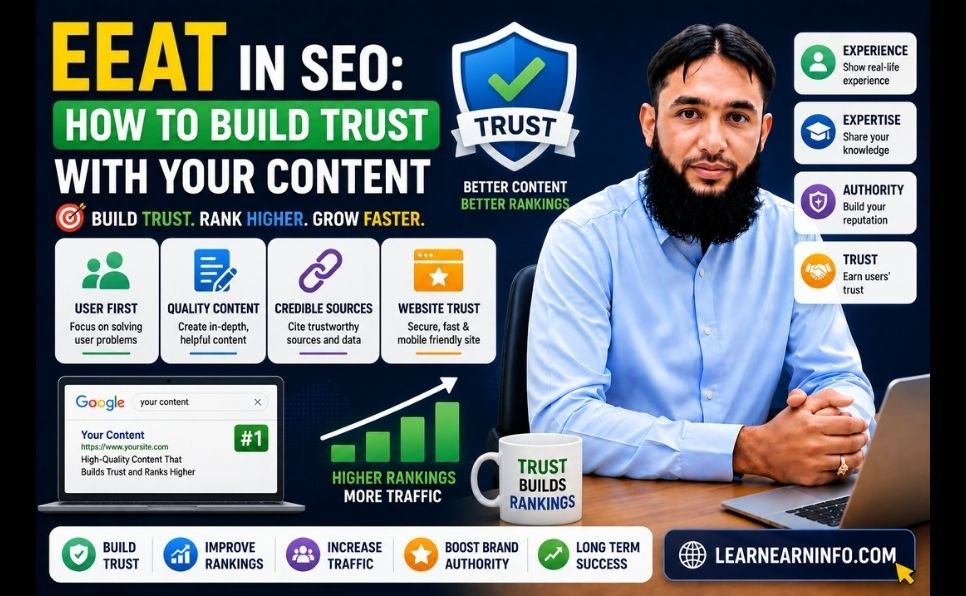
In 2026, Google has added a fourth critical dimension — E-E-A-T, which stands for Experience, Expertise, Authoritativeness, and Trustworthiness. Google now gives preference to content written by people with real, demonstrated experience in a topic. Generic, surface-level content that anyone could write is being pushed down. Original insights, personal experience, and genuine expertise are being pushed up.

The practical implication: you cannot fake your way to page one anymore. You have to actually know your subject, show your credentials, and write content that genuinely helps people.


Step 1 — Keyword Research: Find What Your Audience Is Actually Searching For

Everything in SEO starts with keyword research. If you target the wrong keywords, no amount of optimization will bring meaningful traffic. If you target the right keywords, even moderate optimization can produce strong results.

Understanding Keyword Types

Short-tail keywords are broad, high-volume terms like “SEO” or “make money online.” They get millions of searches but are dominated by major brands. Beginners should avoid competing for these directly.

Long-tail keywords are specific phrases like “how to do SEO for a small business website” or “how to rank a blog on Google in 2026.” They have lower individual search volume but are far easier to rank for — and they attract users with very specific intent who are much more likely to convert.

In 2026, long-tail keywords are your biggest opportunity. Target them first, build authority, and the broader terms will follow naturally over time.

How to Find the Right Keywords

Method 1 — Google’s Own Suggestions Type your topic into Google’s search bar and look at the autocomplete suggestions. These are real searches people are making. Also scroll to the bottom of the results page for the “Related Searches” section — pure keyword gold.

Method 2 — Use Free Tools The Ahrefs free keyword tools let you enter a topic and see hundreds of related keyword ideas with search volume data. Google Keyword Planner (free inside Google Ads) does the same.

Method 3 — Study Your Competitors Find websites that are already ranking for your topics. Look at what keywords they target in their titles, headings, and content. You do not need to copy them — you need to understand the landscape and find gaps they have missed.

Method 4 — Use AI for Keyword Research Tools like Google Gemini for SEO research can generate comprehensive keyword ideas, identify related topics, and help you understand what questions your audience is asking. This dramatically speeds up the research process.

Keyword Selection Criteria

Before committing to a keyword, ask three questions:

  1. Is there genuine search volume? A keyword nobody searches for will bring no traffic regardless of ranking.
  2. Can I realistically rank for this? Check who is currently on page one. If it is all major brands with thousands of backlinks, choose a less competitive variation.
  3. Does it match buying intent? Keywords with words like “best,” “how to,” “review,” “guide,” and “services” indicate users who are closer to taking action.

Step 2 — On-Page SEO: Optimize Every Page You Publish

On-page SEO refers to everything you control directly on your website — your content, titles, headings, images, and structure. This is where most of the ranking work happens.

Title Tag Optimization

Your title tag is the blue clickable headline that appears in Google search results. It is one of the most important ranking signals you have.

Rules for a perfect title tag:

  • Include your focus keyword, ideally near the beginning
  • Keep it under 60 characters so it does not get cut off in search results
  • Make it compelling — it needs to earn the click, not just rank
  • Include the year (2026) for guides and tutorials — it signals freshness

Example: “How to Get Your Website on the First Page of Google — Complete SEO Guide 2026”

Meta Description

The meta description appears below your title in search results. It does not directly influence rankings, but it heavily influences click-through rate — which does affect rankings indirectly.

Write 150 to 160 characters that clearly explain what the reader will get from your page and include a reason to click. Think of it as a mini advertisement for your content.

URL Structure

A clean, keyword-rich URL communicates your page’s topic to both Google and searchers. Keep URLs short, use hyphens between words, and always include your focus keyword.

Good: /how-to-get-website-on-first-page-of-google/ Bad: /post-1234/?p=7&category=blog

Heading Structure (H1, H2, H3)

Use one H1 heading per page — this should be your article title containing your focus keyword. Use H2 headings for main sections and H3 for subsections. This structure helps Google understand your content’s organization and helps readers scan quickly.

Keyword Placement

Include your focus keyword in:

  • The first paragraph of your content (ideally the first 100 words)
  • At least two to three H2 headings
  • Naturally throughout the body text
  • The image alt text of your featured image

What to avoid: keyword stuffing. Using your keyword 50 times in a 1,000-word article is a red flag for Google and makes your content unpleasant to read. Write for humans first. Google is smart enough to understand context and related terms.

Content Depth and Quality

In 2026, content depth beats content length. A 1,500-word article that thoroughly answers every question a reader has will outrank a 3,000-word article padded with repetition and filler.

Ask yourself: after reading this page, does the reader have everything they need? If there are obvious follow-up questions you have not addressed, answer them. If you can cover a topic better than everyone currently ranking — you will eventually rank above them.

For help producing consistent, high-quality content, explore our content writing services — we create SEO-optimized articles built to rank.


Step 3 — Technical SEO: Fix the Foundation

Even the best content cannot rank if Google struggles to crawl and understand your website. Technical SEO ensures your site’s foundation is solid.

Website Speed

Page speed is a confirmed Google ranking factor. Slow websites rank lower and have higher bounce rates — users leave before the page loads, which signals to Google that your site is not a good experience.

Check your current speed with Google PageSpeed Insights — it is free and gives specific recommendations. Target a score above 80 on both mobile and desktop.

Key speed improvements:

  • Compress all images before uploading (use WebP format where possible)
  • Enable browser caching
  • Use a fast, reliable hosting provider
  • Install a caching plugin if you use WordPress

Mobile-First Optimization

Google uses mobile-first indexing — it crawls and ranks the mobile version of your site, not the desktop version. If your website does not work well on a phone, your rankings will suffer regardless of how good it looks on a desktop.

Test your site on multiple mobile devices. Make sure buttons are large enough to tap, text is readable without zooming, and navigation is simple.

SSL Certificate (HTTPS)

If your website URL starts with HTTP instead of HTTPS, get an SSL certificate immediately. HTTPS is a ranking signal and a trust signal — browsers actively warn users that HTTP sites are “not secure,” which destroys credibility and traffic.

Most hosting providers offer free SSL through Let’s Encrypt. Install it today if you have not already.

XML Sitemap and Robots.txt

Submit an XML sitemap to Google Search Console so Google knows every page on your site and can crawl them efficiently. Make sure your robots.txt file is not accidentally blocking important pages from being indexed.

Fix Broken Links and Crawl Errors

Broken links (404 errors) frustrate users and waste Google’s crawl budget. Use Google Search Console to identify and fix crawl errors regularly. Redirect any deleted pages to relevant existing content.


Step 4 — Content Strategy: Publish What Google Wants to Rank

Having great individual articles is not enough. In 2026, Google rewards websites that demonstrate topical authority — deep, comprehensive coverage of a subject area rather than scattered, unrelated posts.

Build Topic Clusters

A topic cluster is a group of related articles that together cover a subject comprehensively. You have one main “pillar” article that broadly covers a topic, and multiple “cluster” articles that go deep on specific subtopics — all linked together.

For example, if your main topic is SEO:

  • Pillar article: “Complete SEO Guide 2026” (this article)
  • Cluster articles: “How to do keyword research,” “On-page SEO checklist,” “How to build backlinks,” “Technical SEO for beginners,” “How to use Google Search Console”

Each cluster article links back to the pillar, and the pillar links to each cluster. This internal linking structure tells Google that your website is a comprehensive resource on the subject — not just a collection of random posts.

Publish Consistently

Google favors websites that publish fresh content regularly. You do not need to post daily — but a consistent schedule of two to four articles per week signals to Google that your site is active and growing.

Use tools like Google Gemini to speed up your research and drafting process, then focus your time on adding original insights and editing for quality.

For a deeper dive into content creation strategy, read our guide on content writing for your blog and explore our content writing services if you need professional help scaling production.

Update Old Content

Refreshing existing articles with updated information, new data, and improved structure can significantly boost their rankings. Google rewards freshness — and a well-updated old article often outperforms a brand new one because it already has some authority.


Step 5 — Link Building: Build the Authority That Rankings Require

Backlinks — other websites linking to yours — remain one of Google’s most powerful ranking signals. A link from a trusted, authoritative website is essentially a vote of confidence that tells Google your content is worth recommending.

Why Backlinks Still Matter in 2026

Some claim backlinks are becoming less important. The data says otherwise — pages with strong backlink profiles consistently dominate competitive search results. What has changed is quality over quantity. Ten high-quality backlinks from relevant, authoritative sites are worth more than a thousand links from low-quality or unrelated sources.

The Most Effective Link Building Strategies in 2026

Guest Posting Writing high-quality articles for other websites in your niche — with a link back to your site — is one of the most reliable and sustainable link building methods. It builds authority, drives referral traffic, and creates real relationships with other publishers.

Our guest posting services connect you with high-DA websites that can send powerful link equity directly to your domain. If you want to accelerate your rankings without spending months building relationships from scratch, this is the fastest legitimate path.

Create Link-Worthy Content Original research, comprehensive guides, useful tools, and data-driven articles naturally attract backlinks. When you publish something that is genuinely the best resource on a topic, other writers and websites will link to it when covering that subject.

Broken Link Building Find websites in your niche that have broken outbound links — links pointing to pages that no longer exist. Reach out and suggest your relevant content as a replacement. You are doing them a favor while earning a backlink.

HARO (Help a Reporter Out) Journalists and bloggers constantly need expert quotes and data. Platforms like HARO connect you with these opportunities. A mention in a major publication can earn you high-authority backlinks that would otherwise take years to build.

Internal Linking Do not overlook internal links — links between your own articles. Strong internal linking helps Google understand your site structure, passes authority between pages, and keeps readers on your site longer. Every new article you publish should link to at least three to five existing articles, and existing articles should be updated to link to new ones.

For a complete approach to building your site’s authority through strategic linking, learn more about our professional SEO services.


Step 6 — Track, Measure, and Improve

SEO without tracking is guesswork. You need to know what is working, what is not, and where to focus your efforts next.

Set Up Google Search Console (Free and Essential)

Google Search Console is the single most important free tool for any website owner. It shows you:

  • Which keywords are bringing traffic to your site
  • Which pages rank and at what position
  • How many impressions and clicks each page receives
  • Technical errors Google has found on your site
  • Which websites are linking to you

Check it at least once a week. Look for pages with high impressions but low clicks — these are ranking but not getting clicked, which usually means the title tag or meta description needs improvement.

Key Metrics to Track

Organic traffic — How many visitors arrive from Google searches. This is your primary SEO success metric.

Keyword rankings — What position do your target keywords occupy in search results. Track your most important keywords monthly.

Bounce rate — What percentage of visitors leave without clicking anything. High bounce rates signal that your content is not matching what searchers expected.

Backlink growth — How many new links are pointing to your site each month. Consistent backlink growth is a sign of a healthy SEO strategy.

Page speed — Monitor regularly, especially after adding new plugins or images.

Use our free SEO checklist to audit your website against every major ranking factor — it is free and takes less than 30 minutes to complete.


The 7 Biggest SEO Mistakes That Are Killing Your Rankings

Mistake 1 — Targeting Keywords That Are Too Competitive Trying to rank for “SEO” or “make money online” as a new website is like trying to beat Ronaldo at football on your first training session. Start with long-tail keywords you can actually win, build authority, then go after bigger terms.

Mistake 2 — Publishing Thin, Generic Content A 400-word article that barely scratches the surface of a topic will not rank in 2026. Google has billions of pages to choose from. Give it a reason to choose yours by going deeper and more thoroughly than anyone else.

Mistake 3 — Ignoring Mobile Optimization Over 60% of Google searches happen on mobile devices. If your site is clunky on a phone, you are losing rankings and visitors simultaneously.

Mistake 4 — Buying Cheap Backlinks Hundreds of services will sell you 500 backlinks for $10. Almost all of them will hurt your rankings, not help them. Google’s algorithm is sophisticated enough to identify and penalize unnatural link patterns. Avoid this completely.

Mistake 5 — No Internal Linking Strategy Every article you publish is an island if it does not link to and receive links from other content on your site. Internal links distribute authority and help Google understand your site’s structure. Make it a habit with every single post. For more on this, read our guide on how to boost your SEO rankings.

Mistake 6 — Ignoring Page Speed A one-second delay in page load time can reduce conversions by 7% and significantly impact your Google rankings. Speed is not optional in 2026 — it is a requirement.

Mistake 7 — Giving Up Too Early SEO takes time. Most websites see meaningful results within 3 to 6 months for low-competition keywords, and 6 to 12 months for competitive ones. The biggest mistake beginners make is doing everything right for 6 weeks, seeing limited results, and stopping. Consistency and patience are the true secrets to SEO success.


Your 90-Day SEO Action Plan

Here is a practical timeline to take your website from wherever it is today to measurable first-page rankings:

Days 1 to 30 — Foundation

  • Set up Google Search Console and verify your website
  • Run a full technical SEO audit — fix speed, mobile, HTTPS, broken links
  • Research 20 to 30 target keywords using free tools
  • Download and complete our free SEO checklist
  • Optimize your top 5 existing pages — titles, meta descriptions, headings, internal links

Days 31 to 60 — Content

  • Publish 2 to 3 new, thoroughly researched articles per week
  • Each article should target one specific long-tail keyword
  • Build internal links between all new and existing content
  • Update your top 3 old articles with fresh information and better optimization

Days 61 to 90 — Authority

  • Begin outreach for guest posting opportunities
  • Reach out to websites in your niche about link building collaboration
  • Use digital marketing tactics to promote your best content on social media
  • Review Search Console data — double down on what is working

By day 90, you should see measurable improvements in rankings, impressions, and organic traffic. This is where most people give up — and where the real results are just beginning.


When to Get Professional SEO Help

SEO is learnable. Everything in this guide can be implemented by someone with no technical background, given enough time and consistency.

But time is a finite resource. If you are running a business, managing a team, and trying to grow — spending 20 hours a week on SEO may not be realistic.

This is where professional SEO services make a measurable difference. The right team can compress months of work into weeks, identify opportunities you would miss, and build the authority your site needs faster than you could do it alone.

If you are serious about getting to page one and want expert help doing it, explore our professional SEO services — built specifically for businesses and content publishers who want real, sustainable results.


Final Thoughts

Getting your website on the first page of Google in 2026 is not about gaming the algorithm. It is about building something genuinely worth ranking — a fast, well-structured website full of content that thoroughly helps real people, backed by credible links from trusted sources.

The framework is clear:

  1. Find the right keywords
  2. Create better content than what currently ranks
  3. Fix your technical foundation
  4. Build legitimate backlinks
  5. Track your progress and keep improving

None of these steps is complicated. All of them require consistency.

Start today. SEO rewards those who begin early and stay consistent. Every day you wait is a day your competitors are building the authority that will keep them ahead of you.

Use our best SEO tools guide to equip yourself with the right resources, grab the free SEO checklist to audit your site right now, and reach out if you want professional support through our SEO services.

Your first-page ranking is waiting. Go build it.


Which part of SEO are you struggling with most right now? Drop your question in the comments — we answer every one.

How to Get Your Website on the First Page of Google Read More »

How to Use Google Gemini Complete Guide

How to Use Google Gemini Complete Guide

Millions of people in Pakistan are using an AI tool right now that cuts hours of work down to minutes — and most of them are using it completely free.

That tool is Google Gemini — and in 2025, it became Pakistan’s most searched technology topic on Google. Yet most Pakistani users still don’t know how to set it up properly, which features are actually free, and — most importantly — how to turn it into a real income source.

This guide covers everything. Whether you’re a student, a freelancer, a small business owner, or just getting started with AI, this step-by-step walkthrough will show you exactly how to use Google Gemini in Pakistan in 2026.


What Is Google Gemini? (And Why Should You Care)

Google Gemini is Google’s most powerful Artificial Intelligence assistant. Think of it as an intelligent co-worker who never sleeps, never gets tired, and can help you with almost any mental task in seconds.

Here is what Gemini can do for you right now:

  • Write content — emails, articles, social media captions, resumes, proposals
  • Do research — summarize topics, find key points, compare options
  • Understand images — upload a photo and ask questions about it
  • Read your documents — upload a PDF, Word file, or spreadsheet and get instant analysis
  • Help with code — write, explain, and fix programming code
  • Work inside Google apps — Gmail, Docs, Sheets, Slides, and Calendar are all connected

The biggest advantage Gemini has over other AI tools like ChatGPT is that it is deeply integrated into the Google ecosystem you already use every day. Your emails, your documents, your calendar — Gemini works with all of them.

At Google I/O 2026, Google confirmed that the Gemini app now has over 900 million monthly active users worldwide — making it one of the fastest-growing AI platforms in history.

google gemini


Is Google Gemini Available in Pakistan?

Yes — completely. Google Gemini works in Pakistan without any VPN or workarounds.

You can access the free version at gemini.google.com using any Gmail account. No special setup required.

Pakistan was also officially added to Google’s list of countries for the Google AI Plus plan — meaning Pakistani users now have full access to both free and paid tiers, just like users in the US or UK.


Google Gemini Plans — What Is Free and What Is Paid

Understanding the plans helps you get maximum value without spending a single rupee unnecessarily.

Gemini Free Plan

The free version is powerful enough for most users. It includes:

  • Unlimited text conversations with Gemini 1.5 Flash model
  • Image upload and analysis
  • Real-time Google Search integration
  • Basic integration with Google Docs and Gmail
  • Access on mobile and desktop

Google AI Plus Plan (Paid)

For power users, the paid plan offers:

  • Access to Gemini 2.5 Pro — the most capable model
  • Deep Research feature for long-form research tasks
  • NotebookLM — AI-powered personal research assistant
  • Higher usage limits on all features
  • 2TB of Google Drive storage

Special Offer: Free Gemini Pro for Pakistani Students

This is one of the most important things Pakistani students need to know right now.

Google announced a free one-year Gemini AI Pro subscription for university students in Pakistan — a plan that normally costs thousands of rupees per month. As Dawn.com reported, Pakistani students aged 18 and above are eligible for this offer.

How to claim it:

  1. Go to gemini.google/students/
  2. Click “Get Offer”
  3. Sign in with your university or institutional email
  4. Verify your student status through SheerID
  5. Enter your card details (a small verification charge of around Rs. 70 may apply — it is refunded)
  6. Cancel before one year if you don’t want to continue — no charge

What you unlock for free for one year:

  • Gemini 2.5 Pro model
  • Deep Research for assignments and projects
  • NotebookLM for study and note-taking
  • Veo 3 for AI video generation
  • Google Flow for creative projects
  • 2TB cloud storage across Drive, Gmail, and Photos

Step-by-Step: How to Set Up and Use Google Gemini in Pakistan

Step 1 — Access Gemini

Open your browser and go to gemini.google.com. Click “Sign in” and use your existing Gmail account. If you don’t have one, create a free Google account first — it takes two minutes.

You will land on the Gemini chat interface. It is clean and simple — a text input box is at the bottom of the screen.

Step 2 — Write Your First Prompt

A prompt is simply what you type to Gemini — your question or request. The quality of your prompt directly determines the quality of Gemini’s response.

Weak prompt: “Tell me about business”

Strong prompt: “I want to start a small online business in Pakistan with a budget of Rs. 30,000. Suggest 5 realistic business ideas with estimated startup costs, monthly income potential, and first steps to get started.”

The second prompt gets you a detailed, actionable answer. The first gets you a generic paragraph. Always be specific.

Step 3 — Use the Image Feature

Click the “+” icon next to the text input. Select an image from your phone or computer. Then ask Gemini about it.

Real use cases:

  • Upload a product photo and ask “Write a compelling description for this product for my online store”
  • Upload a handwritten assignment and ask “Type this out and check for any errors”
  • Upload a screenshot of a website and ask “What can be improved on this page?”

Step 4 — Upload Documents

Gemini can read PDF files, Word documents, and spreadsheets. Click the “+” icon, select “Files,” and upload your document.

Then ask:

  • “Summarize this document in 10 bullet points”
  • “What are the key deadlines mentioned in this contract?”
  • “Translate this document into simple English”

Step 5 — Use Gemini Inside Gmail and Google Docs

Open your Gmail inbox. On the right side panel, look for the Gemini icon (a small star-like symbol). Click it and you can ask Gemini to:

  • Summarize your unread emails
  • Draft a reply to any email
  • Find specific emails by describing what they are about

In Google Docs, the same Gemini sidebar appears. You can ask it to write sections, improve your writing, or restructure content.


Google Gemini 2026 — The Biggest New Features

Google I/O 2026 brought major updates to Gemini. Here are the ones that matter most for Pakistani users:

Gemini 3.5 Flash — The New Default Model

The latest model is now 4x faster than previous versions while being more accurate on complex tasks like coding, research, and multi-step reasoning. It rolled out to all users in May 2026.

Gemini Spark — Your 24/7 AI Agent

Gemini Spark is a personal AI agent that runs on Google’s cloud servers — meaning it keeps working even when your laptop is closed. It handles long research tasks, planning, and multi-step follow-through without you sitting in front of a screen.

Daily Brief — AI Morning Summary

Every morning, Gemini analyzes your Gmail, Google Calendar, and Tasks and creates a personal briefing — what is urgent, what meetings are coming up, and suggested next steps. Ideal for business owners and professionals.

Gmail Live — Conversational Inbox Search

Instead of typing keywords to search your email, you can now describe what you are looking for in plain English. For example: “Find the invoice from the client I worked with in March” — Gemini finds it instantly.

Docs Live — Voice to Document

Speak out loud and Gemini converts your speech into a structured document. Useful for brainstorming, meeting notes, and first drafts of articles or reports.


How to Make Money With Google Gemini in Pakistan — 5 Proven Methods

Learning Gemini is one thing. Turning it into income is the real goal. Here are five practical ways Pakistani users are already making money with it — and how you can too.

The impact of AI on our daily lives is growing every year, and those who learn to use these tools first will always have the edge.

Method 1 — Freelance Content Writing at Scale

Content writing is one of the most in-demand skills on Fiverr and Upwork. With Gemini, you can produce 3 to 4 times more content per day compared to writing manually.

The process: get the brief from your client → use Gemini to create a detailed draft → edit it in your voice → add local examples and original insights → deliver.

A 1,000-word article on Fiverr earns between $15 and $50. If you deliver 4 to 5 articles per day using Gemini assistance, the math becomes very attractive.

One critical rule: Never publish Gemini’s output directly. Always rewrite, add your own perspective, and check for accuracy. Google and clients both penalize pure AI content.

Method 2 — Social Media Management for Local Businesses

Thousands of small businesses in Pakistan — restaurants, salons, clothing brands, real estate agents — need consistent social media content but cannot afford agencies.

You can offer this service. Use Gemini to generate:

  • Weekly content calendars
  • Engaging captions for Instagram and Facebook
  • Hashtag strategies
  • Responses to customer comments

Charge Rs. 15,000 to Rs. 35,000 per client per month. Five clients gives you a solid monthly income.

Method 3 — CV and Cover Letter Writing Service

Job hunting in Pakistan is competitive. Millions of graduates need professional CVs every year. Use Gemini to create polished, ATS-optimized resumes and cover letters.

Promote this service in local Facebook groups, WhatsApp communities, and LinkedIn. Rs. 800 to Rs. 2,000 per CV is a fair market rate. This is easy to scale.

Method 4 — Grow Your Blog With AI-Assisted Content

If you run a blog or want to start one, Gemini can dramatically speed up your content production. Use it to research topics, build outlines, generate first drafts, and suggest internal links.

Check out our complete guide on how to start a blog and make money online for the full blogging strategy. Combine that with Gemini, and you have a powerful system for building organic traffic.

Method 5 — Offer AI Consulting to Small Businesses

Most Pakistani business owners have heard of AI but do not know how to use it. You — after reading this guide — already know more than most of them.

Offer simple AI setup and training sessions. Teach a restaurant owner how to use Gemini for menu descriptions, customer responses, and marketing copy. Charge Rs. 5,000 to Rs. 15,000 for a 2-hour session. This is a rapidly growing service category.

For more ways to earn online, read our detailed article on proven ways to make money online.


Google Gemini vs ChatGPT — Which Is Better for Pakistan?

This is the most common question Pakistani users ask. Here is an honest side-by-side comparison:

Feature Google Gemini ChatGPT
Free version quality Strong Good but limited
Google Docs integration Native, seamless Not available
Gmail integration Built-in Not available
Real-time internet access Yes (free) Yes (Plus only)
Image understanding Excellent Excellent
Pakistan student free plan Yes — 1 year free No
Best for Google users, productivity Creative writing, coding

The honest answer: Gemini is better if you already live in the Google ecosystem (Gmail, Docs, Drive). ChatGPT has a slight edge for pure creative writing and advanced coding. Most serious users use both.


5 Mistakes to Avoid When Using Gemini

Mistake 1 — Being too vague Vague prompts produce vague answers. Be specific about what you want, your context, your audience, and the format you need.

Mistake 2 — Stopping after one response Gemini gets better as the conversation develops. Ask follow-up questions. Say “expand on point 3” or “give me a real example of this.” Treat it like a real conversation.

Mistake 3 — Publishing AI output without editing Gemini produces drafts, not finished work. Always add your personal experience, local examples, and original insights before publishing or submitting anything.

Mistake 4 — Ignoring the image and document features Most users only use the text chat. The image and document analysis features are just as powerful and are completely free.

Mistake 5 — Not using it inside Google apps The Gemini integration inside Gmail and Google Docs is where real productivity gains happen. Open Docs right now and try the sidebar — it changes how you work.


Quick-Start Action Plan — Do This Today

Reading about Gemini is useful. Using it is what changes things. Here is a simple 15-minute plan to start right now:

  1. Go to gemini.google.com and sign in with your Gmail
  2. Type this prompt: “I want to use AI to grow my income in Pakistan. Based on skills like writing, social media, and content creation, give me a 30-day action plan with specific daily tasks.”
  3. Read the response carefully
  4. Ask one follow-up question based on what interests you most
  5. Pick one idea and commit to it for the next 7 days

That is it. The best AI tool in the world is now available to you for free. The only question is whether you will use it.


Final Thoughts

Google Gemini in 2026 is not just another AI chatbot. It is a complete productivity and income system — and for Pakistani users, it is more accessible than ever before.

Students have a free Pro plan waiting for them. Freelancers have a tool that multiplies their output. Business owners have an AI assistant that handles tasks that used to require a full-time employee.

The best AI tools for smart business are no longer only for people in Silicon Valley. They are here, available in Pakistan, and they are free to start.

The only thing left to do is open the app and begin.


Have you started using Google Gemini? Share your experience in the comments below — what has been your biggest win with AI so far?


How to Use Google Gemini Complete Guide Read More »

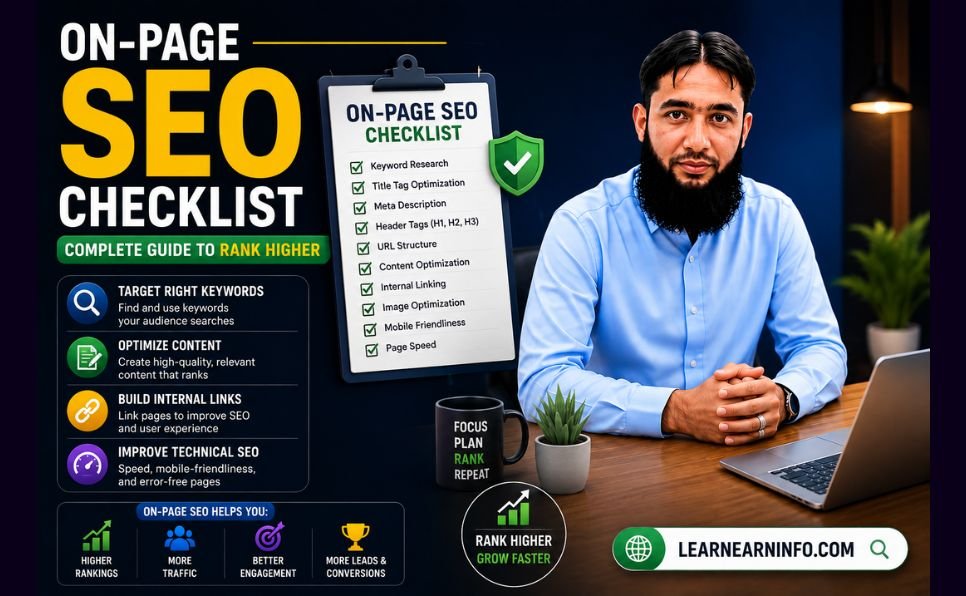
On Page SEO Checklist for Beginners (Step by Step Guide)

Ever wondered why your great content is hard to find? Many creators face this issue. They forget the key things search engines look for.

This guide is for newbies wanting to boost their online visibility. We’ll cover the basic steps to make your site search-friendly.

On Page SEO Checklist

Follow this on page seo step by step guide. You’ll learn how to optimize blog post for seo well. This on page seo checklist for beginners makes hard tasks easy.

Using these tips will make your site meet the latest seo checklist 2026 standards. Learning these basics is key to more visitors and better online standing.

Key Takeaways

  • Understand the core elements that influence search engine rankings.
  • Learn a structured, step-by-step method for content improvement.
  • Discover how to simplify technical tasks for better site performance.
  • Align your current strategy with updated industry standards for 2026.
  • Gain actionable insights to increase your overall organic visibility.

Understanding the Fundamentals of On-Page SEO

Every successful website starts with knowing the basics. By focusing on what you can control on your site, you improve visibility. This on-page optimization guide helps you understand how to do it well.

on page seo techniques

Defining On-Page Optimization

On-page optimization makes your web pages rank higher and get more traffic. It involves making your content and HTML code better. By using on page seo techniques, search engines get to know your site better.

Good seo optimization is more than just keywords. It’s about organizing your site well. This includes using good headers, optimizing images, and making sure your meta tags are clear. These steps are key to a strong seo strategy that focuses on being clear and relevant.

Why On-Page SEO Matters for Search Rankings

Your search engine ranking depends on how well your site talks to crawlers. Search engines look at many seo ranking factors to see if your pages answer user questions well. By matching your content to these standards, you’re more likely to show up in top search results.

Following seo best practices keeps your site healthy and competitive. Regular work in this area boosts user engagement and site authority. Learning these seo ranking factors is key for any lasting seo strategy aimed at growing your search engine ranking.

By sticking to on page seo techniques, you lay a strong base for all marketing efforts. Keeping to seo best practices means your site stays clean and easy for users. Through careful seo optimization, your website becomes a valuable tool for your business.

Comprehensive On Page SEO Checklist for Beginners

Before you start, make sure your website is ready. Use an On Page SEO Checklist to meet today’s standards. This on page seo checklist for beginners guides you to organize your site for search engines.

Preparing Your Website for Optimization

The first step is to clean up your site. Make sure all pages are reachable and have no broken links. A clean site lets search engines index your content easily.

Make a detailed website seo checklist to track your work. Remove duplicate content and make sure each page has its own purpose. A well-kept site helps search engines rank you better.

Tools Required for a Successful SEO Audit

To do a good seo audit checklist, you need the right tools. Google Search Console is a free tool that shows how Google sees your site. It finds crawl errors and indexing issues.

For a detailed website audit, tools like Screaming Frog or Ahrefs are key. They give automated reports that help with your on page seo checklist. These tools find and fix technical problems with ease.

Mastering Keyword Research and Intent

Good keyword research is key for digital marketing success. It helps you know what your audience searches for. This way, you can make content that meets their needs.

When your content matches what people search for, you rank better. This is a big deal in today’s online world.

Identifying High-Value Keywords

Look for keywords that are valuable for your business. Relevant keywords might not have lots of competition. But they can bring in more people who are really interested.

Begin by thinking about topics in your field. Use tools like Google Keyword Planner or Ahrefs to find more. Long-tail keywords are good because they’re specific and easier to rank for.

Understanding Searcher Intent

Knowing why someone searches is as important as the keywords. Searcher intent helps you understand what they want. Matching your content to the user’s goal helps a lot.

Informational intent is when someone wants to learn, like “how to optimize a website.” Transactional intent is when they’re ready to buy. Navigational intent is when they’re looking for a specific site.

By making your pages match these intents, you show search engines you’re an expert. This is a big seo ranking factor for lasting success. Always think about what the user needs.

Optimizing Title Tags and Meta Descriptions

Your search results are like a digital storefront. They need to grab attention right away. When people scan results, they look for the most interesting one to click. Good meta tags optimization makes your site stand out.

Writing Click-Worthy Title Tags

Your title tag is key for both search engines and people. It should clearly say what your page is about. Keep it under 60 characters so it doesn’t get cut off.

Include your main keyword at the start. This helps search engines get what your page is about fast.

Avoid boring titles. Use strong words or numbers to get more clicks. A good title promises the exact info people are looking for.

Crafting Compelling Meta Descriptions

Meta descriptions don’t affect rankings but are key for getting visitors. They’re like your site’s main ad in search results. A great description should sum up your content and tell people what to do next.

Make sure your descriptions are 150 to 160 characters long. This way, they show up fully on all devices. Use persuasive language to make your link the best choice. Good meta tags show the value of your content to searchers.

Structuring Content with Header Tags

Using header tags right can make your site easier to read and more trusted. When you use clear headings, it helps both people and search engines find their way. This makes sure your readers stay interested and search engines can find your content easily.

The Hierarchy of H1, H2, and H3 Tags

A good hierarchy is key for any professional site. The H1 tag is the main title, showing what the page is about. H2 tags are big sub-sections that split the content into smaller parts. Use H3 tags for even more detailed points.

Keeping a consistent order is important for everyone to understand. This structure helps screen readers and search engines see how topics relate. Don’t skip levels, as it messes up the flow of your information.

Incorporating Keywords Naturally into Headings

Headings are a great chance to show what your page is about. Putting in the right keywords in your headers tells search engines what’s coming. But make sure these keywords feel natural and helpful to the reader.

Don’t try to stuff keywords into every heading. This can make your site hard to read and might get you in trouble. Write clear, descriptive headers that really tell what’s below. This way, you make your site both clear and friendly to search engines.

Enhancing Content Quality and Relevance

True content optimization is more than just adding keywords. Search algorithms look for pages that really help people. By focusing on what your audience needs, you build a strong base that lasts through changes.

Writing for Users First and Search Engines Second

When you write, aim to answer your readers’ questions. Give them clear, useful, and right information. This way, search engines will see you as an expert.

Make your text easy to read with short sentences and clear headings. When readers find what they need, they stay longer. This is good for search engines too.

Avoiding Keyword Stuffing and Thin Content

Don’t repeat keywords too much. This is called keyword stuffing and can hurt your site. Use keywords naturally in your text.

Thin content is not good. Make sure your articles are full and satisfying. Add examples, data, or new insights to make your content valuable. This keeps your site safe and attracts more visitors.

Implementing Effective Internal Linking Strategies

A strong internal linking strategy is key to your site’s navigation. It connects your pages, helping search engines find your content faster. It also spreads authority across your site.

This is a must for any good seo strategy. It makes sure your top pages get noticed by users and search bots.

Building a Logical Site Architecture

A well-organized website is easy to navigate. Group similar content together. This creates a clear path from broad topics to specific details.

Using internal linking connects related articles. This creates a web of info that keeps users interested. It also makes them want to see more of your site.

Using Descriptive Anchor Text

The text on your links is very important. Instead of “click here,” use descriptive anchor text. This tells search engines what the page is about.

This helps search engines understand your pages better. It also makes your site easier to use. By doing this, you make your seo strategy stronger and your site more authoritative.

Improving Technical Elements for Better Rankings

Getting high search rankings is not just about good content. You also need a strong technical base. Seo website optimization is key for site owners today.

Using on page seo techniques helps your site meet technical needs. These steps make your site easy to use. This leads to better rankings and fewer people leaving your site.

Ensuring Mobile Responsiveness

More people now use phones and tablets to surf the web. So, mobile responsiveness is a must for reaching more people.

Search engines like sites that work well on all devices. When your site works well on phones and tablets, visitors stay longer.

Optimizing Image Alt Text and File Sizes

Big, un-compressed images slow down your site. Make sure to compress your images for fast loading. This is important for seo website optimization.

Also, add good alt text to images. This helps search engines understand your images. It also makes your site better for people with screen readers.

By following these on page seo techniques, your site will do better. Always check your website seo checklist to keep up with search engine changes.

Monitoring Performance and SEO Best Practices

Digital worlds change fast. Keeping an eye on your website’s performance is key for success. See your site as a project that needs ongoing care to stay high in search engine ranking.

Watching how people use your site helps you make smart choices. This boosts your site’s visibility.

Tracking Rankings with Google Search Console

Google Search Console is your main tool for checking your site’s search results. It shows which pages get the most visits and which don’t. Check your reports every week to find out what’s working and what’s not.

If a page isn’t doing well, look at the search terms that bring visitors. Use this info to make your content better. Consistent monitoring helps you stay ahead of changes in algorithms.

Updating Content for 2026 SEO Standards

The digital world keeps changing, and so must your content. Using an seo checklist 2026 keeps your info up-to-date and useful. New content tells search engines your site is active and reliable.

Check your pages twice a year to make sure everything is current. Following seo best practices keeps you competitive all year. Keep your on page seo checklist ready to make sure you don’t miss any important steps when updating your content.

Conclusion

Improving your website is a never-ending task. It needs careful attention and regular upkeep. Your site is like a living thing that needs to be focused on the user to succeed online.

You have a good start to making your site more visible and trusted. Even small changes can make a big difference over time. Being consistent is key to growing your site.

Google and other search engines keep changing their rules to favor better user experiences. It’s important to keep checking and updating your strategies. This way, your content stays fresh and useful.

Start making these changes today to see better results. Working hard on these details will help you become more visible online. Begin optimizing your pages now to get ahead in search results.

FAQ

What are the first steps in an on page seo checklist for beginners?

First, do a website audit to find errors. Then, research keywords to know what people want. Start with the basics like meta tags and header structures.

How does the seo checklist 2026 differ from previous years?

The 2026 checklist focuses more on mobile and user experience. It’s about creating content that answers complex questions. This is different from just matching keywords.

Why is meta tags optimization so important for search engine ranking?

Meta tags are like ads on search engine pages. Good tags make people click, showing search engines your content is good.

How to optimize blog post for seo without compromising quality?

Use keywords naturally in your content. Make sure your headings and links are clear. This helps search engines and keeps your content good.

What role does an internal linking strategy play in seo website optimization?

Internal linking helps search engines find new pages. It also makes your site easier to use. This is key for seo.

What are the most critical seo ranking factors to focus on today?

Focus on content, speed, mobile, and security. These are important for good seo. They help your site rank better.

How can I use an seo audit checklist to improve my site?

An seo audit checklist helps find problems like broken links. Use tools like Ahrefs or Google Search Console. They help you fix your site.

Why is mobile responsiveness considered a non-negotiable on page seo technique?

Most people use mobiles to surf the web. Google looks at mobile versions first. If your site isn’t mobile-friendly, your ranking will drop.

On Page SEO Checklist for Beginners (Step by Step Guide) Read More »

How to Find Low Competition Keywords for SEO (Beginner Guide)

How to Find Low Competition Keywords for SEO

Introduction

Are you publishing articles but still not getting traffic?

The biggest reason most new websites fail is simple:

👉 They target the wrong keywords.

Most beginners go after keywords that are too competitive, such as:

  • SEO tips
  • Make money online
  • Best digital marketing strategies

These keywords are already dominated by big websites.

If your website is new, you need a smarter strategy:

👉 Target low competition keywords.

In this guide, you’ll learn exactly how to find low competition keywords for SEO, which tools to use, and how to rank faster even if your website is brand new.


❗ What Are Low Competition Keywords?

Low competition keywords are search terms that:

✔ Fewer websites are targeting
✔ Easier to rank for
✔ Usually have clear user intent

Example:

❌ SEO tips
SEO tips for new website in 2026

❌ Guest posting
Free guest posting sites list for beginners

👉 The second keywords are more specific and easier to rank.

If your site is new, low competition keywords are the fastest way to get traffic.


🔥 Why Low Competition Keywords Matter

Here’s why they are important:

  • Faster rankings
  • More targeted visitors
  • Higher chance of getting clicks
  • Better for new websites

For example:

If you target “SEO”, you may never rank.

But if you target:

👉 “SEO for new website step by step

You have a much better chance.

👉 Read this related guide:
SEO for New Website Step by Step


🔍 How to Find Low Competition Keywords

Follow these steps:

Step 1: Start with a Broad Topic

Choose a general topic related to your website.

Example topics:

Then turn that topic into a more specific keyword.

Example:

SEO → low competition keywords for SEO
Backlinks → free guest posting sites list


Step 2: Use Google Search Suggestions

Go to Google and type your keyword.

Google will automatically show suggestions.

Example:

  • low competition keywords for seo beginners
  • low competition keywords for blog
  • low competition keywords free tools

These suggestions are often easy-to-rank keywords.


Step 3: Check “People Also Ask”

After searching on Google, look at the “People Also Ask” section.

You’ll find more keyword ideas such as:

  • How do I find easy keywords?
  • What is the best keyword research tool?
  • How can a beginner rank on Google?

👉 Use these questions as article headings.


Step 4: Use Free Keyword Research Tools

You don’t need expensive tools in the beginning.

Best Free Tools:

  • Google Keyword Planner
  • Ubersuggest
  • Ahrefs Free Keyword Generator
  • Google Trends
  • Keyword Surfer extension

These tools help you find:
✔ Search volume
✔ Competition
✔ Keyword ideas

Low Competition Keywords for SEO (Easy Way to Rank Fast in 2026)


🛠 Best Low Competition Keyword Examples

Here are some keyword ideas you can use right now:

  • how to get first 100 visitors on website
  • free guest posting sites list
  • how to rank blog post faster
  • website not ranking on google fix
  • seo checklist for beginners

👉 Related guide:
How to Get First 100 Visitors on Website


⚡ How to Check If a Keyword Is Easy to Rank

Before writing an article, search the keyword on Google.

If you see:

  • Small websites
  • Forums
  • Quora or Reddit results

👉 Then the keyword is probably easy.

But if you see:

  • Ahrefs
  • Neil Patel
  • HubSpot

👉 Avoid that keyword for now.


🚫 Common Mistakes to Avoid

Most beginners make these mistakes:

❌ Choosing Only High Volume Keywords

Big search volume does not mean easy ranking.

❌ Ignoring User Intent

You must know what the user wants.

❌ Writing Generic Articles

Your content should solve a specific problem.


🔗 Internal Linking Strategy

Once you publish your keyword article, link it to related pages.

Example:

👉 Link to:

  • Free Guest Posting Sites List
  • How to Get First 100 Visitors on Website
  • Keyword Research for SEO

This improves SEO and keeps visitors on your site longer.


💼 Need Help Finding Keywords?

If you want faster results and don’t want to waste time choosing the wrong keywords, professional help can save you months.

👉 Check our services:

These services help you:
✔ Find easy-to-rank keywords
✔ Create SEO content
✔ Grow traffic faster


📋 Bonus: Free SEO Checklist

Before publishing your article, make sure you follow the right SEO steps.

👉 Download our checklist here:
Free SEO Checklist


❓ FAQ Section

What is the best low competition keyword tool?

Google Keyword Planner and Ubersuggest are great free options.

Are low competition keywords good for new websites?

Yes, they are the best option for new websites.

Should I target low search volume keywords?

Yes. Low search volume + low competition = faster rankings.


🎯 Conclusion

If your website is not ranking, don’t work harder — work smarter.

Instead of targeting impossible keywords, focus on low competition keywords that are easier to rank.

That is the fastest way to:

  • Get traffic
  • Build authority
  • Grow your website

👉 Want faster results? Read this next:
How to Rank Blog Posts Faster on Google

How to Find Low Competition Keywords for SEO Read More »

Free Guest Posting Sites List 2026 (High DA Backlinks Guide)

Free Guest Posting Sites List 2026 (High DA Backlinks Guide)

Introduction

Are you struggling to build backlinks for your website?

Guest posting is still one of the most powerful SEO strategies in 2026 — but the biggest problem is finding free guest posting sites.

In this guide, you’ll get a hand-picked list of free guest posting websites, along with a complete strategy to build high-quality backlinks and improve your rankings.


❗ Why Guest Posting is Important for SEO

Backlinks are one of Google’s top ranking factors.

Without backlinks:
👉 Your website will struggle to rank

Guest posting helps you:

  • Build authority
  • Get referral traffic
  • Improve Google rankings

👉 Learn complete backlink strategy:
How to Build High Quality Backlinks


📌 What is Guest Posting?

Guest posting means writing an article for another website in exchange for a backlink.

Example:
👉 You write a blog → publish on another site → get a backlink to your website


🔥 Free Guest Posting Sites List (2026 Updated)

Here are some popular websites that accept guest posts:

🌐 General Platforms

  • medium.com
  • blogger.com
  • wordpress.com
  • sites.google.com

📈 SEO & Marketing Websites

  • shoutmeloud.com
  • neilpatel.com (high authority)
  • searchenginejournal.com
  • business2community.com

📝 Blogging Platforms

  • hubpages.com
  • vocal.Media
  • telegra.ph

⚠️ Important Tips Before Guest Posting

Before submitting your article:

✔ Write high-quality content
✔ Follow website guidelines
✔ Avoid spammy links
✔ Use natural anchor text

👉 Follow this SEO checklist before publishing:
Free SEO Checklist


✍️ How to Find More Guest Posting Sites

Use Google search operators:

  • “write for us + SEO”
  • “guest post + digital marketing”
  • “submit guest post blog”

👉 This will help you find hundreds of websites.


🔗 Internal Linking Strategy (Important for SEO)

When writing guest posts, always link smartly.

👉 Example resources:

👉 This improves:
✔ SEO
✔ Traffic flow
✔ User engagement


🚀 Bonus Tips to Get Approved Faster

  • Write unique and valuable content
  • Use proper formatting (headings, bullets)
  • Don’t make it too promotional
  • Personalize your outreach email

💼 Need Professional Help? (Recommended)

If you want faster results without wasting time, expert help can make a huge difference.

👉 Check our professional services:

👉 These services can help you:
✔ Build high-quality backlinks
✔ Increase website traffic
✔ Rank faster on Google


📋 Bonus: Start with This Free SEO Checklist

Before building backlinks, make sure your website is fully optimized.

👉 Download here:
Free SEO Checklist

seo services


FAQ Section

Are free guest posting sites worth it?

Yes, especially for beginners who want to build backlinks without investment.


How many backlinks should I build?

Start with 10–20 high-quality backlinks.


Can I rank without guest posting?

Yes, but guest posting speeds up the ranking process significantly.


🎯 Conclusion

Guest posting is one of the easiest and most effective ways to:

  • Build backlinks
  • Increase traffic
  • Improve SEO rankings

If you use the sites and strategies shared in this guide, you’ll start seeing real results.


🔥 Want faster ranking?
👉 How to Rank Blog Posts Faster on Google

Free Guest Posting Sites List 2026 (High DA Backlinks Guide) Read More »

How to Get First 100 Visitors on Website

How to Get First 100 Visitors on Website

Introduction

Struggling to get even 10 visitors on your website?
Don’t worry — every successful website started from ZERO.

The biggest challenge for beginners is getting the first 100 visitors.
Once you cross this milestone, Google starts trusting your site.

In this guide, you’ll learn how to get your first 100 visitors step by step, even if your website is brand new.


❗ Why Your Website Has No Traffic

Before fixing the problem, understand why it exists.

Most new websites fail because:

  • No proper SEO strategy
  • Targeting high competition keywords
  • No backlinks
  • No promotion

👉 If you’re facing this issue, read this:
Why Your Website Is Not Ranking on Google


🎯 Step 1: Focus on Low Competition Keywords

If you want quick traffic, this is the most important step.

❌ Avoid:

  • SEO tips
  • Make money online

✅ Use:

  • how to get first 100 visitors on website
  • how to get traffic on new blog
  • website traffic for beginners

👉 Learn keyword research here:
Keyword Research for SEO


✍️ Step 2: Publish 3–5 High Quality Articles

Before promotion, you need content.

Your articles should:

  • Be 1000–1500+ words
  • Solve real problems
  • Include headings (H1, H2, H3)
  • Have internal links

👉 Follow this checklist:
On-Page SEO Checklist


🔍 Step 3: Do Basic On-Page SEO

Without SEO, Google won’t rank your content.

✅ Optimize:

  • Title with keyword
  • Meta description
  • URL slug
  • Image alt text

👉 Learn technical SEO:
Technical SEO Guide


📢 Step 4: Share on Social Media (Free Traffic)

This is the fastest way to get your first visitors.

🔥 Platforms to use:

💡 Tip:

Write engaging captions and add your link.


💬 Step 5: Use Quora & Reddit (Hidden Goldmine)

Answer questions related to your topic.

Example:
👉 “How to get traffic on a new website?”

Write helpful answer + add your article link.

👉 This can bring instant visitors


🔗 Step 6: Build 10–20 Backlinks

Backlinks help Google trust your site.

Start with:

  • Profile backlinks
  • Blog comments
  • Guest posting

👉 Learn here:
How to Build High Quality Backlinks


⚡ Step 7: Get Indexed on Google Fast

If your page is not indexed, you won’t get traffic.

Do this:

  • Submit sitemap
  • Request indexing
  • Share links

👉 Full guide:
How to Get Indexed on Google Fast


📈 Step 8: Improve Internal Linking

Internal linking = SEO power

Example:

  • Link SEO article
  • Link keyword research
  • Link backlinks guide

👉 This increases:
✔ Time on site
✔ Ranking chances


🚀 Bonus: Daily Traffic Plan (7 Days Strategy)

Day 1:

Publish article + index

Day 2:

Share on Facebook + LinkedIn

Day 3:

Post on Pinterest

Day 4:

Answer 5 Quora questions

Day 5:

Create 5 backlinks

Day 6:

Update article + add internal links

Day 7:

Repeat process

How to Get First 100 Visitors on Website (Step by Step Guide for Beginners)


 FAQ Section

How long does it take to get first 100 visitors?

Usually 1–3 weeks with the right strategy.


Can I get traffic without SEO?

Yes, using social media and Quora — but SEO gives long-term traffic.


What is the fastest way to get traffic?

Social media + Quora + low competition keywords.


🎯 Conclusion

Getting your first 100 visitors is not hard — if you follow the right strategy.

If you:

  • Target low competition keywords
  • Publish quality content
  • Promote your articles
  • Build backlinks

👉 You WILL start getting traffic.


🔥 Want faster results?
Read this:
SEO for New Website Step by Step

How to Get First 100 Visitors on Website Read More »

SEO for New Website Step by Step (2026 Guide to Rank Fast)

SEO for New Website Step by Step (2026 Guide to Rank Fast)

Have you just launched your website but still getting zero traffic from Google?

You’re not alone.

Most beginners make the same mistake — they publish content but don’t follow the right SEO strategy for new websites.

The reality is:
👉 Google doesn’t trust new websites instantly
👉 You need to build authority step by step

In this complete guide, you’ll learn how to do SEO for a new website step by step and start ranking faster — even if your site is brand new.


❗ Why New Websites Fail to Rank on Google

Before learning SEO, you must understand the problem.

Here are the biggest reasons why your website is not ranking:

  • Targeting high competition keywords
  • No proper keyword research
  • Weak content structure
  • No backlinks
  • Poor internal linking

👉 If you’re struggling, read this detailed breakdown:
Why Your Website Is Not Ranking on Google


🔍 Step 1: Find Low Competition Keywords (Most Important)

This is where most beginners fail.

If you target keywords like:

  • “SEO tips”
  • “Make money online”

👉 You will NEVER rank on a new website.

✅ Instead, use long-tail keywords:

  • seo for new website step by step 2026
  • how to rank new website fast
  • seo strategy for beginners

These keywords:
✔ Low competition
✔ Easy to rank
✔ High intent

👉 Learn full process here:
Keyword Research for SEO


✍️ Step 2: Create High-Quality Content That Google Loves

Content is still KING — but only if it provides real value.

🧠 Use this proven structure:

  1. Hook (grab attention)
  2. Problem explanation
  3. Step-by-step solution
  4. Real examples
  5. Conclusion + CTA

👉 Follow this checklist:
On-Page SEO Checklist


⚡ Step 3: Optimize On-Page SEO Properly

Even great content won’t rank without proper optimization.

✅ Make sure every article includes:

  • Focus keyword in title
  • Meta description
  • H1, H2 headings
  • Internal linking
  • Image with alt text
  • URL optimization

👉 Complete guide:
Technical SEO Guide


🔗 Step 4: Build Your First Backlinks (Authority Boost)

Backlinks are one of the most important ranking factors.

Without backlinks:
👉 Google won’t trust your website

🔥 Start with:

  • Profile backlinks
  • Guest posting
  • Blog comments
  • Forum links

👉 Learn here:
How to Build High Quality Backlinks


📈 Step 5: Get Indexed on Google Fast

If your pages are not indexed, you won’t get traffic.

Do this:

  • Submit sitemap in Google Search Console
  • Request indexing manually
  • Share links on social platforms

👉 Full guide:
How to Get Indexed on Google Fast


🚀 Step 6: Increase Organic Traffic Step by Step

Once your site is optimized, start scaling traffic.

🔥 Proven methods:

  • Publish content consistently
  • Target long-tail keywords
  • Improve internal linking
  • Update old articles

👉 Read more:
Increase Organic Traffic Guide


💡 Advanced Tips to Rank Faster in 2026

Want faster results? Follow these:

✔ Use AI tools smartly (don’t copy content)
✔ Add FAQ schema
✔ Improve page speed
✔ Focus on user experience
✔ Create topical authority


(FAQ) ❓ 

How long does SEO take for a new website?

It usually takes 2–3 months, but with the right strategy, you can see early results in a few weeks.


Can I rank without backlinks?

Yes, but it will take longer. Backlinks speed up ranking significantly.


How many articles should I publish?

At least 20–30 high-quality articles for initial growth.

SEO for New Website (Step by Step Guide to Rank Fast


🎯 Conclusion

SEO for a new website is not complicated — but it requires the right approach.

If you:

  • Target low competition keywords
  • Write high-quality content
  • Build backlinks
  • Optimize your site

👉 You WILL start getting traffic.


🔥 Want faster ranking?
Read this:
How to Rank Blog Posts Faster on Google

SEO for New Website Step by Step (2026 Guide to Rank Fast) Read More »

Guest Posting Outreach System Get High-Quality Backlinks

Guest Posting Outreach System: Get High-Quality Backlinks

If you want to rank on Google, you need one thing:

👉 High-quality backlinks

And the BEST way to get them is through a guest posting outreach system.

But here’s the problem:
Most people send emails… and get ZERO replies ❌

In this guide, you’ll learn a proven guest posting outreach strategy that helps you:

  • Get backlinks 🔗
  • Build authority 📈
  • Attract clients 💰

What is Guest Posting Outreach?

Guest posting outreach is the process of:
👉 Finding relevant websites
👉 Contacting them
👉 Publishing your content with backlinks

🔗 Guest posting strategy that still works


Why Most Guest Posting Outreach Fails

Most beginners fail because:

  • Sending generic emails
  • Targeting wrong websites
  • No personalization
  • Weak content

🔗 How to build high quality backlinks 


Step-by-Step Guest Posting Outreach System


Step 1 – Find High-Quality Guest Post Sites

Search using:

  • “write for us + your niche”
  • “guest post + SEO”
  • “submit guest post + blog”

🔗 Keyword research for SEO


Step 2 – Qualify Websites (IMPORTANT)

Check:

  • Domain Authority (DA 30+)
  • Organic traffic
  • Relevance


🔗 SEO audit guide


Step 3 – Create High-Quality Content

Your content should:

  • Solve problems
  • Be unique
  • Add value


🔗 Content writing services


Step 4 – Send Outreach Emails That Get Replies

Your email should include:

  • Personalized intro
  • Value proposition
  • Topic ideas

Step 5 – Follow-Up Strategy (GAME CHANGER)

Most replies come after follow-up.

👉 Send:

  • 1st follow-up → after 3 days
  • 2nd follow-up → after 5 days

Step 6 – Close the Deal

Once accepted:

  • Confirm topic
  • Write content
  • Add backlink

🔗 Guest posting services


Step 7 – Scale Guest Posting Outreach

To scale:

  • Use tools
  • Build lists
  • Hire writers

🔗 Best SEO tools for small businesses


Internal Linking Strategy for SEO

Always link your guest posts to:

  • Homepage
  • Service pages
  • Blog posts

🔗 Boost your SEO rankings


How Guest Posting Improves SEO Rankings

Guest posting helps:

  • Build authority
  • Increase traffic
  • Improve rankings

🔗 Top Google ranking factors in 2026


Turn Backlinks into Clients

Backlinks = traffic
Traffic = leads
Leads = clients

🔗 SEO content that converts


Bonus Tips for Successful Outreach

  • Always personalize emails
  • Avoid spammy links
  • Focus on quality over quantity
  • Build relationships

FAQ 

What is guest posting outreach?

It is the process of contacting websites to publish content and get backlinks.


How many emails should I send daily?

Start with 20–50 emails daily for consistent results.


Is guest posting still effective in 2026?

Yes, it is one of the most powerful link-building strategies.


How long does it take to get backlinks?

Usually 1–2 weeks depending on outreach success.


Can I outsource guest posting?

Yes, many businesses use services to scale faster.


Guest posting outreach system is one of the most powerful SEO strategies to build high-quality backlinks and improve Google rankings. If you consistently apply this system, you can generate traffic, authority, and clients without relying on paid ads.

🚀 Conclusion

Guest posting outreach is not about sending random emails.

  • Find sites
  • Pitch smartly
  • Deliver value
  • Build backlinks

If done right, it can:

  • Rank your website 📈
  • Build authority 🔗
  • Bring clients 💰

Want high-quality backlinks without the hassle?

👉 🔗 Get Guest Posting Services

How to Get High-Quality Backlinks Using Guest Posting (Step-by-Step)
👉 🔗 Hire SEO Experts

Guest Posting Outreach System: Get High-Quality Backlinks Read More »

SEO Content That Converts Turn Website Traffic into Clients

SEO Content That Converts: Turn Website Traffic into Clients

SEO content that converts is content designed to attract targeted traffic from search engines and turn visitors into leads or customers using strategic keywords, structure, and strong call-to-actions.

Agar aapki website par traffic aa raha hai lekin clients nahi mil rahe, to problem SEO nahi — conversion strategy hai.


What is SEO Content That Converts?

SEO content that converts ka matlab hai:

  • Targeted traffic lana
  • User ko engage karna
  • Visitor ko client ya lead main convert karna

👉 Ye sirf ranking nahi, business growth strategy hai.


Why Your SEO Content is Not Converting

Zyada tar websites fail hoti hain kyunki:

  • Wrong keywords target karte hain
  • Content generic hota hai
  • CTA nahi hota
  • Structure weak hota hai

👉 Agar aapka site rank nahi kar raha, pehle ye guide read karein:
🔗 why your website is not ranking on Google

👉 Phir is detailed fix ko follow karein:
🔗 website not ranking on Google fix


Step 1 – Target Buyer Intent Keywords

Sab keywords equal nahi hote.

👉 Focus karein:

  • SEO services for small business
  • guest posting services provider
  • content writing services for websites

📌 Proper keyword research seekhein:
🔗 keyword research for SEO


Step 2 – Understand Search Intent

Types of Intent

Intent Example Conversion
Informational what is SEO Low
Navigational SEO tools Medium
Transactional hire SEO expert HIGH 💰

👉 Always target transactional intent keywords


Step 3 – Write Problem-Solving Content

Google sirf wahi content rank karta hai jo problem solve karta hai.

👉 Example:
❌ SEO is important
✅ How to increase organic traffic fast

📌 Learn here:
🔗 increase organic traffic

Step 4 – Use High-Converting Content Structure

Perfect Structure

  • Hook (problem)
  • Solution (value)
  • Proof (trust)
  • CTA (conversion)

Step 5 – Strategic Internal Linking

Internal links:

  • SEO improve karte hain
  • Bounce rate reduce karte hain
  • Conversion increase karte hain

👉 Ranking improve karne ke liye:
🔗 boost your SEO rankings

👉 Technical issues fix karein:
🔗 technical SEO guide


Step 6 – Optimize On-Page SEO

Important elements:

  • Title optimization
  • Headings (H1–H3)
  • Keyword placement
  • Readability

📌 Full checklist:
🔗 on-page SEO checklist


Step 7 – Build High-Quality Backlinks

Without backlinks = no rankings ❌

👉 Learn:
🔗 build high-quality backlinks

👉 Strategy:
🔗 guest posting strategy that still works


Step 8 – Use SEO Tools

SEO tools help in:

  • Keyword research
  • Competitor analysis
  • Ranking tracking

👉 Best tools list:
🔗 best SEO tools for small businesses


Step 9 – Follow Google Ranking Factors

👉 Important ranking factors samjhein:
🔗 top Google ranking factors in 2026


Step 10 – Index & Rank Faster

👉 Fast indexing guide:
🔗 get indexed on Google fast

👉 Ranking boost guide:
🔗 rank blog posts faster on Google


 Step 11 – Add Strong Call-To-Actions

Without CTA → No conversions ❌

👉 Use:

  • “Hire SEO expert”
  • “Get backlinks”
  • “Order content writing”

 Services Pages

Why Your SEO Content Isn’t Converting (And How to Fix It Fast)


Bonus – Use Lead Magnets

👉 Free checklist:
🔗 free SEO checklist

👉 Tool:
🔗 hashtag generator tool


Final Formula for SEO Success

👉 Traffic + Value + Trust + CTA = CLIENTS 💰


FAQ 

What is SEO content that converts?

SEO content that converts is content designed to attract targeted visitors and turn them into leads or customers using strategic keywords and CTAs.


How do I increase conversions from SEO traffic?

Focus on user intent, improve content structure, add strong CTAs, and build trust with backlinks and case studies.


Why am I getting traffic but no leads?

Because your content is likely targeting informational keywords instead of transactional keywords.


How important are backlinks for conversions?

Backlinks increase rankings and trust, which directly impacts conversions.


What is the best SEO strategy in 2026?

Combining high-quality content, backlinks, AI tools, and conversion optimization.


🚀 Conclusion

SEO sirf ranking ka game nahi hai.

👉 Yeh hai:

  • Traffic
  • Trust
  • Conversion

Agar aap ye 3 achieve kar lete hain, to aapka business grow karega.


Want results?

👉 🔗 Get professional SEO services
👉 🔗 Order high-quality backlinks


SEO Content That Converts: Turn Website Traffic into Clients Read More »

Scroll to Top