BLOGS

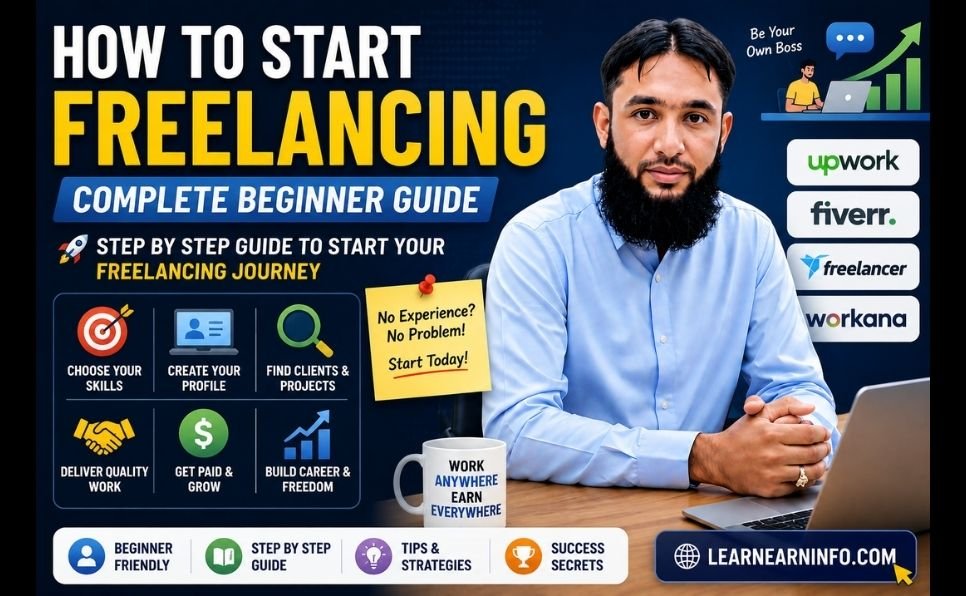
How to Start Freelancing — Complete Beginner Guide

How to Start Freelancing — Complete Beginner Guide

You don’t need a degree. You don’t need an office. You don’t need money to invest.

What you need is a skill, a laptop, and the right information — and that is exactly what this guide gives you.

Freelancing is no longer a backup plan. It is a full career path that millions of people around the world have chosen over traditional employment. In 2026, the global freelance market is valued at $9.91 billion — growing at 18.6% every year. There are 1.57 billion freelancers worldwide right now, and that number is climbing fast.

If you have been thinking about starting but don’t know where to begin, this guide walks you through every single step — from choosing your skill to landing your first paying client.


What Is Freelancing and Why Is It Growing So Fast?

Freelancing means offering your skills and services to clients on a project or contract basis — without being a permanent employee of any company. You choose your clients, set your own rates, work your own hours, and build your own career.

Companies love hiring freelancers because it saves them money on full-time salaries, benefits, and office space. Individuals love freelancing because it offers freedom, flexibility, and — for many — significantly higher income than traditional jobs.

Here is how significant the shift has become:

  • The US freelance workforce reached 72.9 million in 2025 — nearly half the working population
  • 60% of freelancers earn more than they did in their previous traditional jobs
  • Freelancers in the US earn an average of $99,230 per year
  • 53% of Gen Z workers have already chosen freelancing as their primary income path
  • The gig economy is projected to hit $674.1 billion by 2026

This is not a trend. It is a permanent shift in how work gets done. And anyone with a marketable skill can participate — regardless of where they live.

freelancing


Step 1 — Identify Your Freelancing Skill

This is the most important step. Everything else flows from it.

You do not need a rare or exotic skill. You need a skill that businesses or individuals are willing to pay for — and there are more of those than most people realize.

Skills in High Demand Right Now (2026)

Writing and Content

  • Blog writing and SEO content
  • Copywriting (sales pages, ads, emails)
  • Technical writing
  • Social media content creation

Design and Creative

  • Graphic design (logos, branding, social media graphics)
  • Video editing
  • UI/UX design
  • Thumbnail and banner design

Digital Marketing

  • Social media management
  • Facebook and Google Ads management
  • Email marketing
  • SEO services

Tech and Development

  • Web development (WordPress, Shopify, custom coding)
  • App development
  • Automation and no-code tools (Zapier, Make)
  • AI prompt engineering

Business and Admin

  • Virtual assistance
  • Customer support
  • Data entry and research
  • Bookkeeping

Education and Coaching

  • Online tutoring
  • Course creation
  • Resume and CV writing

How to Choose Your Skill

Ask yourself three questions:

  1. What am I already good at? Start with what you know — your existing skills from school, work, or hobbies are often already marketable.
  2. What can I learn in 30 days? Many freelancing skills can be learned quickly. YouTube, free courses on Coursera, and platforms like Google Skills are enough to get started.
  3. Is there demand for it? Go to Fiverr or Upwork and search for your skill. If there are hundreds of active gigs and job posts, there is demand.

One critical rule: Pick one skill and go deep on it. Do not try to offer ten services at once. Specialists earn more and get hired faster than generalists.


Step 2 — Build a Portfolio Before You Have Clients

Here is the chicken-and-egg problem every beginner faces: clients want to see your work before they hire you. But you have no work to show because no one has hired you yet.

The solution is simple — create your own samples.

How to Build a Portfolio From Scratch

If you are a writer: Write 3 to 5 blog posts or articles on topics you want to specialize in. Publish them on Medium, LinkedIn, or your own blog. These are your writing samples.

If you are a graphic designer: Create mock logos, social media graphics, or brand kits for fictional companies. Show your process and creativity — not just the end result.

If you are a web developer: Build 2 to 3 websites. They can be for local businesses, nonprofits, or even personal projects. Host them live and link to them in your profile.

If you are a social media manager: Pick one brand you love, create a sample content calendar and 5 sample posts for them. Show what their feed could look like with your management.

If you are a video editor: Edit 2 to 3 short videos — tutorials, mini vlogs, or promotional clips — and upload them to YouTube as unlisted links.

You do not need 20 portfolio pieces. Three strong, high-quality samples are enough to get started. Quality always beats quantity.


Step 3 — Choose the Right Platform

There are dozens of freelancing platforms. For beginners, narrowing it down to the right 1 or 2 platforms saves time and frustration.

The Best Freelancing Platforms in 2026

Fiverr — Best for Beginners Fiverr works on a gig-based model — you create a service listing and clients come to you. It is the most beginner-friendly platform because you set your own packages, prices, and deliverables upfront.

  • Great for: writing, design, video editing, voice-overs, translation, social media
  • Commission: Fiverr takes 20% of each order
  • Tip: Start with competitive pricing to get your first reviews, then raise rates

Upwork — Best for Higher-Paying Clients Upwork is the world’s largest freelance marketplace. Clients post jobs and freelancers send proposals. The competition is higher, but so is the pay.

  • Great for: development, marketing, writing, consulting, data analysis
  • Commission: 10% on earnings (down to 5% for long-term clients after $10,000)
  • Tip: Proposals must be highly personalized — generic proposals never win

PeoplePerHour — Underrated for Beginners Less saturated than Upwork and Fiverr, making it easier to land first clients. Especially strong for UK and European clients.

  • Great for: writing, design, web development, marketing
  • Commission: 20% on first £250, then lower
  • Tip: Create detailed “Hourlies” (fixed-price service packages) to attract buyers

LinkedIn — Often Overlooked LinkedIn is not a traditional freelance platform, but it is one of the most powerful places to find direct clients. A strong profile and consistent posting attracts inbound inquiries that bypass platform fees entirely.

Toptal — For Experienced Freelancers Toptal only accepts the top 3% of applicants after a rigorous vetting process. Not for beginners — but an excellent long-term goal. Rates here are significantly higher than any other platform.

Which Platform Should You Start With?

  • Total beginner: Start on Fiverr. Create 1 to 2 well-written gigs and focus on getting your first 5 reviews.
  • Have some experience: Start on Upwork and send 5 to 10 strong proposals per week.
  • Both platforms: Many successful freelancers run profiles on Fiverr AND Upwork simultaneously.

Step 4 — Create a Profile That Gets You Hired

Your profile is your storefront. A weak profile means no clients, even if your skills are excellent.

Elements of a High-Converting Freelance Profile

Professional Photo Use a clear, well-lit headshot. Smile. Look approachable. Profiles with professional photos get significantly more views and trust. Avoid selfies or blurry images.

Headline That Solves a Problem Do not write: “I am a writer” Write: “I help SaaS companies turn complex topics into engaging blog content that ranks on Google”

Your headline should tell clients exactly what problem you solve — not just what you do.

A Compelling Bio Your bio should answer three questions within the first two sentences:

  1. What do you do?
  2. Who do you do it for?
  3. What result do you deliver?

Example: “I’m a content writer specializing in SEO blog posts for digital marketing agencies and software companies. I have written 300+ articles that consistently rank on the first page of Google. I deliver clean, research-backed content on time, every time.”

Portfolio Samples Upload your best 3 to 5 work samples. If you are on Fiverr, add images to every gig. If you are on Upwork, attach files directly to your profile portfolio section.

Skills and Keywords Fill every skill slot on your profile. Use the same words clients use when searching for services — not industry jargon.


Step 5 — Write Proposals That Win

On platforms like Upwork, your proposal is what gets you the interview. Most freelancers send generic, copy-paste proposals — and wonder why they never hear back.

Here is the structure of a winning proposal:

Opening Line — Make It Personal Reference something specific from the job post. Never start with “I am a skilled writer with 5 years of experience.” Clients have read that a hundred times.

Example: “I noticed you need blog content about personal finance tools for millennials — this is exactly the niche I’ve been writing in for the last two years.”

Show You Understand the Problem In 1 to 2 sentences, demonstrate that you understand what the client actually needs — not just what they wrote.

Present Your Solution Briefly explain how you would approach this specific project. Show a relevant sample if possible.

Social Proof If you have it — mention a result. “My last article for a fintech client ranked on page 1 of Google within 3 months.”

Clear Call to Action End with a simple next step: “I’d love to jump on a quick 15-minute call to discuss this. Are you available this week?”

Keep It Short A great proposal is 150 to 250 words. Long proposals rarely get read.


Step 6 — Set Your Prices Right

Pricing is where most beginners go wrong — in both directions.

Some undercharge dramatically, thinking low prices will get more clients. Others refuse to start at lower rates and wait forever for clients that never come.

Here is the truth: when you are brand new with no reviews, your price must reflect your lack of track record — not your skill level.

Beginner Pricing Guide by Category

Service Starter Rate After 10 Reviews
Blog writing (1,000 words) $15 – $25 $50 – $150
Graphic design (logo) $20 – $40 $100 – $300
Social media management $100/month $300 – $800/month
WordPress website $100 – $200 $500 – $2,000
Virtual assistance $5 – $8/hour $15 – $25/hour
Video editing (3 min) $20 – $40 $100 – $250

The strategy: Price competitively for your first 5 to 10 orders to build reviews. Once you have a proven track record, raise your rates by 20 to 30%. Repeat every few months.

Do not stay at starter rates forever. Your rates should grow as your portfolio and reviews grow.


Step 7 — Get Your First Client

This is the step most beginners get stuck on — and the one that matters most.

Method 1 — Send Personalized Proposals Daily

On Upwork, send 5 to 10 well-crafted proposals every day. Treat each one like a job application. Read the job post carefully. Address the client’s specific needs. This is a numbers game at the start — but quality proposals win over quantity.

Method 2 — Optimize Your Fiverr Gig for Search

Fiverr works like a search engine. Use the exact keywords clients search for in your gig title, description, and tags. Research what top sellers in your category are writing — then write better.

Method 3 — Offer Your Services in Your Network

Tell everyone you know that you offer freelance services. Post on LinkedIn and Facebook. Reach out to local businesses directly. Many first clients come from people who already know you.

Method 4 — Do One Free or Discounted Project Strategically

Find one reputable client or business, offer to do one project at a heavy discount or free — in exchange for a detailed testimonial and the right to use the work in your portfolio. This breaks the “no experience” deadlock.

Method 5 — Use AI Tools to Work Faster and Win More

Tools like Google Gemini to speed up your work allow you to deliver faster, research better, and produce higher quality output. Freelancers using AI tools are producing 3 to 4 times more work per day — which means more orders, faster delivery, and better reviews.


The 6 Biggest Mistakes Freelancing Beginners Make

Mistake 1 — Waiting Until They Feel “Ready” There is no perfect moment. You will always feel like you need one more course, one more skill, one more thing. Start now with what you have.

Mistake 2 — Picking Too Many Niches “I do writing, design, SEO, video editing, and social media!” — This confuses clients. Pick one service, become great at it, then expand later.

Mistake 3 — Generic Proposals Copy-paste proposals never win. Every proposal should feel like it was written specifically for that client’s job post.

Mistake 4 — Underpricing Permanently Starting low to get reviews is smart. Staying low forever is a trap. Raise your rates as your reviews grow.

Mistake 5 — Not Following Up If a client doesn’t respond to your proposal in 3 to 5 days, send one polite follow-up. Many deals are won on the follow-up.

Mistake 6 — Ignoring SEO on Your Profile Your Fiverr and Upwork profiles need to be optimized for search — just like a website. Use relevant keywords throughout your profile and gig descriptions. For a deeper understanding, read our guide on SEO tips to grow your profile.


How Much Can You Realistically Earn Freelancing?

Let’s be honest — not the hype version, the real version.

Month 1 to 3: This is the hardest period. You are building your profile, getting your first reviews, and learning how to navigate platforms. Expect $100 to $500/month while you build momentum.

Month 4 to 6: With 10 to 20 reviews and an optimized profile, consistent income of $500 to $1,500/month becomes realistic for most skill categories.

Month 7 to 12: Freelancers who stay consistent and keep improving typically reach $1,500 to $4,000/month within their first year.

Year 2 and Beyond: Specialized freelancers with strong portfolios and repeat clients commonly earn $3,000 to $10,000/month or more.

The key variable is how much effort you put in — especially in the first 90 days. Those who treat it like a real business from day one always outperform those who treat it as a side experiment.

For more proven strategies on building online income, read our guide on how to make money online.


The Skills That Will Be Most Valuable in 2026 and Beyond

The freelancing landscape is shifting. Some skills are becoming more valuable while others are being automated.

Growing fast: AI editing, prompt engineering, video content creation, automation setup, data analysis, UX writing, and anything that helps businesses use AI effectively.

Declining: Basic data entry, simple translation, generic article spinning, and low-level tasks that AI can now do.

The smartest move is to combine your existing skill with AI knowledge. A writer who knows how to use AI tools for your business produces more and earns more than a writer who ignores them. A designer who uses AI image tools is faster and more creative than one who doesn’t.

Stay updated on content writing trends and digital marketing tactics to keep your skills relevant.


Your 30-Day Freelancing Action Plan

Here is a simple, concrete plan to go from zero to first client in 30 days:

Week 1 — Foundation

  • Day 1–2: Decide your skill and niche
  • Day 3–4: Research your competition on Fiverr and Upwork
  • Day 5–7: Build 2 to 3 portfolio samples

Week 2 — Setup

  • Day 8–9: Create your Fiverr account and set up 1 to 2 gigs
  • Day 10–11: Create your Upwork profile and complete it 100%
  • Day 12–14: Optimize all profiles with keywords and strong descriptions

Week 3 — Outreach

  • Day 15–21: Send 5 personalized Upwork proposals per day
  • Refresh Fiverr gig tags and description based on search data
  • Reach out to your personal network about your services

Week 4 — Close

  • Day 22–28: Follow up on all proposals
  • Offer one strategic discounted project to get your first review
  • Deliver exceptional work — your first review is your most important asset

Day 30: You have your first client, your first review, and a real freelancing career has begun.


Final Thoughts

Freelancing in 2026 is not just possible — it is one of the most accessible paths to financial independence available to anyone with a skill and internet access.

The market is growing. Clients are actively looking for freelancers. The tools available today — from AI assistants like Google Gemini to powerful platforms like Upwork and Fiverr — make it easier than ever to start and scale.

What separates those who succeed from those who don’t is simple: starting, staying consistent, and improving every week.

You have the guide. Now take the first step.


Have you already started freelancing or are you planning to? Share your biggest question or challenge in the comments — we read every one.

How to Start Freelancing — Complete Beginner Guide Read More »

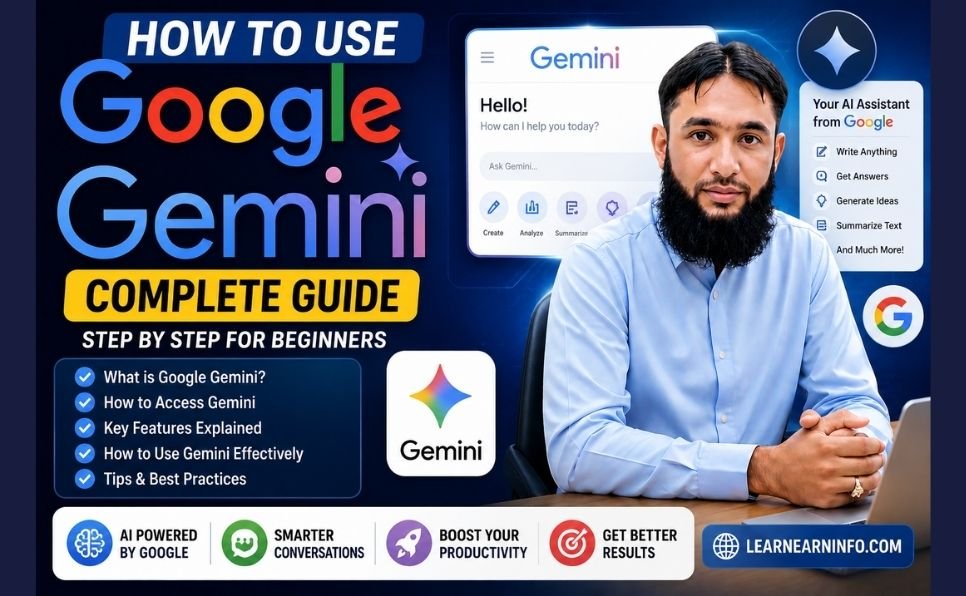
How to Use Google Gemini Complete Guide

How to Use Google Gemini Complete Guide

Millions of people in Pakistan are using an AI tool right now that cuts hours of work down to minutes — and most of them are using it completely free.

That tool is Google Gemini — and in 2025, it became Pakistan’s most searched technology topic on Google. Yet most Pakistani users still don’t know how to set it up properly, which features are actually free, and — most importantly — how to turn it into a real income source.

This guide covers everything. Whether you’re a student, a freelancer, a small business owner, or just getting started with AI, this step-by-step walkthrough will show you exactly how to use Google Gemini in Pakistan in 2026.


What Is Google Gemini? (And Why Should You Care)

Google Gemini is Google’s most powerful Artificial Intelligence assistant. Think of it as an intelligent co-worker who never sleeps, never gets tired, and can help you with almost any mental task in seconds.

Here is what Gemini can do for you right now:

  • Write content — emails, articles, social media captions, resumes, proposals
  • Do research — summarize topics, find key points, compare options
  • Understand images — upload a photo and ask questions about it
  • Read your documents — upload a PDF, Word file, or spreadsheet and get instant analysis
  • Help with code — write, explain, and fix programming code
  • Work inside Google apps — Gmail, Docs, Sheets, Slides, and Calendar are all connected

The biggest advantage Gemini has over other AI tools like ChatGPT is that it is deeply integrated into the Google ecosystem you already use every day. Your emails, your documents, your calendar — Gemini works with all of them.

At Google I/O 2026, Google confirmed that the Gemini app now has over 900 million monthly active users worldwide — making it one of the fastest-growing AI platforms in history.

google gemini


Is Google Gemini Available in Pakistan?

Yes — completely. Google Gemini works in Pakistan without any VPN or workarounds.

You can access the free version at gemini.google.com using any Gmail account. No special setup required.

Pakistan was also officially added to Google’s list of countries for the Google AI Plus plan — meaning Pakistani users now have full access to both free and paid tiers, just like users in the US or UK.


Google Gemini Plans — What Is Free and What Is Paid

Understanding the plans helps you get maximum value without spending a single rupee unnecessarily.

Gemini Free Plan

The free version is powerful enough for most users. It includes:

  • Unlimited text conversations with Gemini 1.5 Flash model
  • Image upload and analysis
  • Real-time Google Search integration
  • Basic integration with Google Docs and Gmail
  • Access on mobile and desktop

Google AI Plus Plan (Paid)

For power users, the paid plan offers:

  • Access to Gemini 2.5 Pro — the most capable model
  • Deep Research feature for long-form research tasks
  • NotebookLM — AI-powered personal research assistant
  • Higher usage limits on all features
  • 2TB of Google Drive storage

Special Offer: Free Gemini Pro for Pakistani Students

This is one of the most important things Pakistani students need to know right now.

Google announced a free one-year Gemini AI Pro subscription for university students in Pakistan — a plan that normally costs thousands of rupees per month. As Dawn.com reported, Pakistani students aged 18 and above are eligible for this offer.

How to claim it:

  1. Go to gemini.google/students/
  2. Click “Get Offer”
  3. Sign in with your university or institutional email
  4. Verify your student status through SheerID
  5. Enter your card details (a small verification charge of around Rs. 70 may apply — it is refunded)
  6. Cancel before one year if you don’t want to continue — no charge

What you unlock for free for one year:

  • Gemini 2.5 Pro model
  • Deep Research for assignments and projects
  • NotebookLM for study and note-taking
  • Veo 3 for AI video generation
  • Google Flow for creative projects
  • 2TB cloud storage across Drive, Gmail, and Photos

Step-by-Step: How to Set Up and Use Google Gemini in Pakistan

Step 1 — Access Gemini

Open your browser and go to gemini.google.com. Click “Sign in” and use your existing Gmail account. If you don’t have one, create a free Google account first — it takes two minutes.

You will land on the Gemini chat interface. It is clean and simple — a text input box is at the bottom of the screen.

Step 2 — Write Your First Prompt

A prompt is simply what you type to Gemini — your question or request. The quality of your prompt directly determines the quality of Gemini’s response.

Weak prompt: “Tell me about business”

Strong prompt: “I want to start a small online business in Pakistan with a budget of Rs. 30,000. Suggest 5 realistic business ideas with estimated startup costs, monthly income potential, and first steps to get started.”

The second prompt gets you a detailed, actionable answer. The first gets you a generic paragraph. Always be specific.

Step 3 — Use the Image Feature

Click the “+” icon next to the text input. Select an image from your phone or computer. Then ask Gemini about it.

Real use cases:

  • Upload a product photo and ask “Write a compelling description for this product for my online store”
  • Upload a handwritten assignment and ask “Type this out and check for any errors”
  • Upload a screenshot of a website and ask “What can be improved on this page?”

Step 4 — Upload Documents

Gemini can read PDF files, Word documents, and spreadsheets. Click the “+” icon, select “Files,” and upload your document.

Then ask:

  • “Summarize this document in 10 bullet points”
  • “What are the key deadlines mentioned in this contract?”
  • “Translate this document into simple English”

Step 5 — Use Gemini Inside Gmail and Google Docs

Open your Gmail inbox. On the right side panel, look for the Gemini icon (a small star-like symbol). Click it and you can ask Gemini to:

  • Summarize your unread emails
  • Draft a reply to any email
  • Find specific emails by describing what they are about

In Google Docs, the same Gemini sidebar appears. You can ask it to write sections, improve your writing, or restructure content.


Google Gemini 2026 — The Biggest New Features

Google I/O 2026 brought major updates to Gemini. Here are the ones that matter most for Pakistani users:

Gemini 3.5 Flash — The New Default Model

The latest model is now 4x faster than previous versions while being more accurate on complex tasks like coding, research, and multi-step reasoning. It rolled out to all users in May 2026.

Gemini Spark — Your 24/7 AI Agent

Gemini Spark is a personal AI agent that runs on Google’s cloud servers — meaning it keeps working even when your laptop is closed. It handles long research tasks, planning, and multi-step follow-through without you sitting in front of a screen.

Daily Brief — AI Morning Summary

Every morning, Gemini analyzes your Gmail, Google Calendar, and Tasks and creates a personal briefing — what is urgent, what meetings are coming up, and suggested next steps. Ideal for business owners and professionals.

Gmail Live — Conversational Inbox Search

Instead of typing keywords to search your email, you can now describe what you are looking for in plain English. For example: “Find the invoice from the client I worked with in March” — Gemini finds it instantly.

Docs Live — Voice to Document

Speak out loud and Gemini converts your speech into a structured document. Useful for brainstorming, meeting notes, and first drafts of articles or reports.


How to Make Money With Google Gemini in Pakistan — 5 Proven Methods

Learning Gemini is one thing. Turning it into income is the real goal. Here are five practical ways Pakistani users are already making money with it — and how you can too.

The impact of AI on our daily lives is growing every year, and those who learn to use these tools first will always have the edge.

Method 1 — Freelance Content Writing at Scale

Content writing is one of the most in-demand skills on Fiverr and Upwork. With Gemini, you can produce 3 to 4 times more content per day compared to writing manually.

The process: get the brief from your client → use Gemini to create a detailed draft → edit it in your voice → add local examples and original insights → deliver.

A 1,000-word article on Fiverr earns between $15 and $50. If you deliver 4 to 5 articles per day using Gemini assistance, the math becomes very attractive.

One critical rule: Never publish Gemini’s output directly. Always rewrite, add your own perspective, and check for accuracy. Google and clients both penalize pure AI content.

Method 2 — Social Media Management for Local Businesses

Thousands of small businesses in Pakistan — restaurants, salons, clothing brands, real estate agents — need consistent social media content but cannot afford agencies.

You can offer this service. Use Gemini to generate:

  • Weekly content calendars
  • Engaging captions for Instagram and Facebook
  • Hashtag strategies
  • Responses to customer comments

Charge Rs. 15,000 to Rs. 35,000 per client per month. Five clients gives you a solid monthly income.

Method 3 — CV and Cover Letter Writing Service

Job hunting in Pakistan is competitive. Millions of graduates need professional CVs every year. Use Gemini to create polished, ATS-optimized resumes and cover letters.

Promote this service in local Facebook groups, WhatsApp communities, and LinkedIn. Rs. 800 to Rs. 2,000 per CV is a fair market rate. This is easy to scale.

Method 4 — Grow Your Blog With AI-Assisted Content

If you run a blog or want to start one, Gemini can dramatically speed up your content production. Use it to research topics, build outlines, generate first drafts, and suggest internal links.

Check out our complete guide on how to start a blog and make money online for the full blogging strategy. Combine that with Gemini, and you have a powerful system for building organic traffic.

Method 5 — Offer AI Consulting to Small Businesses

Most Pakistani business owners have heard of AI but do not know how to use it. You — after reading this guide — already know more than most of them.

Offer simple AI setup and training sessions. Teach a restaurant owner how to use Gemini for menu descriptions, customer responses, and marketing copy. Charge Rs. 5,000 to Rs. 15,000 for a 2-hour session. This is a rapidly growing service category.

For more ways to earn online, read our detailed article on proven ways to make money online.


Google Gemini vs ChatGPT — Which Is Better for Pakistan?

This is the most common question Pakistani users ask. Here is an honest side-by-side comparison:

Feature Google Gemini ChatGPT
Free version quality Strong Good but limited
Google Docs integration Native, seamless Not available
Gmail integration Built-in Not available
Real-time internet access Yes (free) Yes (Plus only)
Image understanding Excellent Excellent
Pakistan student free plan Yes — 1 year free No
Best for Google users, productivity Creative writing, coding

The honest answer: Gemini is better if you already live in the Google ecosystem (Gmail, Docs, Drive). ChatGPT has a slight edge for pure creative writing and advanced coding. Most serious users use both.


5 Mistakes to Avoid When Using Gemini

Mistake 1 — Being too vague Vague prompts produce vague answers. Be specific about what you want, your context, your audience, and the format you need.

Mistake 2 — Stopping after one response Gemini gets better as the conversation develops. Ask follow-up questions. Say “expand on point 3” or “give me a real example of this.” Treat it like a real conversation.

Mistake 3 — Publishing AI output without editing Gemini produces drafts, not finished work. Always add your personal experience, local examples, and original insights before publishing or submitting anything.

Mistake 4 — Ignoring the image and document features Most users only use the text chat. The image and document analysis features are just as powerful and are completely free.

Mistake 5 — Not using it inside Google apps The Gemini integration inside Gmail and Google Docs is where real productivity gains happen. Open Docs right now and try the sidebar — it changes how you work.


Quick-Start Action Plan — Do This Today

Reading about Gemini is useful. Using it is what changes things. Here is a simple 15-minute plan to start right now:

  1. Go to gemini.google.com and sign in with your Gmail
  2. Type this prompt: “I want to use AI to grow my income in Pakistan. Based on skills like writing, social media, and content creation, give me a 30-day action plan with specific daily tasks.”
  3. Read the response carefully
  4. Ask one follow-up question based on what interests you most
  5. Pick one idea and commit to it for the next 7 days

That is it. The best AI tool in the world is now available to you for free. The only question is whether you will use it.


Final Thoughts

Google Gemini in 2026 is not just another AI chatbot. It is a complete productivity and income system — and for Pakistani users, it is more accessible than ever before.

Students have a free Pro plan waiting for them. Freelancers have a tool that multiplies their output. Business owners have an AI assistant that handles tasks that used to require a full-time employee.

The best AI tools for smart business are no longer only for people in Silicon Valley. They are here, available in Pakistan, and they are free to start.

The only thing left to do is open the app and begin.


Have you started using Google Gemini? Share your experience in the comments below — what has been your biggest win with AI so far?


How to Use Google Gemini Complete Guide Read More »

How to Rank Blog Posts Faster on Google (Proven SEO Tips)

How to Rank Blog Posts Faster on Google (Proven SEO Tips)

Ever wondered why your latest article is hard to find? But others are everywhere? Getting high google rankings is not a secret. It’s based on clear rules that search engines follow.

By learning these rules, you can make your content seen by more people in the United States. Using how to rank blog posts faster on google (proven seo tips) can help your site grow faster.

Rank Blog Posts

Knowing how to rank blog posts faster on google proven seo tips free helps you become an expert. These blogging tips are key to standing out online.

Key Takeaways

  • Understand the core mechanics behind search engine visibility.
  • Learn why specific optimization techniques drive long-term success.
  • Discover how to reduce the time required for indexing new content.
  • Master essential strategies to improve your overall site authority.
  • Implement actionable advice to reach your target audience effectively.

Understanding Search Engine Optimization Fundamentals

Having a strong online presence is more than just good content. It needs a solid SEO strategy. Learning how search engines work helps your site grow and be seen more.

What is SEO and how it works

What is SEO and how it works is simple. It’s about crawling, indexing, and ranking. Search engines find new pages, store them, and show the best ones when you search.

Good seo optimization makes your site easy for bots to find. Knowing how search engines see your pages helps them find your content better.

seo optimization

The role of search engine algorithms in ranking

Algorithms are rules that decide what pages show up first. They look at relevance and authority to give the best search results.

Understanding what is SEO in digital marketing means showing algorithms your content is the best answer. Good backlinks and user interaction show trust to these systems.

Defining search engine optimization examples for beginners

A simple search engine optimization example is using keywords your audience searches for. This makes your site easier to find for search engines.

If you’re learning how to do seo for website step by step, start with clear headings and useful content. Using blog seo like meta tags and fast page speed builds a strong online plan.

Conducting Comprehensive Keyword Research

Good keyword research is key for content ranking strategies. It helps you know what your audience searches for. This is vital for seo optimization and bringing more visitors to your site.

Identifying high-intent keywords for your niche

High-intent keywords show users are ready to buy or act. When you learn how to do seo for website step by step, focus on these. They bring visitors who really want what you offer.

Analyzing search volume and competition levels

Every keyword must be checked for search volume and competition. High volume is good, but too much competition is hard. Finding a balance is key to ranking well on Google.

Using long-tail keywords to capture specific traffic

Long-tail keywords are longer and have less competition. They help you rank on Google’s first page. Targeting these phrases brings in relevant traffic that’s more likely to engage.

Using these strategies helps you rank better on blogger platforms. Regular research keeps you up-to-date and competitive. The goal is to answer your readers’ questions best.

How to Rank Blog Posts Faster on Google (Proven SEO Tips)

You can climb the search results faster with these tips. To get top ranking blog posts, move from simple tactics to a more detailed approach. This focuses on what users really need.

Prioritizing user intent over keyword stuffing

Search engines now value content that answers questions well. Instead of stuffing keywords everywhere, aim to solve your readers’ problems fully.

Too much optimization can hurt your google rankings. Write naturally to build trust with your readers and show search engines your content is quality.

Updating existing content to improve blog post ranking

Don’t always make new pages to grow. Regularly update your old articles to improve blog post ranking. Add new data and fix old info.

This keeps your site current and shows search engines you care about your content. It’s a key blog post seo strategy for lasting success.

Implementing internal linking strategies for faster indexing

Internal links help search engines find your content quickly. Link your new articles to well-known pages to speed up indexing.

This also keeps readers on your site longer, which helps your google rankings. Make sure your anchor text is clear for both users and search bots.

Optimizing for Google Featured Snippets

Featured snippets can put you at the top of the page. Make your content easy to read with clear headings and quick answers to common questions.

Use lists or short paragraphs to rank blog posts in these top spots. This is a key part of how to rank blog posts faster on google (proven seo tips) that many miss.

By following these steps, you can master how to rank blog posts faster on google proven seo tips free. Focus on the user, keep your content fresh, and use smart linking to see results.

Optimizing On-Page Elements for Better Visibility

On-page optimization is key for search engines to see your site’s value. By making these small changes, you can make your blog more visible. This helps your site stand out in search results.

Writing compelling meta titles and descriptions

Your meta title and description are the first thing people see. Make sure your title has your main keyword and is short. Compelling meta descriptions should make people want to click by telling them what your post is about.

Structuring content with proper H1, H2, and H3 tags

Search engines use header tags to understand your content. Use only one H1 tag for your main title. H2 and H3 tags help organize your text, making it easier to read and understand.

Optimizing images for faster page load speeds

Big, unoptimized images slow down your site. Always compress your images and use formats like WebP. Adding alt text to images helps search engines find your media, which can boost your ranking.

Using descriptive URL slugs for better crawlability

A clear URL tells search engines what your page is about. Use short, keyword-rich slugs instead of long, random URLs. This makes your site easier to find and understand, helping your ranking.

Crafting High-Quality Content That Google Loves

To be good at content ranking strategies, you need to meet both human and technical needs. Google looks for value first when picking top pages. Good seo blog post optimization means knowing what your audience needs to solve their problems.

Writing for the reader first and search engines second

Search engines want content that’s valuable to people. When you write for readers, you use the right words and context. Focusing on user intent makes your message hit home with readers and match search queries.

Ensuring content depth and topical authority

To really optimize blog post content, cover your topic well. Search engines like sites that show they know a lot about a subject. By making detailed guides, you become a go-to site in your field.

Formatting for readability and mobile-first indexing

Today’s readers often check content on phones before diving in. Use short paragraphs, bullet points, and clear headings to make your text easy to read. Mobile-first indexing means Google checks your mobile site first, so clean formatting is key.

Adding multimedia to increase blog post engagement

Visuals like images, videos, and infographics are important for keeping readers. They help increase blog post engagement by making text easier to scan. Learning how to write a blog post rank article on google means mixing great text with engaging visuals.

Technical SEO Best Practices for Bloggers

To make your blog more visible, you need to learn technical SEO. This helps search engines find and show your content. It makes your site better for both search bots and people.

Improving site speed and core web vitals

Page speed is very important for blog seo. Fast sites are better for users. You can make your site faster by compressing images and using browser caching.

Core Web Vitals check how well your site works. Improve Largest Contentful Paint and Cumulative Layout Shift scores. This makes your site stable and fast for your visitors.

Ensuring your website is mobile-responsive

Most people use phones and tablets to surf the web. Make sure your site looks good on all screens. A mobile-friendly site is key for how to rank blogger website in google.

Check your site on different devices. If it looks bad, you’ll lose visitors. Google looks at your mobile site first to rank it.

Managing XML sitemaps and robots.txt files

XML sitemaps help search engines find your pages. They show how your pages are connected. Keeping your sitemaps up-to-date is important for seo for bloggers.

The robots.txt file controls what search bots can see. It’s important to keep this file clean and updated. This helps you how to rank blog on blogger.

Fixing broken links and crawl errors

Broken links make your site look bad. They also tell search engines your site is not well-kept. Fixing 404 errors is key for how to rank your blogger website on google.

Crawl errors stop your content from showing up in searches. Use tools to check your site’s health. Regular updates help you how to rank blogger website on google first page.

Building Authority Through Strategic Link Building

To master blog post SEO, you must know about backlinks. These links show search engines your content is good and worth sharing.

Understanding the importance of backlinks in SEO

Search engines see backlinks as a sign of trust. When big sites link to yours, it makes your site look better. This helps you get top ranking blog posts and grow in tough markets.

Creating shareable content to earn natural links

Make content that’s so good, others want to share it. Create reports, guides, or infographics that help people. When your content is valuable, others will link to it.

Outreach strategies for guest blogging and collaborations

Being active in outreach is key for seo for bloggers. Write guest posts for big sites to reach more people. Working with others on projects also helps you get more links.

Avoiding black-hat link building tactics

Don’t use bad tricks like buying links or joining link farms. These can hurt your site’s ranking badly. Stick to good ways to how to write a blog post rank article on google to keep your site safe and respected.

Leveraging Google SEO Tools for Performance Tracking

You can’t improve what you don’t measure, like search rankings. Making choices based on data helps your website grow. The right google seo tool gives you insights into how people see your content.

Setting up Google Search Console for site health

Google Search Console is key for any website owner. It connects your site to Google’s index. Monitoring your site health here helps spot problems before they hurt your rankings.

Using Google Analytics to monitor user behavior

After checking your site’s health, see how visitors act. Google Analytics tracks things like bounce rate and page views. This info helps improve blog visibility by showing what topics people like.

Utilizing Google Keyword Planner for ongoing research

SEO is ongoing, not just a one-time thing. Google Keyword Planner helps find new search terms. If you’re new, a google seo course free with certificate can help.

Interpreting data to refine your SEO strategy

Raw data is useful if you know how to use it. Look for patterns in your traffic reports. Then, enhance blog post performance by updating old articles with new keywords.

Promoting Your Content to Increase Engagement

When you hit publish, your work is just starting. Effective blog post promotion is key to reach more people. By sharing your articles, you help your brand grow and improve your search rankings.

Sharing blog posts on social media platforms

Social media is great for boosting blog post visibility fast. Sites like LinkedIn, X, and Facebook help you find people who might share your work. Be consistent and make sure your message fits each platform’s vibe.

Building an email list for recurring traffic

An email list lets you talk directly to your biggest fans. By sending newsletters with your latest posts, you keep your content fresh. This keeps your readers coming back for more.

Engaging with communities and forums in your niche

Joining forums like Reddit or industry groups can increase blog post engagement. Share real value, not just links. This builds trust and can lead to more people visiting your site.

Measuring the impact of promotion on search rankings

It’s important to track how your efforts are doing. You might ask how to get my business on top of google search for free. Look at your data to see what works best. This helps you make your posts even more effective over time.

Conclusion

To get to the top of Google, you need both tech skills and creative writing. It’s all about making your site fast and useful for visitors.

You have the tools to make your online presence strong. By using these tips, your site will become a trusted source in your field. Google likes sites that are easy to use and technically sound.

Start using these tips now to see your site’s search ranking improve. Even small changes can make a big difference over time. Your path to better rankings starts with the next update you make.

FAQ

How can I rank blog posts faster on Google using proven SEO tips?

To rank your blog posts faster, pick the right keywords. Make sure your content meets what users are looking for. Use Google Search Console to ask Google to index your posts quickly.
Update your content and link your pages better. This helps Google find your site faster.

What is SEO in digital marketing and how does it work?

SEO makes your website easier to find online. It makes your site better for search engines. This way, more people can find your content.
By understanding SEO, you can get more visitors to your blog.

How do I do SEO for a website step by step?

First, do keyword research with Google Keyword Planner. Then, make your pages better with meta titles and descriptions.
Do technical SEO to make your site fast and mobile-friendly. Get more links to your site to build trust.
Share your blog posts to get people talking about them.

Can you provide a search engine optimization example for a beginner blogger?

Let’s say you’re writing about “healthy meal prep.” Use that phrase in your H1 tag. Use H2 tags for subtopics.
Make your URL slug clear, like /healthy-meal-prep-guide/. Add Alt text to your images. This helps Google understand your post.

Is there a Google SEO course free with certificate available for creators?

Yes, Google Digital Garage has a free course called “Fundamentals of Digital Marketing.” HubSpot Academy and Coursera also offer courses on SEO.
These courses teach you how to rank your blog posts better.

How to get my business on top of Google search for free?

To rank for free, claim and optimize your Google Business Profile. Publish local content and ask for customer reviews.
Use long-tail keywords for your area. This attracts more local visitors.

How to rank a Blogger website on Google’s first page?

To rank on Blogger, go to “Settings” in your dashboard. Enable custom meta tags. Make sure your blog is mobile-friendly.
Submit your XML sitemap to Google Search Console. Create deep, valuable content to rank higher.

Which Google SEO tool is best for monitoring performance?

Google Analytics 4 (GA4) and Google Search Console are key. They help you track your blog’s performance. Use SEMrush or Ahrefs for more insights.
These tools help you see what’s working and what’s not.

How do I write a blog post rank article on Google that stays at the top?

To rank well, focus on being an expert in your topic. Provide a detailed resource that answers many questions.
Use bullet points and short paragraphs for easy reading. Add videos or infographics to keep readers interested. High-quality content keeps your posts ranking well.

What are the most effective blog post promotion strategies?

Share your content on LinkedIn, X, and Pinterest. Build an email list to get more visitors. Engage in niche communities like Reddit or Quora.
This boosts your visibility and gets you natural backlinks.

How to Rank Blog Posts Faster on Google (Proven SEO Tips) Read More »

On Page SEO Checklist for Beginners (Step by Step Guide)

Ever wondered why your great content is hard to find? Many creators face this issue. They forget the key things search engines look for.

This guide is for newbies wanting to boost their online visibility. We’ll cover the basic steps to make your site search-friendly.

On Page SEO Checklist

Follow this on page seo step by step guide. You’ll learn how to optimize blog post for seo well. This on page seo checklist for beginners makes hard tasks easy.

Using these tips will make your site meet the latest seo checklist 2026 standards. Learning these basics is key to more visitors and better online standing.

Key Takeaways

  • Understand the core elements that influence search engine rankings.
  • Learn a structured, step-by-step method for content improvement.
  • Discover how to simplify technical tasks for better site performance.
  • Align your current strategy with updated industry standards for 2026.
  • Gain actionable insights to increase your overall organic visibility.

Understanding the Fundamentals of On-Page SEO

Every successful website starts with knowing the basics. By focusing on what you can control on your site, you improve visibility. This on-page optimization guide helps you understand how to do it well.

on page seo techniques

Defining On-Page Optimization

On-page optimization makes your web pages rank higher and get more traffic. It involves making your content and HTML code better. By using on page seo techniques, search engines get to know your site better.

Good seo optimization is more than just keywords. It’s about organizing your site well. This includes using good headers, optimizing images, and making sure your meta tags are clear. These steps are key to a strong seo strategy that focuses on being clear and relevant.

Why On-Page SEO Matters for Search Rankings

Your search engine ranking depends on how well your site talks to crawlers. Search engines look at many seo ranking factors to see if your pages answer user questions well. By matching your content to these standards, you’re more likely to show up in top search results.

Following seo best practices keeps your site healthy and competitive. Regular work in this area boosts user engagement and site authority. Learning these seo ranking factors is key for any lasting seo strategy aimed at growing your search engine ranking.

By sticking to on page seo techniques, you lay a strong base for all marketing efforts. Keeping to seo best practices means your site stays clean and easy for users. Through careful seo optimization, your website becomes a valuable tool for your business.

Comprehensive On Page SEO Checklist for Beginners

Before you start, make sure your website is ready. Use an On Page SEO Checklist to meet today’s standards. This on page seo checklist for beginners guides you to organize your site for search engines.

Preparing Your Website for Optimization

The first step is to clean up your site. Make sure all pages are reachable and have no broken links. A clean site lets search engines index your content easily.

Make a detailed website seo checklist to track your work. Remove duplicate content and make sure each page has its own purpose. A well-kept site helps search engines rank you better.

Tools Required for a Successful SEO Audit

To do a good seo audit checklist, you need the right tools. Google Search Console is a free tool that shows how Google sees your site. It finds crawl errors and indexing issues.

For a detailed website audit, tools like Screaming Frog or Ahrefs are key. They give automated reports that help with your on page seo checklist. These tools find and fix technical problems with ease.

Mastering Keyword Research and Intent

Good keyword research is key for digital marketing success. It helps you know what your audience searches for. This way, you can make content that meets their needs.

When your content matches what people search for, you rank better. This is a big deal in today’s online world.

Identifying High-Value Keywords

Look for keywords that are valuable for your business. Relevant keywords might not have lots of competition. But they can bring in more people who are really interested.

Begin by thinking about topics in your field. Use tools like Google Keyword Planner or Ahrefs to find more. Long-tail keywords are good because they’re specific and easier to rank for.

Understanding Searcher Intent

Knowing why someone searches is as important as the keywords. Searcher intent helps you understand what they want. Matching your content to the user’s goal helps a lot.

Informational intent is when someone wants to learn, like “how to optimize a website.” Transactional intent is when they’re ready to buy. Navigational intent is when they’re looking for a specific site.

By making your pages match these intents, you show search engines you’re an expert. This is a big seo ranking factor for lasting success. Always think about what the user needs.

Optimizing Title Tags and Meta Descriptions

Your search results are like a digital storefront. They need to grab attention right away. When people scan results, they look for the most interesting one to click. Good meta tags optimization makes your site stand out.

Writing Click-Worthy Title Tags

Your title tag is key for both search engines and people. It should clearly say what your page is about. Keep it under 60 characters so it doesn’t get cut off.

Include your main keyword at the start. This helps search engines get what your page is about fast.

Avoid boring titles. Use strong words or numbers to get more clicks. A good title promises the exact info people are looking for.

Crafting Compelling Meta Descriptions

Meta descriptions don’t affect rankings but are key for getting visitors. They’re like your site’s main ad in search results. A great description should sum up your content and tell people what to do next.

Make sure your descriptions are 150 to 160 characters long. This way, they show up fully on all devices. Use persuasive language to make your link the best choice. Good meta tags show the value of your content to searchers.

Structuring Content with Header Tags

Using header tags right can make your site easier to read and more trusted. When you use clear headings, it helps both people and search engines find their way. This makes sure your readers stay interested and search engines can find your content easily.

The Hierarchy of H1, H2, and H3 Tags

A good hierarchy is key for any professional site. The H1 tag is the main title, showing what the page is about. H2 tags are big sub-sections that split the content into smaller parts. Use H3 tags for even more detailed points.

Keeping a consistent order is important for everyone to understand. This structure helps screen readers and search engines see how topics relate. Don’t skip levels, as it messes up the flow of your information.

Incorporating Keywords Naturally into Headings

Headings are a great chance to show what your page is about. Putting in the right keywords in your headers tells search engines what’s coming. But make sure these keywords feel natural and helpful to the reader.

Don’t try to stuff keywords into every heading. This can make your site hard to read and might get you in trouble. Write clear, descriptive headers that really tell what’s below. This way, you make your site both clear and friendly to search engines.

Enhancing Content Quality and Relevance

True content optimization is more than just adding keywords. Search algorithms look for pages that really help people. By focusing on what your audience needs, you build a strong base that lasts through changes.

Writing for Users First and Search Engines Second

When you write, aim to answer your readers’ questions. Give them clear, useful, and right information. This way, search engines will see you as an expert.

Make your text easy to read with short sentences and clear headings. When readers find what they need, they stay longer. This is good for search engines too.

Avoiding Keyword Stuffing and Thin Content

Don’t repeat keywords too much. This is called keyword stuffing and can hurt your site. Use keywords naturally in your text.

Thin content is not good. Make sure your articles are full and satisfying. Add examples, data, or new insights to make your content valuable. This keeps your site safe and attracts more visitors.

Implementing Effective Internal Linking Strategies

A strong internal linking strategy is key to your site’s navigation. It connects your pages, helping search engines find your content faster. It also spreads authority across your site.

This is a must for any good seo strategy. It makes sure your top pages get noticed by users and search bots.

Building a Logical Site Architecture

A well-organized website is easy to navigate. Group similar content together. This creates a clear path from broad topics to specific details.

Using internal linking connects related articles. This creates a web of info that keeps users interested. It also makes them want to see more of your site.

Using Descriptive Anchor Text

The text on your links is very important. Instead of “click here,” use descriptive anchor text. This tells search engines what the page is about.

This helps search engines understand your pages better. It also makes your site easier to use. By doing this, you make your seo strategy stronger and your site more authoritative.

Improving Technical Elements for Better Rankings

Getting high search rankings is not just about good content. You also need a strong technical base. Seo website optimization is key for site owners today.

Using on page seo techniques helps your site meet technical needs. These steps make your site easy to use. This leads to better rankings and fewer people leaving your site.

Ensuring Mobile Responsiveness

More people now use phones and tablets to surf the web. So, mobile responsiveness is a must for reaching more people.

Search engines like sites that work well on all devices. When your site works well on phones and tablets, visitors stay longer.

Optimizing Image Alt Text and File Sizes

Big, un-compressed images slow down your site. Make sure to compress your images for fast loading. This is important for seo website optimization.

Also, add good alt text to images. This helps search engines understand your images. It also makes your site better for people with screen readers.

By following these on page seo techniques, your site will do better. Always check your website seo checklist to keep up with search engine changes.

Monitoring Performance and SEO Best Practices

Digital worlds change fast. Keeping an eye on your website’s performance is key for success. See your site as a project that needs ongoing care to stay high in search engine ranking.

Watching how people use your site helps you make smart choices. This boosts your site’s visibility.

Tracking Rankings with Google Search Console

Google Search Console is your main tool for checking your site’s search results. It shows which pages get the most visits and which don’t. Check your reports every week to find out what’s working and what’s not.

If a page isn’t doing well, look at the search terms that bring visitors. Use this info to make your content better. Consistent monitoring helps you stay ahead of changes in algorithms.

Updating Content for 2026 SEO Standards

The digital world keeps changing, and so must your content. Using an seo checklist 2026 keeps your info up-to-date and useful. New content tells search engines your site is active and reliable.

Check your pages twice a year to make sure everything is current. Following seo best practices keeps you competitive all year. Keep your on page seo checklist ready to make sure you don’t miss any important steps when updating your content.

Conclusion

Improving your website is a never-ending task. It needs careful attention and regular upkeep. Your site is like a living thing that needs to be focused on the user to succeed online.

You have a good start to making your site more visible and trusted. Even small changes can make a big difference over time. Being consistent is key to growing your site.

Google and other search engines keep changing their rules to favor better user experiences. It’s important to keep checking and updating your strategies. This way, your content stays fresh and useful.

Start making these changes today to see better results. Working hard on these details will help you become more visible online. Begin optimizing your pages now to get ahead in search results.

FAQ

What are the first steps in an on page seo checklist for beginners?

First, do a website audit to find errors. Then, research keywords to know what people want. Start with the basics like meta tags and header structures.

How does the seo checklist 2026 differ from previous years?

The 2026 checklist focuses more on mobile and user experience. It’s about creating content that answers complex questions. This is different from just matching keywords.

Why is meta tags optimization so important for search engine ranking?

Meta tags are like ads on search engine pages. Good tags make people click, showing search engines your content is good.

How to optimize blog post for seo without compromising quality?

Use keywords naturally in your content. Make sure your headings and links are clear. This helps search engines and keeps your content good.

What role does an internal linking strategy play in seo website optimization?

Internal linking helps search engines find new pages. It also makes your site easier to use. This is key for seo.

What are the most critical seo ranking factors to focus on today?

Focus on content, speed, mobile, and security. These are important for good seo. They help your site rank better.

How can I use an seo audit checklist to improve my site?

An seo audit checklist helps find problems like broken links. Use tools like Ahrefs or Google Search Console. They help you fix your site.

Why is mobile responsiveness considered a non-negotiable on page seo technique?

Most people use mobiles to surf the web. Google looks at mobile versions first. If your site isn’t mobile-friendly, your ranking will drop.

On Page SEO Checklist for Beginners (Step by Step Guide) Read More »

How to Find Low Competition Keywords for SEO (Beginner Guide)

How to Find Low Competition Keywords for SEO

Introduction

Are you publishing articles but still not getting traffic?

The biggest reason most new websites fail is simple:

👉 They target the wrong keywords.

Most beginners go after keywords that are too competitive, such as:

  • SEO tips
  • Make money online
  • Best digital marketing strategies

These keywords are already dominated by big websites.

If your website is new, you need a smarter strategy:

👉 Target low competition keywords.

In this guide, you’ll learn exactly how to find low competition keywords for SEO, which tools to use, and how to rank faster even if your website is brand new.


❗ What Are Low Competition Keywords?

Low competition keywords are search terms that:

✔ Fewer websites are targeting
✔ Easier to rank for
✔ Usually have clear user intent

Example:

❌ SEO tips
SEO tips for new website in 2026

❌ Guest posting
Free guest posting sites list for beginners

👉 The second keywords are more specific and easier to rank.

If your site is new, low competition keywords are the fastest way to get traffic.


🔥 Why Low Competition Keywords Matter

Here’s why they are important:

  • Faster rankings
  • More targeted visitors
  • Higher chance of getting clicks
  • Better for new websites

For example:

If you target “SEO”, you may never rank.

But if you target:

👉 “SEO for new website step by step

You have a much better chance.

👉 Read this related guide:
SEO for New Website Step by Step


🔍 How to Find Low Competition Keywords

Follow these steps:

Step 1: Start with a Broad Topic

Choose a general topic related to your website.

Example topics:

Then turn that topic into a more specific keyword.

Example:

SEO → low competition keywords for SEO
Backlinks → free guest posting sites list


Step 2: Use Google Search Suggestions

Go to Google and type your keyword.

Google will automatically show suggestions.

Example:

  • low competition keywords for seo beginners
  • low competition keywords for blog
  • low competition keywords free tools

These suggestions are often easy-to-rank keywords.


Step 3: Check “People Also Ask”

After searching on Google, look at the “People Also Ask” section.

You’ll find more keyword ideas such as:

  • How do I find easy keywords?
  • What is the best keyword research tool?
  • How can a beginner rank on Google?

👉 Use these questions as article headings.


Step 4: Use Free Keyword Research Tools

You don’t need expensive tools in the beginning.

Best Free Tools:

  • Google Keyword Planner
  • Ubersuggest
  • Ahrefs Free Keyword Generator
  • Google Trends
  • Keyword Surfer extension

These tools help you find:
✔ Search volume
✔ Competition
✔ Keyword ideas

Low Competition Keywords for SEO (Easy Way to Rank Fast in 2026)


🛠 Best Low Competition Keyword Examples

Here are some keyword ideas you can use right now:

  • how to get first 100 visitors on website
  • free guest posting sites list
  • how to rank blog post faster
  • website not ranking on google fix
  • seo checklist for beginners

👉 Related guide:
How to Get First 100 Visitors on Website


⚡ How to Check If a Keyword Is Easy to Rank

Before writing an article, search the keyword on Google.

If you see:

  • Small websites
  • Forums
  • Quora or Reddit results

👉 Then the keyword is probably easy.

But if you see:

  • Ahrefs
  • Neil Patel
  • HubSpot

👉 Avoid that keyword for now.


🚫 Common Mistakes to Avoid

Most beginners make these mistakes:

❌ Choosing Only High Volume Keywords

Big search volume does not mean easy ranking.

❌ Ignoring User Intent

You must know what the user wants.

❌ Writing Generic Articles

Your content should solve a specific problem.


🔗 Internal Linking Strategy

Once you publish your keyword article, link it to related pages.

Example:

👉 Link to:

  • Free Guest Posting Sites List
  • How to Get First 100 Visitors on Website
  • Keyword Research for SEO

This improves SEO and keeps visitors on your site longer.


💼 Need Help Finding Keywords?

If you want faster results and don’t want to waste time choosing the wrong keywords, professional help can save you months.

👉 Check our services:

These services help you:
✔ Find easy-to-rank keywords
✔ Create SEO content
✔ Grow traffic faster


📋 Bonus: Free SEO Checklist

Before publishing your article, make sure you follow the right SEO steps.

👉 Download our checklist here:
Free SEO Checklist


❓ FAQ Section

What is the best low competition keyword tool?

Google Keyword Planner and Ubersuggest are great free options.

Are low competition keywords good for new websites?

Yes, they are the best option for new websites.

Should I target low search volume keywords?

Yes. Low search volume + low competition = faster rankings.


🎯 Conclusion

If your website is not ranking, don’t work harder — work smarter.

Instead of targeting impossible keywords, focus on low competition keywords that are easier to rank.

That is the fastest way to:

  • Get traffic
  • Build authority
  • Grow your website

👉 Want faster results? Read this next:
How to Rank Blog Posts Faster on Google

How to Find Low Competition Keywords for SEO Read More »

Free Guest Posting Sites List 2026 (High DA Backlinks Guide)

Free Guest Posting Sites List 2026 (High DA Backlinks Guide)

Introduction

Are you struggling to build backlinks for your website?

Guest posting is still one of the most powerful SEO strategies in 2026 — but the biggest problem is finding free guest posting sites.

In this guide, you’ll get a hand-picked list of free guest posting websites, along with a complete strategy to build high-quality backlinks and improve your rankings.


❗ Why Guest Posting is Important for SEO

Backlinks are one of Google’s top ranking factors.

Without backlinks:
👉 Your website will struggle to rank

Guest posting helps you:

  • Build authority
  • Get referral traffic
  • Improve Google rankings

👉 Learn complete backlink strategy:
How to Build High Quality Backlinks


📌 What is Guest Posting?

Guest posting means writing an article for another website in exchange for a backlink.

Example:
👉 You write a blog → publish on another site → get a backlink to your website


🔥 Free Guest Posting Sites List (2026 Updated)

Here are some popular websites that accept guest posts:

🌐 General Platforms

  • medium.com
  • blogger.com
  • wordpress.com
  • sites.google.com

📈 SEO & Marketing Websites

  • shoutmeloud.com
  • neilpatel.com (high authority)
  • searchenginejournal.com
  • business2community.com

📝 Blogging Platforms

  • hubpages.com
  • vocal.Media
  • telegra.ph

⚠️ Important Tips Before Guest Posting

Before submitting your article:

✔ Write high-quality content
✔ Follow website guidelines
✔ Avoid spammy links
✔ Use natural anchor text

👉 Follow this SEO checklist before publishing:
Free SEO Checklist


✍️ How to Find More Guest Posting Sites

Use Google search operators:

  • “write for us + SEO”
  • “guest post + digital marketing”
  • “submit guest post blog”

👉 This will help you find hundreds of websites.


🔗 Internal Linking Strategy (Important for SEO)

When writing guest posts, always link smartly.

👉 Example resources:

👉 This improves:
✔ SEO
✔ Traffic flow
✔ User engagement


🚀 Bonus Tips to Get Approved Faster

  • Write unique and valuable content
  • Use proper formatting (headings, bullets)
  • Don’t make it too promotional
  • Personalize your outreach email

💼 Need Professional Help? (Recommended)

If you want faster results without wasting time, expert help can make a huge difference.

👉 Check our professional services:

👉 These services can help you:
✔ Build high-quality backlinks
✔ Increase website traffic
✔ Rank faster on Google


📋 Bonus: Start with This Free SEO Checklist

Before building backlinks, make sure your website is fully optimized.

👉 Download here:
Free SEO Checklist

seo services


FAQ Section

Are free guest posting sites worth it?

Yes, especially for beginners who want to build backlinks without investment.


How many backlinks should I build?

Start with 10–20 high-quality backlinks.


Can I rank without guest posting?

Yes, but guest posting speeds up the ranking process significantly.


🎯 Conclusion

Guest posting is one of the easiest and most effective ways to:

  • Build backlinks
  • Increase traffic
  • Improve SEO rankings

If you use the sites and strategies shared in this guide, you’ll start seeing real results.


🔥 Want faster ranking?
👉 How to Rank Blog Posts Faster on Google

Free Guest Posting Sites List 2026 (High DA Backlinks Guide) Read More »

How to Get First 100 Visitors on Website

How to Get First 100 Visitors on Website

Introduction

Struggling to get even 10 visitors on your website?
Don’t worry — every successful website started from ZERO.

The biggest challenge for beginners is getting the first 100 visitors.
Once you cross this milestone, Google starts trusting your site.

In this guide, you’ll learn how to get your first 100 visitors step by step, even if your website is brand new.


❗ Why Your Website Has No Traffic

Before fixing the problem, understand why it exists.

Most new websites fail because:

  • No proper SEO strategy
  • Targeting high competition keywords
  • No backlinks
  • No promotion

👉 If you’re facing this issue, read this:
Why Your Website Is Not Ranking on Google


🎯 Step 1: Focus on Low Competition Keywords

If you want quick traffic, this is the most important step.

❌ Avoid:

  • SEO tips
  • Make money online

✅ Use:

  • how to get first 100 visitors on website
  • how to get traffic on new blog
  • website traffic for beginners

👉 Learn keyword research here:
Keyword Research for SEO


✍️ Step 2: Publish 3–5 High Quality Articles

Before promotion, you need content.

Your articles should:

  • Be 1000–1500+ words
  • Solve real problems
  • Include headings (H1, H2, H3)
  • Have internal links

👉 Follow this checklist:
On-Page SEO Checklist


🔍 Step 3: Do Basic On-Page SEO

Without SEO, Google won’t rank your content.

✅ Optimize:

  • Title with keyword
  • Meta description
  • URL slug
  • Image alt text

👉 Learn technical SEO:
Technical SEO Guide


📢 Step 4: Share on Social Media (Free Traffic)

This is the fastest way to get your first visitors.

🔥 Platforms to use:

💡 Tip:

Write engaging captions and add your link.


💬 Step 5: Use Quora & Reddit (Hidden Goldmine)

Answer questions related to your topic.

Example:
👉 “How to get traffic on a new website?”

Write helpful answer + add your article link.

👉 This can bring instant visitors


🔗 Step 6: Build 10–20 Backlinks

Backlinks help Google trust your site.

Start with:

  • Profile backlinks
  • Blog comments
  • Guest posting

👉 Learn here:
How to Build High Quality Backlinks


⚡ Step 7: Get Indexed on Google Fast

If your page is not indexed, you won’t get traffic.

Do this:

  • Submit sitemap
  • Request indexing
  • Share links

👉 Full guide:
How to Get Indexed on Google Fast


📈 Step 8: Improve Internal Linking

Internal linking = SEO power

Example:

  • Link SEO article
  • Link keyword research
  • Link backlinks guide

👉 This increases:
✔ Time on site
✔ Ranking chances


🚀 Bonus: Daily Traffic Plan (7 Days Strategy)

Day 1:

Publish article + index

Day 2:

Share on Facebook + LinkedIn

Day 3:

Post on Pinterest

Day 4:

Answer 5 Quora questions

Day 5:

Create 5 backlinks

Day 6:

Update article + add internal links

Day 7:

Repeat process

How to Get First 100 Visitors on Website (Step by Step Guide for Beginners)


 FAQ Section

How long does it take to get first 100 visitors?

Usually 1–3 weeks with the right strategy.


Can I get traffic without SEO?

Yes, using social media and Quora — but SEO gives long-term traffic.


What is the fastest way to get traffic?

Social media + Quora + low competition keywords.


🎯 Conclusion

Getting your first 100 visitors is not hard — if you follow the right strategy.

If you:

  • Target low competition keywords
  • Publish quality content
  • Promote your articles
  • Build backlinks

👉 You WILL start getting traffic.


🔥 Want faster results?
Read this:
SEO for New Website Step by Step

How to Get First 100 Visitors on Website Read More »

SEO for New Website Step by Step (2026 Guide to Rank Fast)

SEO for New Website Step by Step (2026 Guide to Rank Fast)

Have you just launched your website but still getting zero traffic from Google?

You’re not alone.

Most beginners make the same mistake — they publish content but don’t follow the right SEO strategy for new websites.

The reality is:
👉 Google doesn’t trust new websites instantly
👉 You need to build authority step by step

In this complete guide, you’ll learn how to do SEO for a new website step by step and start ranking faster — even if your site is brand new.


❗ Why New Websites Fail to Rank on Google

Before learning SEO, you must understand the problem.

Here are the biggest reasons why your website is not ranking:

  • Targeting high competition keywords
  • No proper keyword research
  • Weak content structure
  • No backlinks
  • Poor internal linking

👉 If you’re struggling, read this detailed breakdown:
Why Your Website Is Not Ranking on Google


🔍 Step 1: Find Low Competition Keywords (Most Important)

This is where most beginners fail.

If you target keywords like:

  • “SEO tips”
  • “Make money online”

👉 You will NEVER rank on a new website.

✅ Instead, use long-tail keywords:

  • seo for new website step by step 2026
  • how to rank new website fast
  • seo strategy for beginners

These keywords:
✔ Low competition
✔ Easy to rank
✔ High intent

👉 Learn full process here:
Keyword Research for SEO


✍️ Step 2: Create High-Quality Content That Google Loves

Content is still KING — but only if it provides real value.

🧠 Use this proven structure:

  1. Hook (grab attention)
  2. Problem explanation
  3. Step-by-step solution
  4. Real examples
  5. Conclusion + CTA

👉 Follow this checklist:
On-Page SEO Checklist


⚡ Step 3: Optimize On-Page SEO Properly

Even great content won’t rank without proper optimization.

✅ Make sure every article includes:

  • Focus keyword in title
  • Meta description
  • H1, H2 headings
  • Internal linking
  • Image with alt text
  • URL optimization

👉 Complete guide:
Technical SEO Guide


🔗 Step 4: Build Your First Backlinks (Authority Boost)

Backlinks are one of the most important ranking factors.

Without backlinks:
👉 Google won’t trust your website

🔥 Start with:

  • Profile backlinks
  • Guest posting
  • Blog comments
  • Forum links

👉 Learn here:
How to Build High Quality Backlinks


📈 Step 5: Get Indexed on Google Fast

If your pages are not indexed, you won’t get traffic.

Do this:

  • Submit sitemap in Google Search Console
  • Request indexing manually
  • Share links on social platforms

👉 Full guide:
How to Get Indexed on Google Fast


🚀 Step 6: Increase Organic Traffic Step by Step

Once your site is optimized, start scaling traffic.

🔥 Proven methods:

  • Publish content consistently
  • Target long-tail keywords
  • Improve internal linking
  • Update old articles

👉 Read more:
Increase Organic Traffic Guide


💡 Advanced Tips to Rank Faster in 2026

Want faster results? Follow these:

✔ Use AI tools smartly (don’t copy content)
✔ Add FAQ schema
✔ Improve page speed
✔ Focus on user experience
✔ Create topical authority


(FAQ) ❓ 

How long does SEO take for a new website?

It usually takes 2–3 months, but with the right strategy, you can see early results in a few weeks.


Can I rank without backlinks?

Yes, but it will take longer. Backlinks speed up ranking significantly.


How many articles should I publish?

At least 20–30 high-quality articles for initial growth.

SEO for New Website (Step by Step Guide to Rank Fast


🎯 Conclusion

SEO for a new website is not complicated — but it requires the right approach.

If you:

  • Target low competition keywords
  • Write high-quality content
  • Build backlinks
  • Optimize your site

👉 You WILL start getting traffic.


🔥 Want faster ranking?
Read this:
How to Rank Blog Posts Faster on Google

SEO for New Website Step by Step (2026 Guide to Rank Fast) Read More »

Guest Posting Outreach System Get High-Quality Backlinks

Guest Posting Outreach System: Get High-Quality Backlinks

If you want to rank on Google, you need one thing:

👉 High-quality backlinks

And the BEST way to get them is through a guest posting outreach system.

But here’s the problem:
Most people send emails… and get ZERO replies ❌

In this guide, you’ll learn a proven guest posting outreach strategy that helps you:

  • Get backlinks 🔗
  • Build authority 📈
  • Attract clients 💰

What is Guest Posting Outreach?

Guest posting outreach is the process of:
👉 Finding relevant websites
👉 Contacting them
👉 Publishing your content with backlinks

🔗 Guest posting strategy that still works


Why Most Guest Posting Outreach Fails

Most beginners fail because:

  • Sending generic emails
  • Targeting wrong websites
  • No personalization
  • Weak content

🔗 How to build high quality backlinks 


Step-by-Step Guest Posting Outreach System


Step 1 – Find High-Quality Guest Post Sites

Search using:

  • “write for us + your niche”
  • “guest post + SEO”
  • “submit guest post + blog”

🔗 Keyword research for SEO


Step 2 – Qualify Websites (IMPORTANT)

Check:

  • Domain Authority (DA 30+)
  • Organic traffic
  • Relevance


🔗 SEO audit guide


Step 3 – Create High-Quality Content

Your content should:

  • Solve problems
  • Be unique
  • Add value


🔗 Content writing services


Step 4 – Send Outreach Emails That Get Replies

Your email should include:

  • Personalized intro
  • Value proposition
  • Topic ideas

Step 5 – Follow-Up Strategy (GAME CHANGER)

Most replies come after follow-up.

👉 Send:

  • 1st follow-up → after 3 days
  • 2nd follow-up → after 5 days

Step 6 – Close the Deal

Once accepted:

  • Confirm topic
  • Write content
  • Add backlink

🔗 Guest posting services


Step 7 – Scale Guest Posting Outreach

To scale:

  • Use tools
  • Build lists
  • Hire writers

🔗 Best SEO tools for small businesses


Internal Linking Strategy for SEO

Always link your guest posts to:

  • Homepage
  • Service pages
  • Blog posts

🔗 Boost your SEO rankings


How Guest Posting Improves SEO Rankings

Guest posting helps:

  • Build authority
  • Increase traffic
  • Improve rankings

🔗 Top Google ranking factors in 2026


Turn Backlinks into Clients

Backlinks = traffic
Traffic = leads
Leads = clients

🔗 SEO content that converts


Bonus Tips for Successful Outreach

  • Always personalize emails
  • Avoid spammy links
  • Focus on quality over quantity
  • Build relationships

FAQ 

What is guest posting outreach?

It is the process of contacting websites to publish content and get backlinks.


How many emails should I send daily?

Start with 20–50 emails daily for consistent results.


Is guest posting still effective in 2026?

Yes, it is one of the most powerful link-building strategies.


How long does it take to get backlinks?

Usually 1–2 weeks depending on outreach success.


Can I outsource guest posting?

Yes, many businesses use services to scale faster.


Guest posting outreach system is one of the most powerful SEO strategies to build high-quality backlinks and improve Google rankings. If you consistently apply this system, you can generate traffic, authority, and clients without relying on paid ads.

🚀 Conclusion

Guest posting outreach is not about sending random emails.

  • Find sites
  • Pitch smartly
  • Deliver value
  • Build backlinks

If done right, it can:

  • Rank your website 📈
  • Build authority 🔗
  • Bring clients 💰

Want high-quality backlinks without the hassle?

👉 🔗 Get Guest Posting Services

How to Get High-Quality Backlinks Using Guest Posting (Step-by-Step)
👉 🔗 Hire SEO Experts

Guest Posting Outreach System: Get High-Quality Backlinks Read More »

SEO Content That Converts Turn Website Traffic into Clients

SEO Content That Converts: Turn Website Traffic into Clients

SEO content that converts is content designed to attract targeted traffic from search engines and turn visitors into leads or customers using strategic keywords, structure, and strong call-to-actions.

Agar aapki website par traffic aa raha hai lekin clients nahi mil rahe, to problem SEO nahi — conversion strategy hai.


What is SEO Content That Converts?

SEO content that converts ka matlab hai:

  • Targeted traffic lana
  • User ko engage karna
  • Visitor ko client ya lead main convert karna

👉 Ye sirf ranking nahi, business growth strategy hai.


Why Your SEO Content is Not Converting

Zyada tar websites fail hoti hain kyunki:

  • Wrong keywords target karte hain
  • Content generic hota hai
  • CTA nahi hota
  • Structure weak hota hai

👉 Agar aapka site rank nahi kar raha, pehle ye guide read karein:
🔗 why your website is not ranking on Google

👉 Phir is detailed fix ko follow karein:
🔗 website not ranking on Google fix


Step 1 – Target Buyer Intent Keywords

Sab keywords equal nahi hote.

👉 Focus karein:

  • SEO services for small business
  • guest posting services provider
  • content writing services for websites

📌 Proper keyword research seekhein:
🔗 keyword research for SEO


Step 2 – Understand Search Intent

Types of Intent

Intent Example Conversion
Informational what is SEO Low
Navigational SEO tools Medium
Transactional hire SEO expert HIGH 💰

👉 Always target transactional intent keywords


Step 3 – Write Problem-Solving Content

Google sirf wahi content rank karta hai jo problem solve karta hai.

👉 Example:
❌ SEO is important
✅ How to increase organic traffic fast

📌 Learn here:
🔗 increase organic traffic

Step 4 – Use High-Converting Content Structure

Perfect Structure

  • Hook (problem)
  • Solution (value)
  • Proof (trust)
  • CTA (conversion)

Step 5 – Strategic Internal Linking

Internal links:

  • SEO improve karte hain
  • Bounce rate reduce karte hain
  • Conversion increase karte hain

👉 Ranking improve karne ke liye:
🔗 boost your SEO rankings

👉 Technical issues fix karein:
🔗 technical SEO guide


Step 6 – Optimize On-Page SEO

Important elements:

  • Title optimization
  • Headings (H1–H3)
  • Keyword placement
  • Readability

📌 Full checklist:
🔗 on-page SEO checklist


Step 7 – Build High-Quality Backlinks

Without backlinks = no rankings ❌

👉 Learn:
🔗 build high-quality backlinks

👉 Strategy:
🔗 guest posting strategy that still works


Step 8 – Use SEO Tools

SEO tools help in:

  • Keyword research
  • Competitor analysis
  • Ranking tracking

👉 Best tools list:
🔗 best SEO tools for small businesses


Step 9 – Follow Google Ranking Factors

👉 Important ranking factors samjhein:
🔗 top Google ranking factors in 2026


Step 10 – Index & Rank Faster

👉 Fast indexing guide:
🔗 get indexed on Google fast

👉 Ranking boost guide:
🔗 rank blog posts faster on Google


 Step 11 – Add Strong Call-To-Actions

Without CTA → No conversions ❌

👉 Use:

  • “Hire SEO expert”
  • “Get backlinks”
  • “Order content writing”

 Services Pages

Why Your SEO Content Isn’t Converting (And How to Fix It Fast)


Bonus – Use Lead Magnets

👉 Free checklist:
🔗 free SEO checklist

👉 Tool:
🔗 hashtag generator tool


Final Formula for SEO Success

👉 Traffic + Value + Trust + CTA = CLIENTS 💰


FAQ 

What is SEO content that converts?

SEO content that converts is content designed to attract targeted visitors and turn them into leads or customers using strategic keywords and CTAs.


How do I increase conversions from SEO traffic?

Focus on user intent, improve content structure, add strong CTAs, and build trust with backlinks and case studies.


Why am I getting traffic but no leads?

Because your content is likely targeting informational keywords instead of transactional keywords.


How important are backlinks for conversions?

Backlinks increase rankings and trust, which directly impacts conversions.


What is the best SEO strategy in 2026?

Combining high-quality content, backlinks, AI tools, and conversion optimization.


🚀 Conclusion

SEO sirf ranking ka game nahi hai.

👉 Yeh hai:

  • Traffic
  • Trust
  • Conversion

Agar aap ye 3 achieve kar lete hain, to aapka business grow karega.


Want results?

👉 🔗 Get professional SEO services
👉 🔗 Order high-quality backlinks


SEO Content That Converts: Turn Website Traffic into Clients Read More »

Scroll to Top