You can write beautifully. Your grammar is perfect. Your articles are interesting.
And yet — Google ignores them completely.
Sound familiar?
The problem is not your writing ability. The problem is that writing well and writing for SEO are two different skills — and most people only learn one of them.
SEO content writing is the craft of creating content that satisfies both the reader and the search engine simultaneously. Get it right, and your articles show up on Google’s first page, bring consistent organic traffic, and generate leads or income month after month — without a single rupee spent on advertising.
Get it wrong, and even your best work sits invisible on page six.
This guide breaks down exactly what SEO content writing is, how it works in 2026, and the complete step-by-step process to write content that ranks, gets clicked, and converts.
What Is SEO Content Writing?
SEO content writing is the practice of creating web content that is optimized for both search engines and human readers. The goal is to produce articles, blog posts, and pages that rank highly in search results while genuinely helping the audience who finds them.
As one leading SEO guide puts it: SEO content writing is not just about stuffing keywords into paragraphs. It is about writing user-focused content while strategically optimizing for search engines — balancing creativity with technical precision.
The discipline has evolved dramatically. Early SEO was largely about keyword density and technical manipulation. In 2026, Google’s algorithm is sophisticated enough to evaluate actual content quality — how thoroughly a topic is covered, how well it matches what the searcher actually wanted, and how trustworthy the source appears.
This means SEO content writing today requires both technical knowledge and genuine writing skill. Neither alone is sufficient.

Why SEO Content Writing Matters More Than Ever in 2026
Before diving into the how, it is worth understanding the scale of the opportunity.
Over 60% of top-ranking content is now specifically optimized for search engines. Meanwhile, 85% of marketers say content quality is the most important SEO factor — above technical SEO, above backlinks, above everything else.
Consider what ranking on Google’s first page actually means:
- The first organic result receives approximately 27.6% of all clicks
- The second position gets around 15%
- By position ten — still on page one — click share has dropped to under 3%
- Page two receives less than 1% of total clicks
This means that for any given keyword, the difference between ranking first and ranking eleventh is the difference between dominating a market and being invisible in it. SEO content writing is the primary lever that determines where you land.
SEO Content Writing vs Regular Content Writing
Many people assume that good writing is good writing — that the same article that performs well in a magazine would perform equally well on Google. This is not how it works.
Here is the core difference:
Regular content writing prioritizes the reader’s enjoyment, the writer’s voice, and editorial quality. It might be excellent writing by every traditional measure — yet completely invisible on Google because it was never structured for search.
SEO content writing starts with a specific keyword or search query, structures the content around answering that query better than any competing page, and includes the technical elements — title tags, meta descriptions, heading structure, internal links — that help Google understand and rank the content.
The best SEO content writing does both. It satisfies the technical requirements that get it ranked, while being genuinely useful and engaging enough that people who find it actually read it, share it, and come back for more.
This is the balance that separates content that compounds in value over time from content that nobody ever finds.
The 8 Core Elements of High-Ranking SEO Content
Every piece of content that consistently ranks on Google’s first page shares these eight characteristics. Master all of them and your content will outperform the majority of what is published online.
1. Clear Search Intent Match
Search intent is the single most important concept in SEO content writing. It is the reason behind a search query — what the person actually wants to find when they type something into Google.
Google has become extremely good at identifying intent and matching it to content. If your article does not match the intent of the keyword it targets, it will not rank — regardless of how well-written it is.
There are four main types of search intent:
Informational — The searcher wants to learn something. Example: “what is domain authority” or “how does guest posting work.” These queries require educational content that explains concepts clearly and thoroughly.
Navigational — The searcher is looking for a specific website or page. Example: “LearnEarnInfo guest posting services.” These are brand or destination queries.
Commercial — The searcher is researching before making a purchase decision. Example: “best SEO content writing services” or “guest posting services comparison.” These require comparison content, reviews, and clear value propositions.
Transactional — The searcher is ready to take action. Example: “buy guest posts” or “hire SEO content writer.” These require service or product pages with strong calls to action.
Before writing any piece of content, search your target keyword on Google and study the top results. What format are they using? What questions are they answering? What type of content is Google showing? Your article must match that pattern — or give Google an even better option.
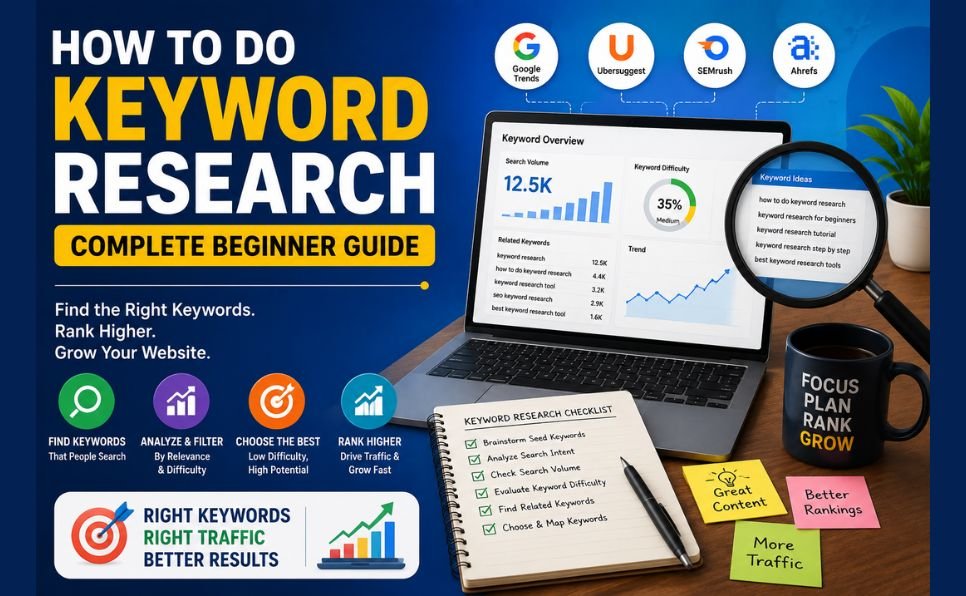
2. Thorough Keyword Research
Keywords are the bridge between what your audience searches for and the content you create. Without the right keywords, even exceptional content reaches nobody.
In 2026, long-tail keywords account for 70% of all search traffic. These are specific, multi-word phrases like “how to write SEO content for beginners” rather than the broad term “SEO content.” They have lower search volume individually but dramatically lower competition — and they attract readers who know exactly what they want, making them far more likely to engage and convert.
How to find the right keywords:
Start with your topic and use the Ahrefs Keyword Generator to discover related terms with real search volume. Enter your main topic and look for long-tail variations with 100 to 10,000 monthly searches and manageable competition.
Use Google’s People Also Ask boxes — the questions Google shows in search results for your topic are literally the questions your target audience is asking. Answering these comprehensively within your content is one of the fastest paths to first-page rankings.
Look at what keywords your competitors are ranking for using free tools like Ahrefs or Semrush. Find keywords they rank for in positions 4 to 15 — these are terms where you can realistically overtake them with better content.
3. A Compelling, Keyword-Rich Title
Your title tag — the headline that appears in Google search results — is one of the most important ranking signals and the first thing a searcher sees before deciding whether to click.
Rules for a high-performing title:
- Include your focus keyword as close to the beginning as possible
- Keep it under 60 characters to avoid being cut off in search results
- Make a clear promise — tell the reader exactly what they will get
- Include the current year for guides and tutorials to signal freshness
- Use power words that create curiosity or urgency: “complete,” “proven,” “fast,” “exact,” “ultimate”
Weak title: “Content Writing Tips” Strong title: “What Is SEO Content Writing and How to Do It Right — 2026 Guide”
The difference in click-through rate between a weak and strong title can be 3 to 5 times. More clicks signal to Google that your content is what searchers want — which pushes rankings higher in a positive feedback loop.
4. A Strong Opening That Hooks the Reader
Google tracks how quickly people leave your page after clicking. If users click your result and immediately hit the back button — called a “pogo stick” in SEO — it signals to Google that your content did not deliver what the searcher expected. Rankings drop as a result.
Your opening paragraph must immediately confirm to the reader that they are in the right place. The most effective openings do one of three things:
Identify the problem: Open with the exact frustration your reader is experiencing. They immediately think “this person understands my situation” and continue reading.
Make a bold, specific claim: State the core promise of your article directly in the first two sentences. Tell them exactly what they will learn and why it matters to them.
Ask a question that creates curiosity: Open with a question that mirrors what the reader is thinking — one that your article promises to answer.
Avoid generic openings like “In today’s digital world, content is king.” Every reader has seen this sentence a thousand times. It communicates nothing and motivates no one to keep reading.
5. Comprehensive Topic Coverage
In 2026, Google rewards depth. A 600-word article that skims the surface of a topic will almost never outrank a 1,500 to 2,500-word article that covers the subject comprehensively — even if both are equally well-written.
Comprehensive does not mean long for the sake of length. It means answering every reasonable question a reader might have about your topic without padding or filler.
Use the “People Also Ask” section in Google for your target keyword to identify every related question your audience has. Answer each one within your article. Check the “Related Searches” at the bottom of Google’s results page for additional subtopics to cover.
Ask yourself: after a reader finishes this article, do they need to go anywhere else to get a complete understanding of this topic? If the answer is yes, your article is not comprehensive enough yet.
6. Strategic Keyword Placement
Your focus keyword and related terms need to appear in specific locations that Google pays particular attention to:
In the first 100 words of your article — not forced, but naturally included as you introduce the topic.
In at least two H2 headings — this helps Google understand that the entire article is relevant to that topic, not just the introduction.
Naturally throughout the body — use the keyword and related synonyms wherever they fit naturally. Aim for a keyword density of around 1 to 2% — if your article is 1,500 words, your focus keyword should appear roughly 15 to 30 times across the full text.
In the image alt text of your featured image — Google cannot see images, but it reads alt text to understand what they show.
In the URL slug — keep it short, descriptive, and keyword-inclusive.
What to avoid: keyword stuffing. Repeating your keyword in every sentence sounds unnatural to readers and triggers spam signals for Google. Write for humans. Use synonyms and related terms naturally. Google’s algorithm understands context.
7. Effective Internal and External Linking
Links serve two critical functions in SEO content writing — and both directly influence rankings.
Internal links — links to other pages on your own website — help Google understand your site’s structure and topic coverage. They distribute authority across your pages and keep readers on your site longer, which signals engagement.
Every article you publish should include three to five internal links to relevant content you have already published. For example, an article about SEO content writing should link to your guides on how to rank on Google’s first page, what is domain authority, and what is guest posting — because these are all related topics a reader might want to explore next.
External links — links to authoritative external sources — signal to Google that your content is well-researched and connected to the broader web of credible information. Link out to reputable sources that support the claims you make. Two to four external links per article is a reasonable target.
For a complete understanding of how linking fits into your broader strategy, read our guide on boost your SEO rankings.
8. Proper Formatting and Readability
Even perfectly researched and keyword-optimized content fails if it is difficult to read. People read web content differently from books — they scan first, then read in detail only if the scan tells them the content is worth their time.
Format every article for scanners:
Short paragraphs — two to four sentences maximum. Large blocks of text are visually intimidating and cause readers to leave.
Descriptive subheadings — every major section should have a clear H2 or H3 heading that tells the reader what they will find in that section. Someone who scans your headings should understand the article’s full structure in under 30 seconds.
Bold text for key points — use bold sparingly to highlight the single most important idea in each section. If everything is bold, nothing is.
Tables and comparison charts — for data-heavy or comparison content, tables dramatically improve readability and are frequently featured in Google’s rich results.
Lists — numbered lists for step-by-step processes, bullet lists for collections of related points. Lists are easy to scan and Google often pulls them directly into featured snippets.
The SEO Content Writing Process — Step by Step
Knowing the elements of great SEO content is one thing. Having a repeatable process that produces it consistently is what separates professional SEO writers from those who get inconsistent results.
Step 1 — Choose Your Target Keyword
Start with keyword research. Find a long-tail keyword with genuine search volume that you can realistically rank for given your current domain authority. Use Ahrefs or Google’s own search suggestions to find it.
Check the top 5 to 10 results for that keyword. Can you write something more thorough, more helpful, and better formatted than what currently ranks? If yes — proceed. If the first page is dominated by massive authority sites with far stronger backlinks, find a less competitive variation.
Step 2 — Study the Search Results Page
Before writing a single word, spend 15 minutes studying the top results for your keyword. Note:
- What format is Google rewarding? (Guide, list, comparison, FAQ?)
- How long are the ranking articles?
- What subtopics do they all cover?
- What questions do they answer in “People Also Ask”?
- Are there obvious gaps — important questions they fail to address?
This research tells you the minimum standard your article must meet to compete — and shows you where you can exceed it.
Step 3 — Build Your Outline
Create a complete outline before writing. Your outline should include:
- Your H1 title (including focus keyword)
- Each H2 section heading
- Key points to cover in each section
- Where to place internal and external links
- Questions from “People Also Ask” to answer
A strong outline is the difference between a focused, well-structured article and a rambling piece that loses readers halfway through.
Step 4 — Write the Full Draft
With your outline complete, write the full draft. Focus on covering every section thoroughly. Do not worry about perfection on the first pass — get all the ideas on the page, then refine.
Use Google Gemini for research to accelerate the research process, generate ideas for sections you might have missed, and create first drafts that you then rewrite in your own voice and with your own insights added.
The critical rule: never publish AI-generated content without substantial editing and the addition of original perspective, real examples, and personal experience. Google’s systems in 2026 are increasingly effective at identifying generic, experience-free content — and they rank it accordingly.
Step 5 — Optimize On-Page Elements
Once the draft is complete, optimize every technical element:
- Title tag: Include focus keyword, under 60 characters, compelling promise
- Meta description: 150 to 160 characters, include keyword, clear value proposition
- URL slug: Short, keyword-inclusive, hyphens between words
- H1: Your article title — only one per page
- H2s and H3s: Include keyword variations naturally
- Image alt text: Describe the image and include focus keyword where relevant
- Internal links: Three to five links to relevant existing articles
- External links: Two to four links to authoritative sources
Use our free SEO checklist to verify every on-page element before publishing.
Step 6 — Publish and Submit for Indexing
After publishing, submit your URL to Google Search Console for indexing. This tells Google a new page exists and prompts faster crawling. Without this step, new pages can take weeks to appear in search results.
Share the article on your social media channels. Engagement signals — clicks, shares, time on page — contribute to how Google evaluates new content.
Step 7 — Monitor, Update, and Improve
SEO content is not set-and-forget. Monitor your rankings in Google Search Console. If an article ranks on page two or three for its target keyword, it is close to breaking through — a content update adding more depth, fresher data, and additional internal links can push it to page one.
Revisit your best articles every six to twelve months. Update statistics, add new sections, improve formatting, and strengthen internal links. Updated content consistently outperforms stale content that has not been touched since publication.
Common SEO Content Writing Mistakes to Avoid
Writing for search engines instead of people The irony of SEO content writing is that the best way to rank is to write genuinely for your human reader. Google’s algorithm is now sophisticated enough that content optimized purely for technical signals — without genuine depth and value — consistently underperforms content that actually helps people.
Targeting keywords that are too competitive Choosing broad, high-competition keywords as a new or low-authority website produces no results regardless of content quality. Start with specific, long-tail keywords where you can realistically compete.
Neglecting the title and meta description Many writers spend hours on content and then write a lazy, generic title in 30 seconds. Your title and meta description determine whether people click your result. A weak title wastes all the effort invested in the content itself.
Ignoring content updates Content that was excellent 18 months ago is often outdated today. Old data, changed best practices, and evolving search intent mean that evergreen content requires regular refreshing to maintain and improve its rankings.
Publishing without internal links Every article published without internal links is a missed opportunity to strengthen your site’s authority structure and keep readers engaged with more of your content.
When to Use Professional SEO Content Writing Services
SEO content writing is a learnable skill. Everything in this guide can be implemented by someone with no prior experience — given time, practice, and consistent feedback from their search performance data.
However, time is the key constraint. Producing one high-quality, thoroughly researched SEO article that competes on Google’s first page takes four to eight hours of focused work — research, writing, optimization, and editing included.
For businesses and website owners whose primary focus is running and growing their operation rather than becoming content marketers, professional SEO content writing services offer a clear return on investment.
Our content writing services produce fully optimized, thoroughly researched articles built specifically to rank — with every on-page element handled, every internal linking opportunity taken, and every piece written to match both search intent and reader needs.
Combined with our guest posting services to build the backlink authority your content needs to compete, and our professional SEO services for complete strategy and execution — it becomes a comprehensive system for growing organic traffic without diverting your focus from your core business.
For a complete toolkit to evaluate and track your SEO content performance, read our guide on best SEO tools and use the how to start a blog guide if you are building your content platform from scratch.
Final Thoughts
SEO content writing in 2026 is not a technical trick. It is the discipline of understanding what your audience is searching for, creating the most thorough and helpful answer to that search, and presenting it in a format that both Google and human readers find easy to navigate.
The fundamentals have not changed — keyword research, search intent matching, comprehensive coverage, strong formatting, and consistent internal linking. What has changed is the standard. Google is better at evaluating quality than ever before, which means the bar for ranking is higher — and the reward for meeting it is more valuable.
Every article you publish that truly serves your reader is an asset that compounds in value over months and years. That is the power of SEO content writing done right.
Start with one article. Apply every principle in this guide. Publish it, monitor it, improve it. Then repeat.
That is how organic traffic is built — one excellent piece of content at a time.
What is your biggest challenge when writing content for SEO? Drop it in the comments — we answer every question.